Can't Get Blog Archive Template To Pull In Blog Posts

Using Brizy 2.3.22 and Brizy Pro 2.3.16
Site — http://condylarresorption.org/blog/
Have done this before, but am having trouble getting the Brizy blog archive template to work on the site above. I have messed with the tokens and everything, but can't get the archive to pull in the three sample blog posts I've made. It's set to pull "all categories".
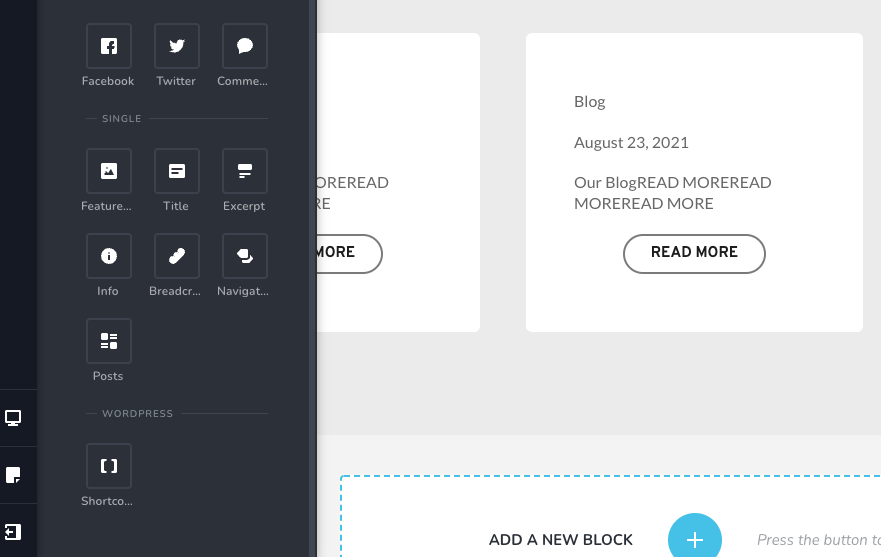
In the tutorial video I see there is supposed to be a pile of WordPress options at the bottom of the available elements, but I don't see those at all (see below). I did see an "Archive" element when I convert the default Wordpress Blog archive page to Brizy, but it also is not pulling in anything.
-

Hi,
Elements positions have been changed a bit, so to display posts in a template you need to add the condition to Archive -> Blog and then add the Archive item. Please refer to this video: https://jmp.sh/HTzgJUh Please let me know if you have another behavior.
btw: it is important that the blog page (set as blog in WordPress settings) has not been edited with Brizy or another editor. It needs to be clean.
0 -
Video helped, I was able to fix it, thank you!
0
Please sign in to leave a comment.
Comments
2 comments