16:9 video full size video background

Hi Brizy Team,
I would like to use a 16:9 ratio video hosted on youtube to be displayed as a screenfilling videobackground for one of my page elements.
Therefore i set the height of the page element to "full height" and implemented the youtubevideo.
The video does fill the screen but is cut off on the bottom end. As far as I understand it this is because available screensize on a website is not 16:9 because depending on the used browser there is space for the navigation row on the top end to be deductedl, the result not being 16:09 anymore. Do you have any tip how i could tackle this problem? How do professional deal with this? would they produce the video in another ration more suitful for websites or is there some CSS code that would force the video in the background to stay 16:9 depending on the available screensize or something like that?
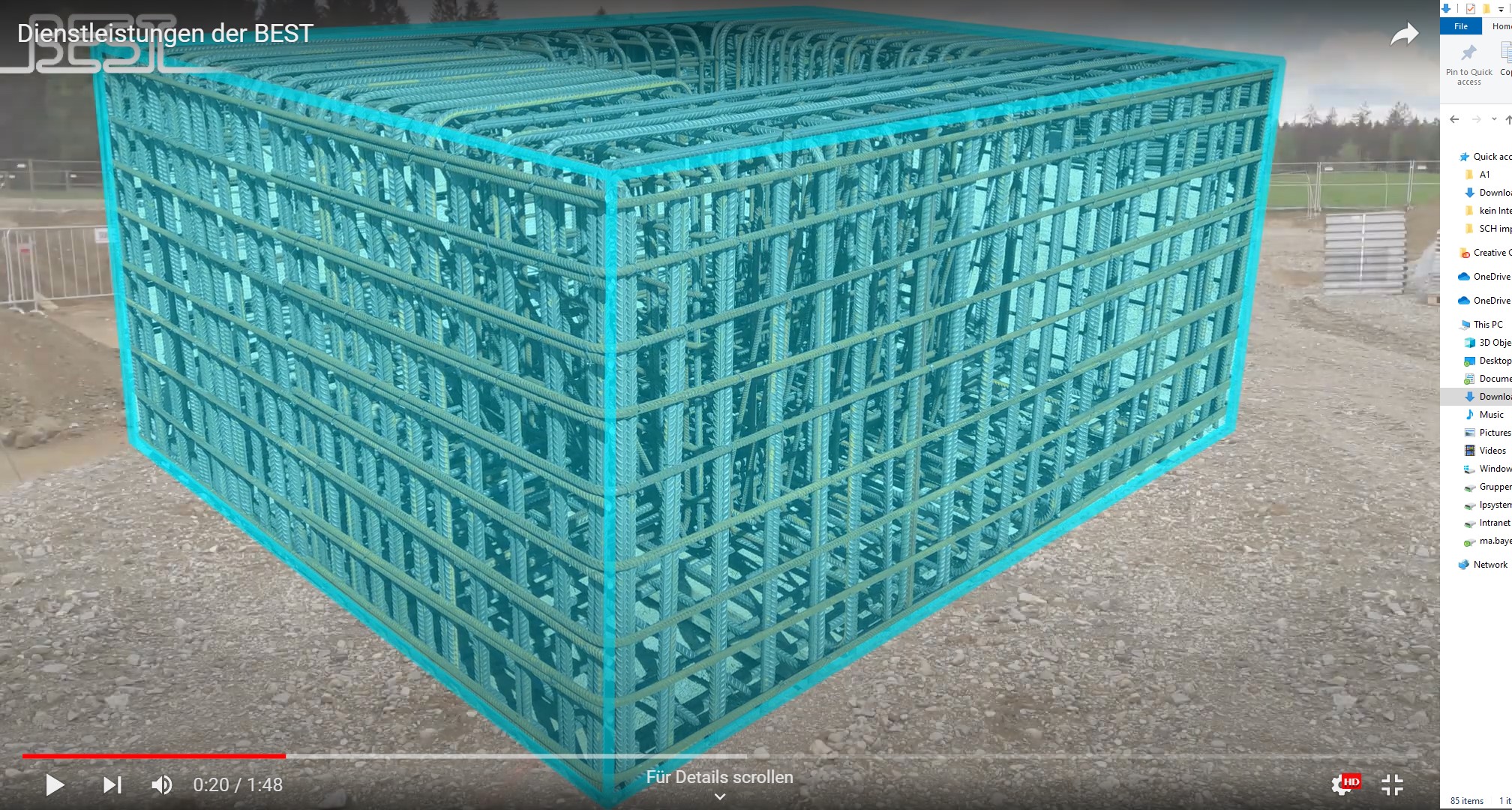
The original video (the whole cube fits the screen):
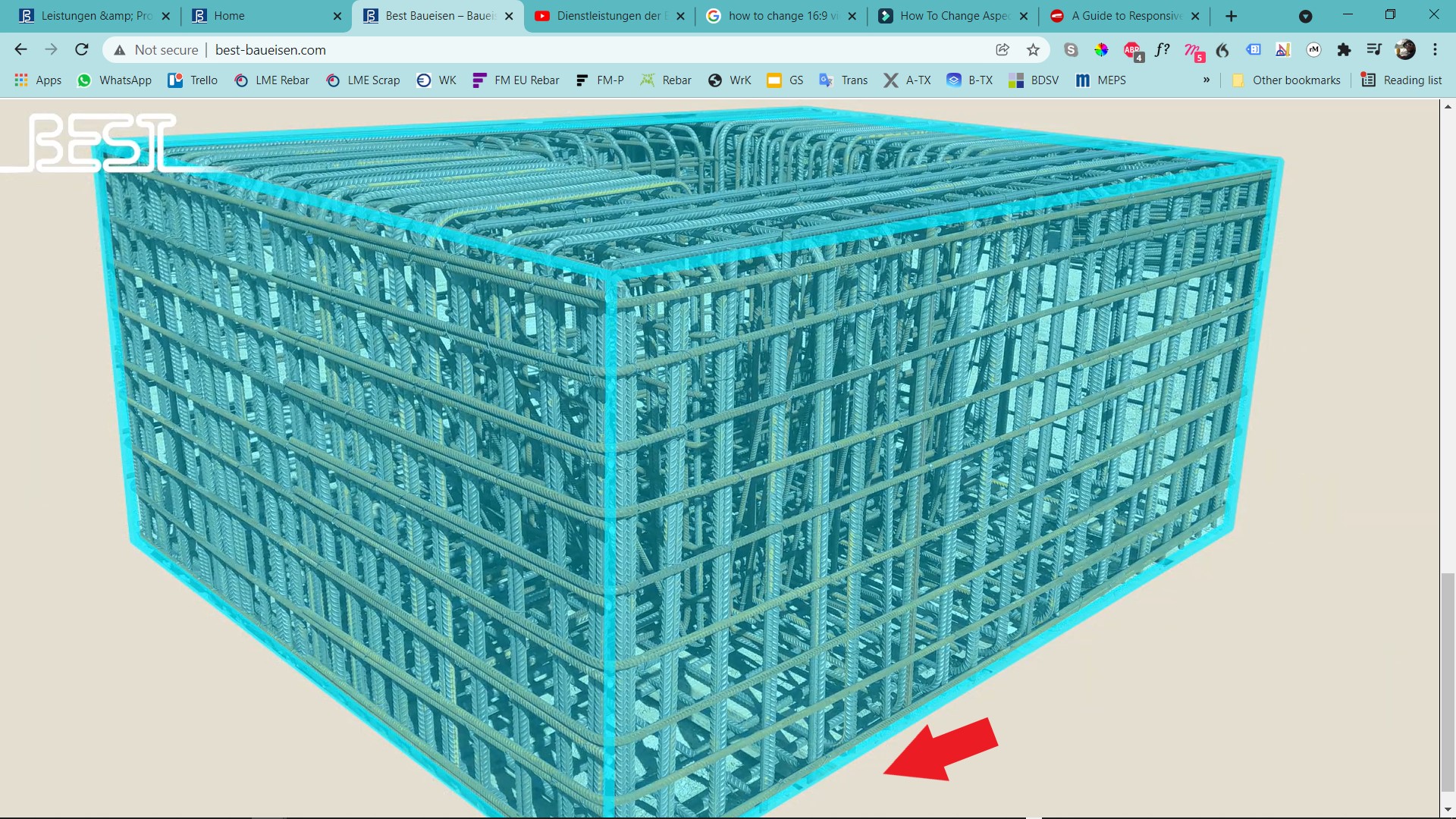
the videobackground: the cube is cut off at the bottom.
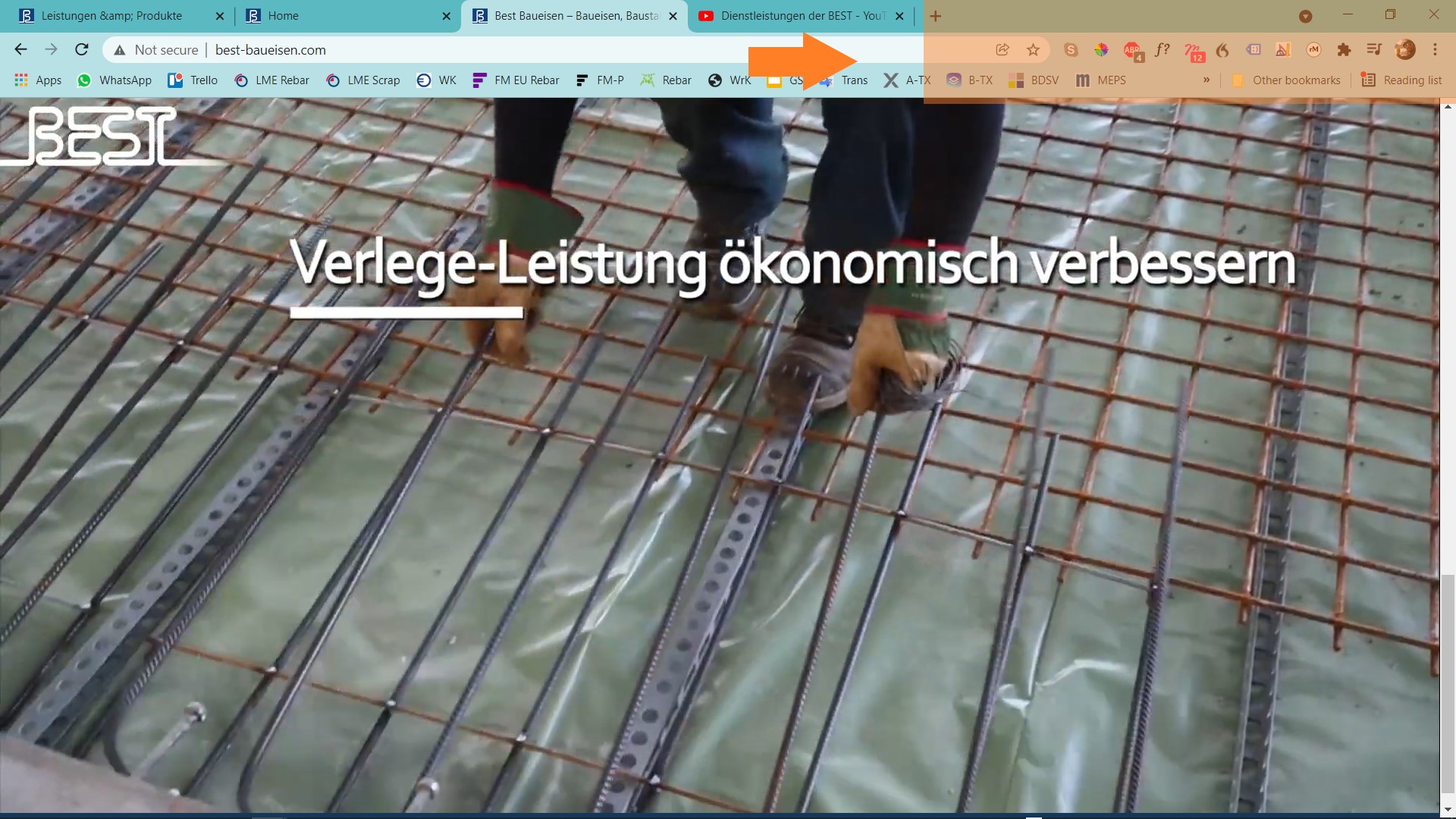
The browser navigation changes available screensize:
Please help me out if you know how this is done professionally.
Best regards,
Max
-

Hi,
seems to be a common situation for the web. I found the same thing on two other web platforms: https://discourse.webflow.com/t/auto-resize-background-video-while-maintaining-16-9-ratio-margins/170399 https://forum.squarespace.com/topic/153291-possible-fix-for-maintaining-background-imagevideo-aspect-ratio/
In any case, the solution will come from CSS. I will add a note about this on our internal desk and we will inspect this in the future. So, I'm afraid you'll have to find the code that works for you by testing. Maybe the version from the last link will be useful for you.
0 -
Hi Alex,
ok thank you and yes I will try that.
In the example you mentioned, what would be the section reference in Brizy for a page element with video background?
section#your-section-url {
position: relative;
width: 100%;
padding-top: 56.25%; /* 16:9 Aspect Ratio */ }
0 -
ufortunately setting the padding-top to 56,25% does not work as in the mentioned example for brizy.
0 -
please let me know if you find out more from your internal desk.
Best regards,
Max
0 -
Hi Max,
Please send us the link to the video of your example to do some testing with that cube. Thanks.
0 -
Hi Alex,
the video can be streamed using the URL below:
Please let me know if you need anything else.
Thank you.
0 -
Hi,
Had a word with my colleagues who deal with the frontend and we don't have a solution at the moment. the idea is that it is almost normal behavior because the screen does not have the 16:9 format and the browser also calculates the space occupied by the address bar, tabs, bookmarks and so on. We will leave this open on our internal desk and inspect this in the future.
0 -
Hi Alex,
ok fair enough. But would it not be possible to set a simple CSS fix setting the height of the video to the same height, the page element gets assigned to, when set to "full height" in the element settings and then enforcing it. If the 16:9 ration would be enforced as well and leaving the corresponding width to be flexible the video would always be display in 16:09 and always fill the whole available screenheight, the width would be changing depending on the available space.
0 -
Hi,
Try doing this on a default WordPress page by creating a custom HTML&CSS section and if you are able to get what you need I will help you adapt your code to a Brizy section.
0 -
Hi Alex,
ok thank you, I will try that. Since I am not so fit with CSS could you maybe send me a short code as a starting point from which I could start my experiments.
Would you have an idea how to put this idea into a short CSS code?
This would be very helfpul. Thank you for your support.
Best regards,
Max
0 -
Hi Alex,
you worte "Try doing this on a default WordPress page by creating a custom HTML&CSS section and if you are able to get what you need I will help you adapt your code to a Brizy section."
Creating the custom HTML&CSS would be done via the brizy "embed" element? How can I create a custom HTML&CSS solution within Brizy? Or were you referring to outisde of brizy?
Best regards,
Max
0 -
Hi Max,
this situation is one discussed on several web forums, it is not something specific to Brizy so I meant you could try to solve this outside of Brizy, and if you succeed I will help you adapt the solution to the Brizy section( if possible).
0 -
Hi Alex,
so we did test a solution on a "regular HTML site" that works.
There is a CSS block that is implemented for the page element and then the video is loaded within an iframe. So I guess the idea would be to implement the CSS and then add the Iframe code into Brizys "embed" Element.
CSS for element:
.video-container { position: relative; padding-bottom: 56.25%; padding-top: 0; height: 0; overflow: hidden; } .video-container iframe, .video-container object, .video-container embed { position: absolute; top: 0; left: 0; width: 100%; height: 100%; }
Embed Element Iframe:
<div class="video-container"><iframe src="youtube link goes here" frameborder="0" allowfullscreen="allowfullscreen"></iframe></div>
Do you think you could help us adapt our code for Brizy?
Thank you for your support,
best regards,
Max
0 -
Hi Max,
sorry for not getting back to you sooner.
It's not quite the same. Here you have a responsive embed(which I have already met through some articles) but in our case we need a section with a video background.
I did several tests but I couldn't get an acceptable result. I manage to display the video in original ratio (16: 9) but it has some space at the edges: https://jmp.sh/u7qnTve However, here's what I found: try setting the section height to 110%: https://jmp.sh/vaReMXA Doesn't that improve the situation: https://jmp.sh/va5yBMc ?
0
Please sign in to leave a comment.
Comments
14 comments