contact form add remove

Hi Support,
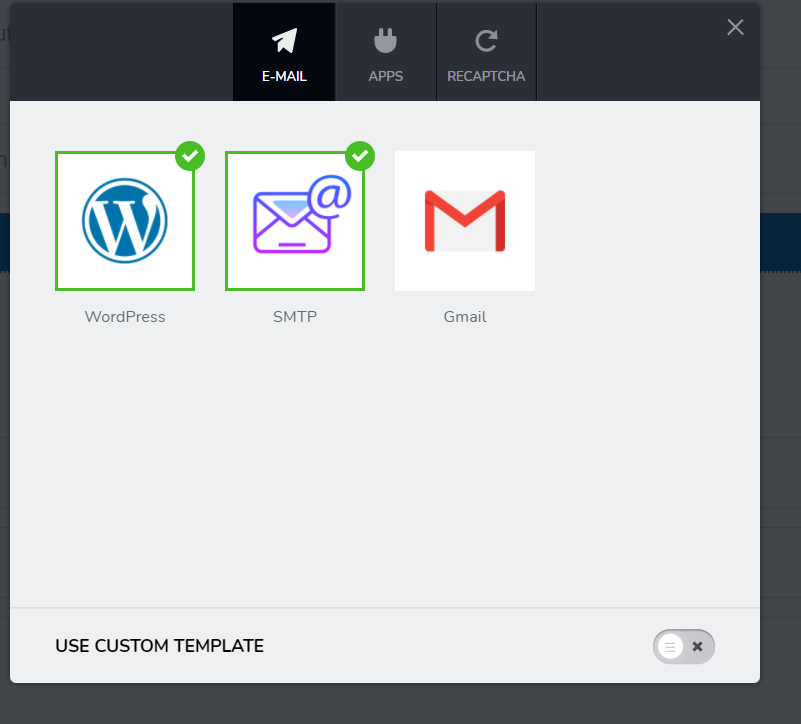
I have been experimenting with the brizy form element and finally got it to work using both the "wordpress" and the "smtp" mailing engine.
Now that it works I have setup both engines for the form I am building and I am hence receiving two emails for each form filled and sent.
So i could ether remove one of the two setups (Wordpress; SMTP) or I could create a blank, new form element and installing only one of the two.
Unfortunately I have problems with either one of those two options.
1) removing on of the two mailing engines from the existing mailing form does not work. There is no way to select and delete one of the two setups as far as I understood.
Trying to edit the setup and deleting all content from the forms and saving again does not work, the minimum required fields have to be filled.
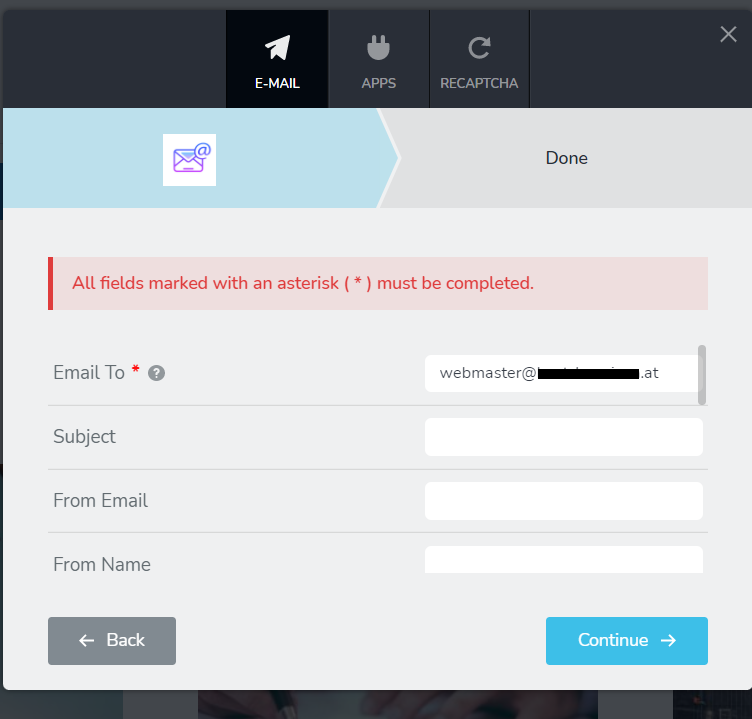
2) when trying to setup a new blank form element and selecting SMTP engine. When trying to fill in our webmaster email as recepient "webmaster@XXXXX.at" it does not work neither since after filling our email i still get the message "all files with * must be filled".
(That very same email does work in the other element where both SMTP and Wordpress mail is setup simultaneously.)
If you know what I could do to setup the element correctly, please let me know.
Best regards,
Max
-

Hi Max,
Firstly please confirm you have this issue with the latest Brizy versions: Free 2.3.20 and PRO 2.3.15. now about your questions:
1) Unfortunately, this is not possible at the moment. We have this on our to-do list. The solution, for now, will be to duplicate the form and configure only the send method you need.
2) Is this a specific issue for this email? Does another email work well? Did you fill in other fields that are required below: https://jmp.sh/yPfmTxu ? Do you have any SMTP plugins?
0
Please sign in to leave a comment.
Comments
1 comment