ssl not working

Hello, it has been about a week, I have connected a custom domain and still don't have SSL certificate. Can you solve it, please?
-

Hello Pavel,
Thank you for your message.
Please confirm you added the CNAME record and A record as described on these articles: https://support.brizy.io/hc/en-us/articles/360041764052-Custom-domain-A-Record-Redirect- https://support.brizy.io/hc/en-us/articles/360026046931-Custom-sub-domain-CNAME-Redirect-
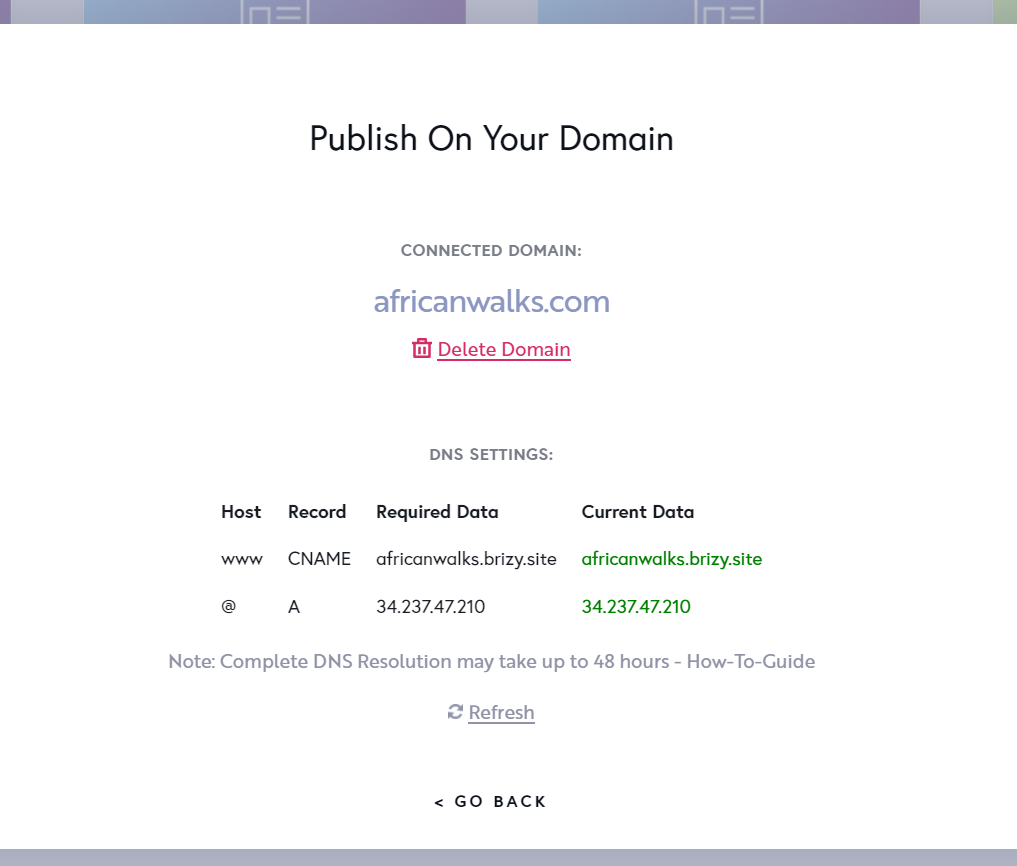
Are the records in the project settings green? This is an indicator that the configuration was done correctly.
Please send us a screenshot with records to see how they were set up. Please send us the URL of the page you found this inconvenience.
Best regards, Nelea.
0 -
Hello, thank you for the prompt response.
This is the URL: http://www.africanwalks.com/
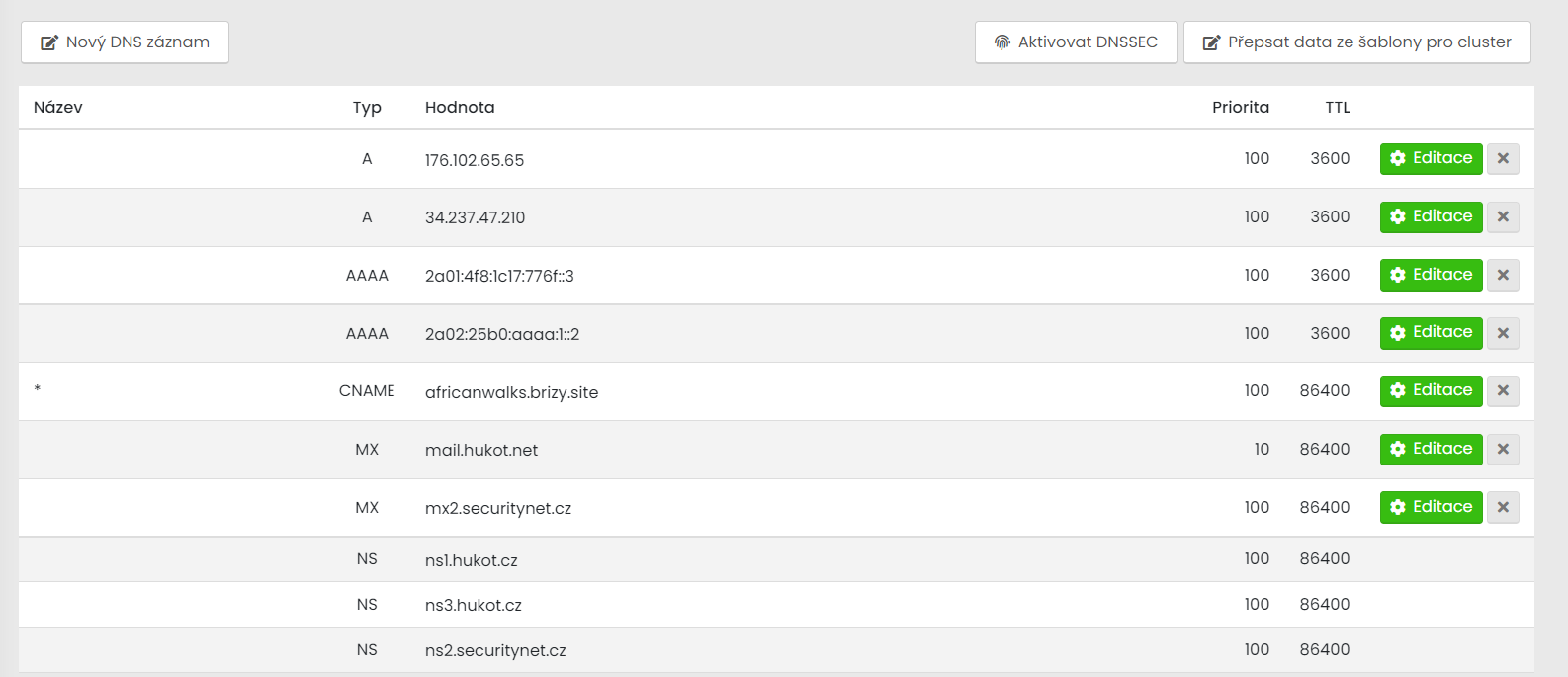
Here is the screenshot and the next picture is the setting from my domain provider.
 0
0 -
Hi Pavel,
Thank you for your screenshot. Please delete the first A record and both AAAA, see please here.
Best regards, Nelea.
0 -
Hi Nelea,
I have deleted those records as you instructed me two days ago but it didn't help yet.
Should I do anything else?0 -

Hello Pavel!
My name is Natalia, thank you for your message.
Unfortunatly the SSL certificate can not be generated right now. There is a worldwide issue with encrypt tool - https://letsencrypt.status.io/
Waiting for the fix.
Regards, Natalia
0 -
Hello Natalia
It has been 20 days and the ssl is not still working. Is there any progress in fixing this issue?
Regards,
Pavel
0 -
Hello Pavel,
We already fixed the problem with SSL and now all is working fine, please see here. Could you please delete the browser cache and check it again?
Best regards, Nelea.
0
Please sign in to leave a comment.
Comments
7 comments