Button CSS

I have tried various methods to change the button CSS.
What is the correct way to change the button class so that it is reflected on all devices?
-

Hi Ray,
It depends what button exactly do you want to change. Please, provide more details on what exactly you want to edit, link to the page where button is present and code that you tried to use, I'll check it.
Best regards,
Denis.0 -
Thanks Denis
Individual control of top and bottom padding of button text using CSS.
I want a general way so that I can use this on any Brizy cloud site.
0 -
Hi Ray,
Thank you for your reply.
One way to do this is to create a button, in settings set paddings you want to have for all the buttons and save this button as favourite. Then you will be able to add this button in every page you may need.
Best regards,
Denis.0 -
Hello Denis
You haven't understood the information I have provided. Please re-read.
It is the button text I wish to set padding for. I want to set different padding for top and bottom. The following CSS does't work. It gets overridden by Brizy.
.brz-btn {
padding: 8px 28px 5px 28px!important;
}So I need custom CSS as your cloud settings do not allow for individual top and bottom padding. If you don't understand please on to someone who does.
Thank you.
0 -
Hi Ray,
Thank you for your message.
You can set top and bottom paddings separately. You just need to switch to individual padding settings: View screenshot.
Let me know if this is what you were looking for.
Best regards,
Denis.0 -
Denis
You are still misunderstanding. I do not want to change the button padding.
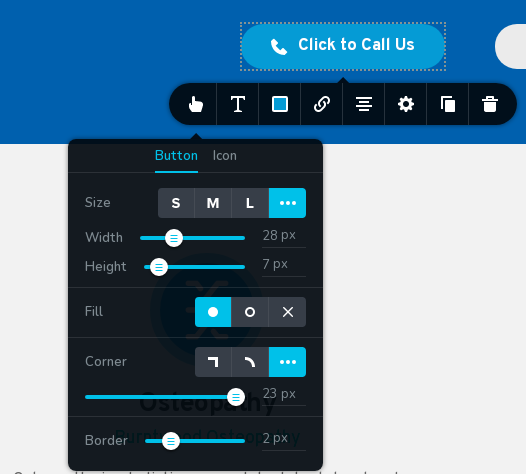
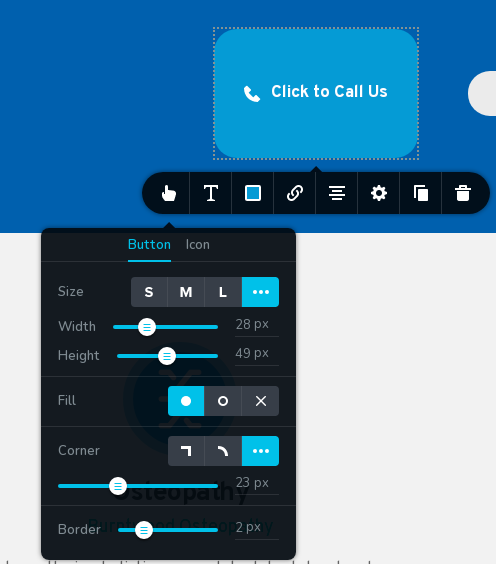
I want to pad the button text inside the button. The editor only gives a generic padding that pads both top and bottom, the editor calls this height. I need custom CSS. See images attached. Once again if you are unable please pass on to someone else.
 0
0 -
Hi Ray,
Thank you for your reply and explanation.
Sorry for misunderstanding, you didn't mentioned that you want to do this with with inner paddings.
Please, try to use CSS code below. I tested this one, works for all the buttons:
.brz .brz-a.brz-btn {
   padding-top: 50px;
}
Best regards,
Denis.0 -
Thanks Denis
Can you put this forward as a suggested feature. So that users can adjust top and bottom, left and right button text padding individually in the editor.
0 -

Hello Ray,
Thank you for your message!
I will try to tell this to our developers and maybe we will implement it in the future. Till then, if you have any other questions, feel free to ask. We will be happy to help!
With kind regards,
Doina
0
Please sign in to leave a comment.
Comments
9 comments