Link Jumps Back to Homepage

Hi I have several links in my webpage that will download an attached PDF. The PDFs are all uploaded in the wordpress media.
It use to work the last time I check which was last week. However now when I click to download, it simply redirects back to the homepage.
Help please!
-

Hello Id,
Thank you for your message!
Can you please make sure you have the latest versions of Brizy: Free 2.3.20 and Pro 2.3.15? At the same time, clear the cache and deactivate all the plugins and themes you do not use. Besides this, please check if the pages from the site are published and not saved in the Draft? And send us the URL of your page. Thank you!
With kind regards,
Doina
0 -
Hi Doina,
Yes I am already on the latest versions for both.
Have deactivated all unused plugins. All pages are published, nothing in Draft.
My page is: https://www.mypreschoolhub.com
The links that are not working are at: https://www.mypreschoolhub.com/resource-library/
There are buttons for PDF downloads. These PDFs are saved in WP Media. When clicked, instead of downloading the pdf, it brings me to https://www.mypreschoolhub.com/welcome/
0 -

Hello,
In this button, we see an external link added - https://jmp.sh/eEdlzZU ; you should have only the pdf file, not a link https://jmp.sh/YWnaGSn; make sure you don’t have here a link.
If you need assistance, we can help in a private message
Best regards, Nelea.
0 -
Hi Nelea,
I included only the pdf file. Not sure where or how to delete the link. I tested with a new button - same thing.
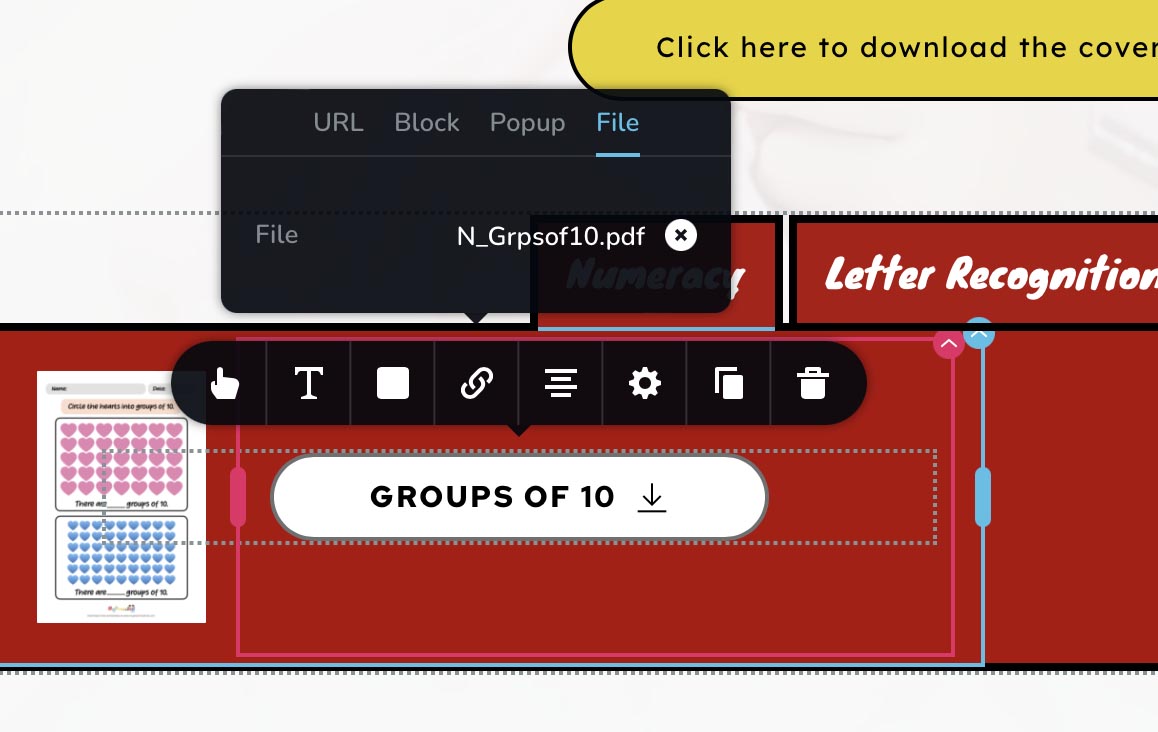
This is how i link the button to the pdf. That's all i did. I saved and i preview and click on the link and it still jumps me back to https://www.mypreschoolhub.com/welcome/
I did not added anything more than just the pdf.
0 -
Hi,
Can you confirm that you don't have any link here ?
Best regards, Nelea.
0 -
Hi Nelea,
Yup nothing at all.
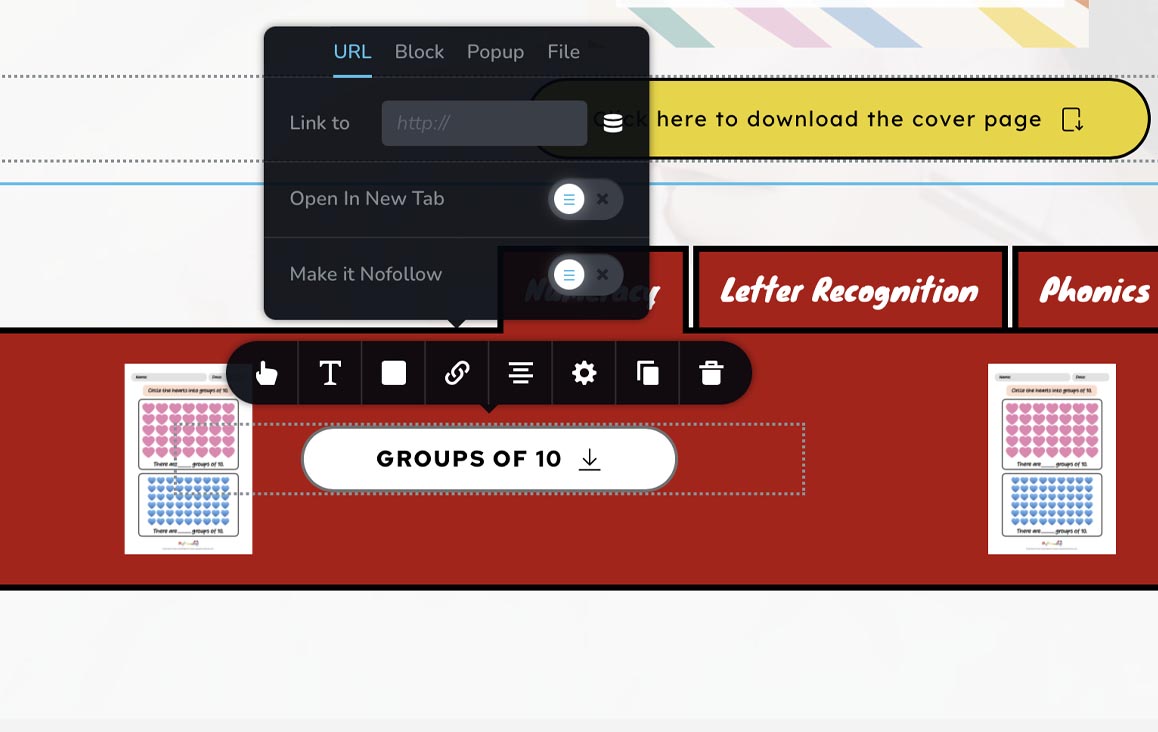
I checked all the others too. Same thing. Only has "file" and pdf attached there. All other "url" "block" "popup" are empty. I even created a brand new button to test. And same thing.
0 -
Hi,
I created a private ticket on this request. You had to receive a notification regarding this on email. Could you send to us in that private message the WP credentials to this site? We will check this problem from the dashboard.
Best regards, Nelea.
0
Please sign in to leave a comment.
Comments
7 comments