Sticky header

I would like to make my whole header sticky but I can't. There is no position field in the advanced settings for the block. I added CSS but it doesn't work. The menu I managed to make sticky but it is only the menu I would like the whole header: logo, text, button, menu and white background to be sticky when you scroll down the page. See screenshots. Here is site: https://passionfruit8729528.brizy.site
Also, can't make any block global in Safari, it just keeps spinning. Won't take a screenshot when saving a block either. Would like to be able to use Safari as it is much faster than Chrome.
thanks,
Diane
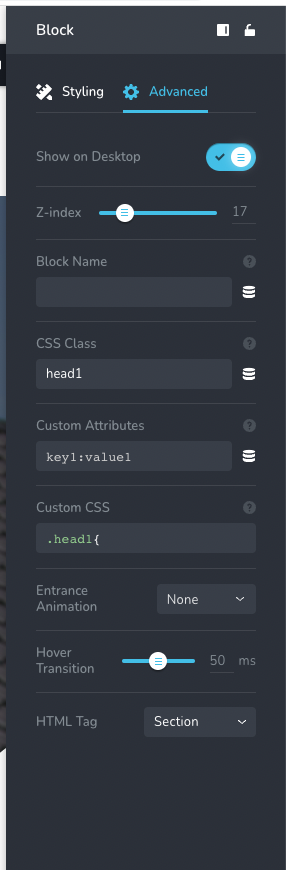

-

Hi,
Thank you for your message.
If you need to make a sticky header you should click on the setting block - header fixed. Please see this video.
Regarding the second question, we could reproduce this issue too, we can not make the block global in Safari. We already created an issue for our developers and they will try to solve it as soon as possible. Until this issue will be fixed please use the Chrome browser.
We are sorry for this inconvenience.
Best regards, Nelea.
0 -
I don't have anything like a header in my builder. It currently says it's a block. I don't see anything for header in the elements list. I tried to change the block to a header with the HTML in the Advanced Settings but that didn't do anything.Really need to have blocks be able to be sticky. But how to get the header? And why doesn't the CSS work?thanks
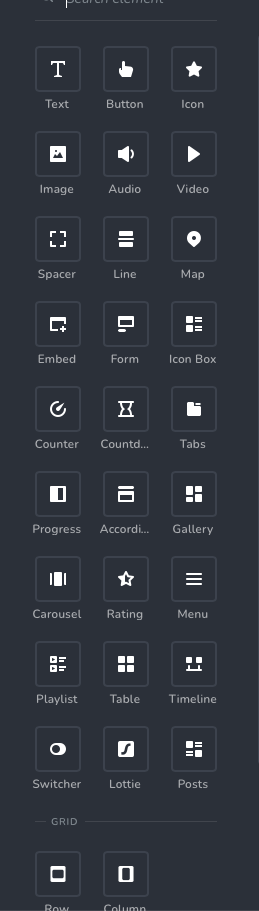 0
0 -

Hello Diane,
Thank you for your message!
As my colleague said, there are some small issues that we are working on and will get fixed as soon as possible. Till then, please see this video. It might help! Thank you for understanding!
With kind regards,
Doina
0
Please sign in to leave a comment.
Comments
3 comments