SEO issue

Hi, We have updated all Tags - Titles in brizy cloud, however, it is not reflecting in CDN sourse. so the site is not raking as expected. Earlier this site was in WordPress and was on top. Now our SEO expert finds out this is the issue. Still showing many H1 tags after removing all others. Required one only for ranking.
The site name is https://www.spiderpersonnel.co.nz/
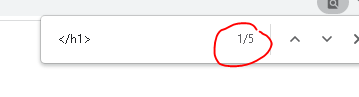
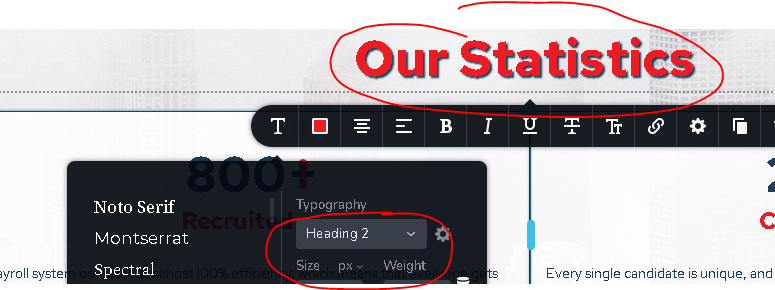
however the source code shows only </h1> and there is no <h1>
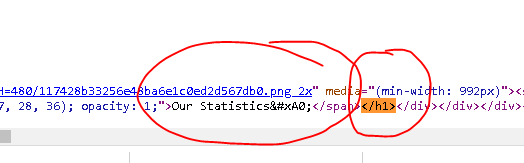
-

Hello Dijo!
Please check the Tag option under the cog icon: https://jmp.sh/4nhKGlB
Kind regards,
Mihail
0 -
Hi,
Thanks, But we have done the same with all my sites. My problem was With the editor it will show one tag(ex H3) but when we open the site in the browser the same H3 tag area will show as the H1 tag or the tag given earlier.
For example, our developers will keep the H2 tag in all main headings during the development stage. But once we completed the website, we will host it and after that our SEO guy will try to change the old H2 tag to the H1 tag, then the change will appear in the editor as the H1 tag. But when we check the source code in the browser, it shows an old H2 tag. That is the problem I was trying to explain earlier.
This causes significant SEO ranking issues. Kindly provide us with a solution.
Thanks
Dijo
0 -
Hello!
Sorry for the delayd answer.
So why the SEO guy can't change tag in the same way as it was Developed?
The tag is Closed as I can see on your page. https://jmp.sh/XR5qzwF
Did you tried to change tag as I showed you in my previous message?
Kind regards,
Mihail
0
Please sign in to leave a comment.
Comments
3 comments