Modifying block element details in templates

We've created a few templates that use the 'Product', 'Category' and 'Cart' WooCommerce elements. However these elements come pre-loaded with the information from WooCommerce and we can't seem to edit the font or text colour.
How do we get the functionality to modify these details?
-

Hi Annette,
Thank you for your message.
If you have added in the template the Woocomerce elements with the page element, please see this video, then yes, you can not edit this page. If you need to edit the font and the colour in the template you should add each element (product, cart...) separately, please see this video.
Best regards, Nelea.
0 -
Hi Nelea,
On this issue when I add the categories element as you have explained to do i see none of the editing options you have with the products element. I have the same editing power if I add in the products element like you have but the categories element gives me zero editing options.
0 -
Hi Annette,
The categories element you can use as it is, you can not edit them. Our developers are working on making those also editable.
Best regards, Nelea.
0 -

Hi,
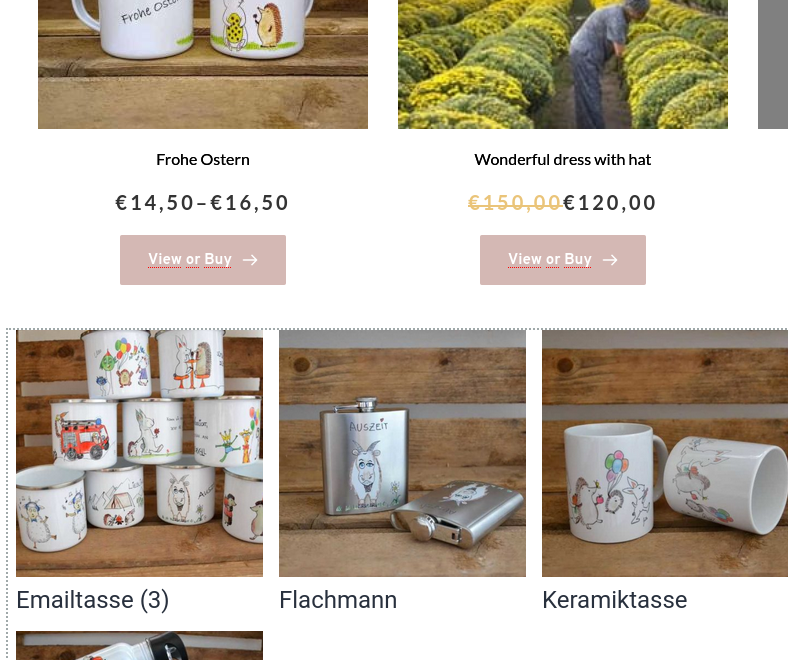
when will it be possible to edit the category element? It really doesn't fit to the well designed product element:
I need to style at least the font-style (use standard), font-size and align center. Thanks for your advice in advance. Best regards Alexandra
 0
0 -
Hello Alexandra,
Thank you for contacting us.
Unfortunately, we don't have an ETA for this future.
Best regards, Nelea.
0
Please sign in to leave a comment.
Comments
5 comments