Template no longer populating on page

So we created a product list template that we intended to use on our "Shop" page. This was working but something on the website changed and now the page is no longer populating with the template.
The template itself is still unchanged but how do we re-link it to the shop page?
-

Hi Annette,
Thank you for your message.
Can you please confirm if you are using this Display Condition for your Shop page Brizy Template?
Best regards, Nelea.
0 -
Hi Nelea,
Yes that is our display condition.
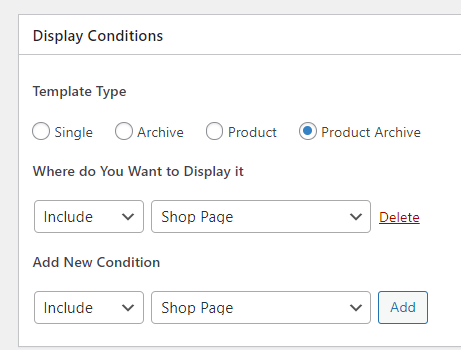 0
0 -
Hi Anette,
Please also check if you are using the Archive element to display the list of products. If your shop page still does not work, we would like to take a look at your WordPress backend to investigate the problem further.
Best regards, Nelea.
0 -
Hi Nelea,
We have used the archive element to bring in the product on the Brizy template. We have also set the WooCommerce shop to the correct page but when we open the "our shop" page nothing populates. The template doesn't pull through.
0 -
Hi Nelea,
So upon further investigation I think we were using the product element. However when we include the archive element it pulls through our blog posts and not the products?
0 -
Hi Annette,
On the Shop page from "Pages", you shouldn't have activated the Brizy editor. If for the Shop page you see this https://jmp.sh/b5qtE9p, please deactivate the editor for this page in such a way https://jmp.sh/9a5TgwQ.
Let us know if all is working fine. Thank you.
Best regards, Nelea.
0 -
Hi Nelea,
So are you saying the shop page should not be in the brizy edit "mode"?
I'll give this a try but please can you also help me understand why my archive in the product archive template is pulling through the blog post information?
0 -
Hi Annette,
1. Yes, the page shop page should not be in the Brizy edit "mode" . Therefore the template shop should have been edited with Brizy, see here.
2. When you use the Archive element, sometimes you may see the list of blog posts instead of the Products in the Editor. (Please ignore it temporarily) Please check the Shop page preview. In preview, your shop page should show the Product listing (and not the blogpost listing).
Best regards, Nelea.
0 -
Hi Nelea,
Thank you for your help this far and we've managed to get everything working, just about. The only issues we have left are on the Cart and Checkout pages. On these pages we have no editing options and from this video (at around 34 minutes) they say we should have editing options on the typography at least but I don't have this.
Currently our Cart page has the wrong font and there is yellow and red text which we desperately need to get rid of - please see screenshot below.
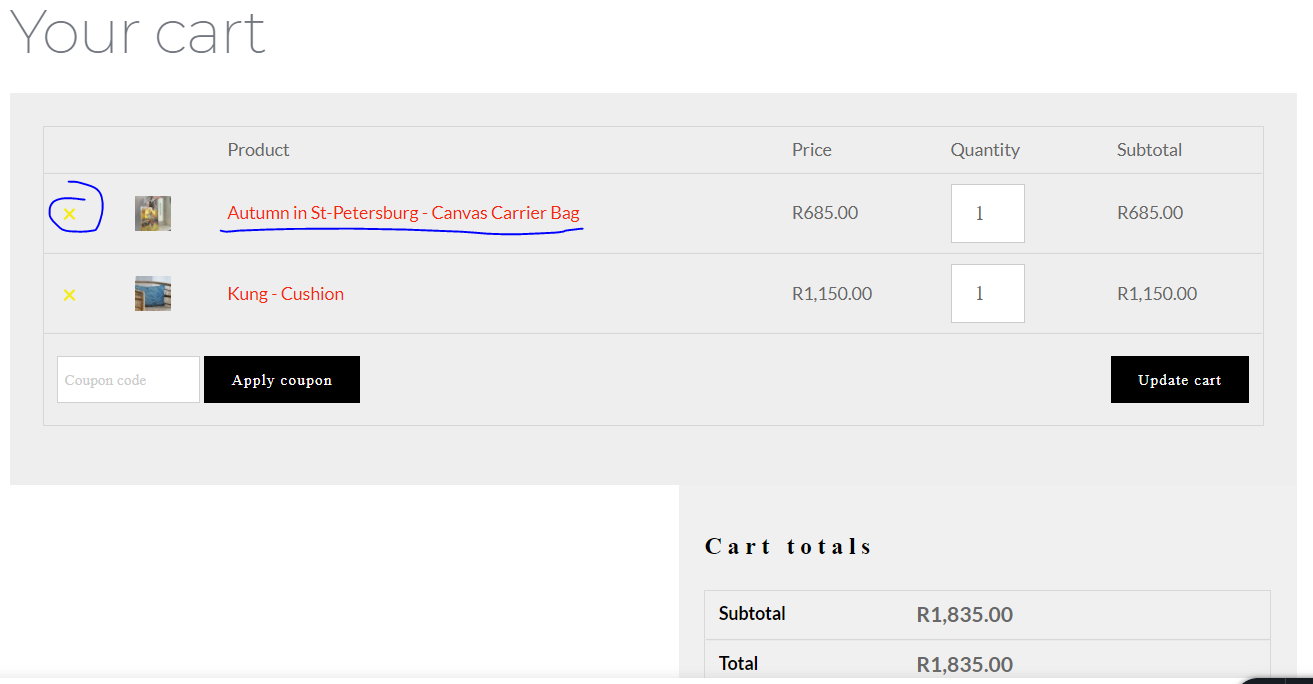
And the Checkout page, apart from wanting to change the layout to be a bit nicer also has the some font and colour issues.
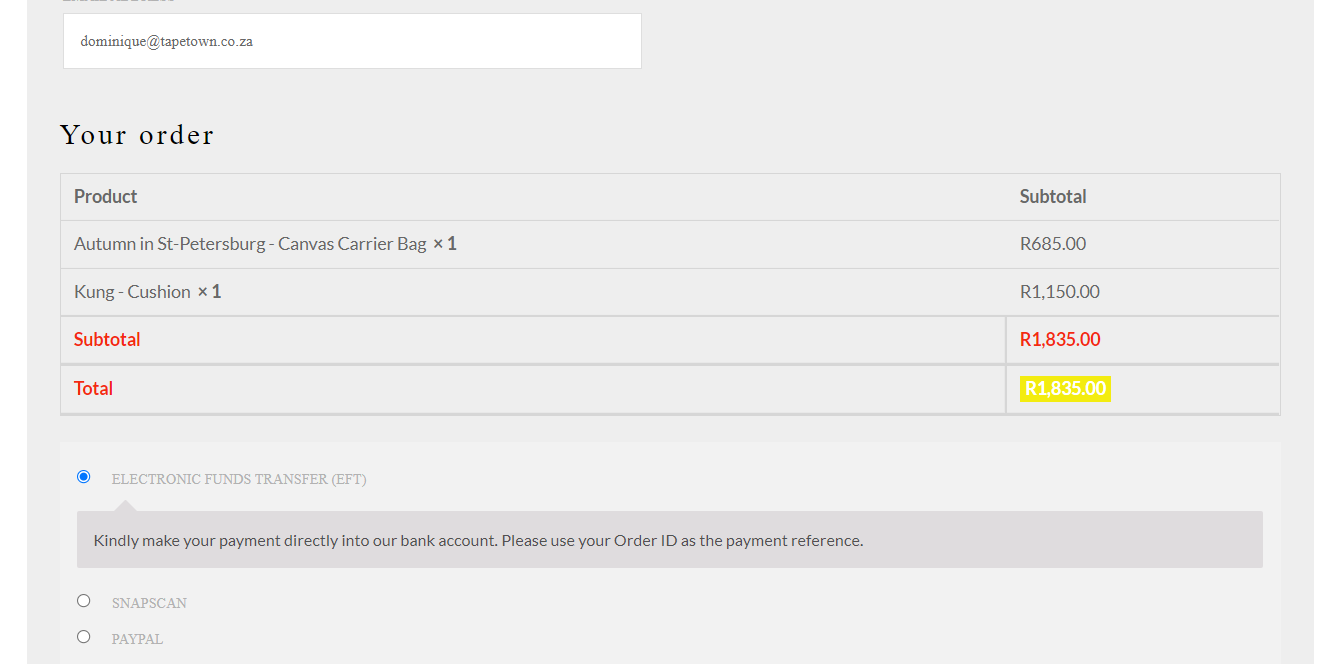
Please explain how we are to edit these pages, font and text colour would be a start. Or even better how we can re-create the pages to be editable?
0 -
Hi Anette,
In the video that you provided, Dimi told that he added the,,page element,, - in this case, you can not edit the Cart and Checkout page. In this post, there is a video about this problem too.
I can advise you to change the theme, in this case, you will have another style. Also, you can add some custom CSS which will help to customize the style in the way you need.Best regards, Nelea.
0
Please sign in to leave a comment.
Comments
10 comments