Poor image quality on desktop

Hi there, I need help resolving image quality issues on the desktop. I will provide the URL via a ticket if you can create one for me. Thanks.
-

Hi,
Please send the link to your website(I will not publish it) and the original image so we can see the difference. Thanks.
0 -
Hi,
I received your links and I can see the small difference between the images. But the thing is that I can't replicate this. I created a similar section and everything is fine on my side: https://jmp.sh/Z7JCGQ1
I noticed that you have padding set to images. Please set width to 100%, height to 100% and delete padding from image element, and check again: https://jmp.sh/LhULEQz
btw: please make sure you have the latest Brizy versions - Free 2.3.18. and PRO 2.3.14
0 -
Hi,
This issue appears to be with Chromium-based desktop browsers only. In Firefox, it is fine. On Chromium, Brizy is loading the incorrect image size where it is not large enough to render cleanly. On Firefox, Brizy is loading up the larger versions instead. Perhaps if you allow us to select which image size to use, this would resolve the issue. Here's an example in Elementor of that functionality:
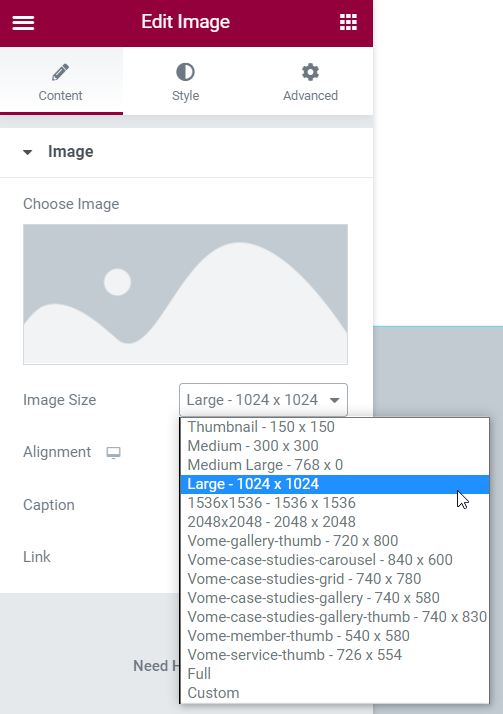
As a workaround, I am using loading the images via <img> tag within a shortcode block, and that's looking much better.
0 -
Hi,
I'm glad you found a solution and thanks for the hint with Chrome. This will help us inspect the problem.
0
Please sign in to leave a comment.
Comments
4 comments