Brizy cloud downloaded files - cannot remove them

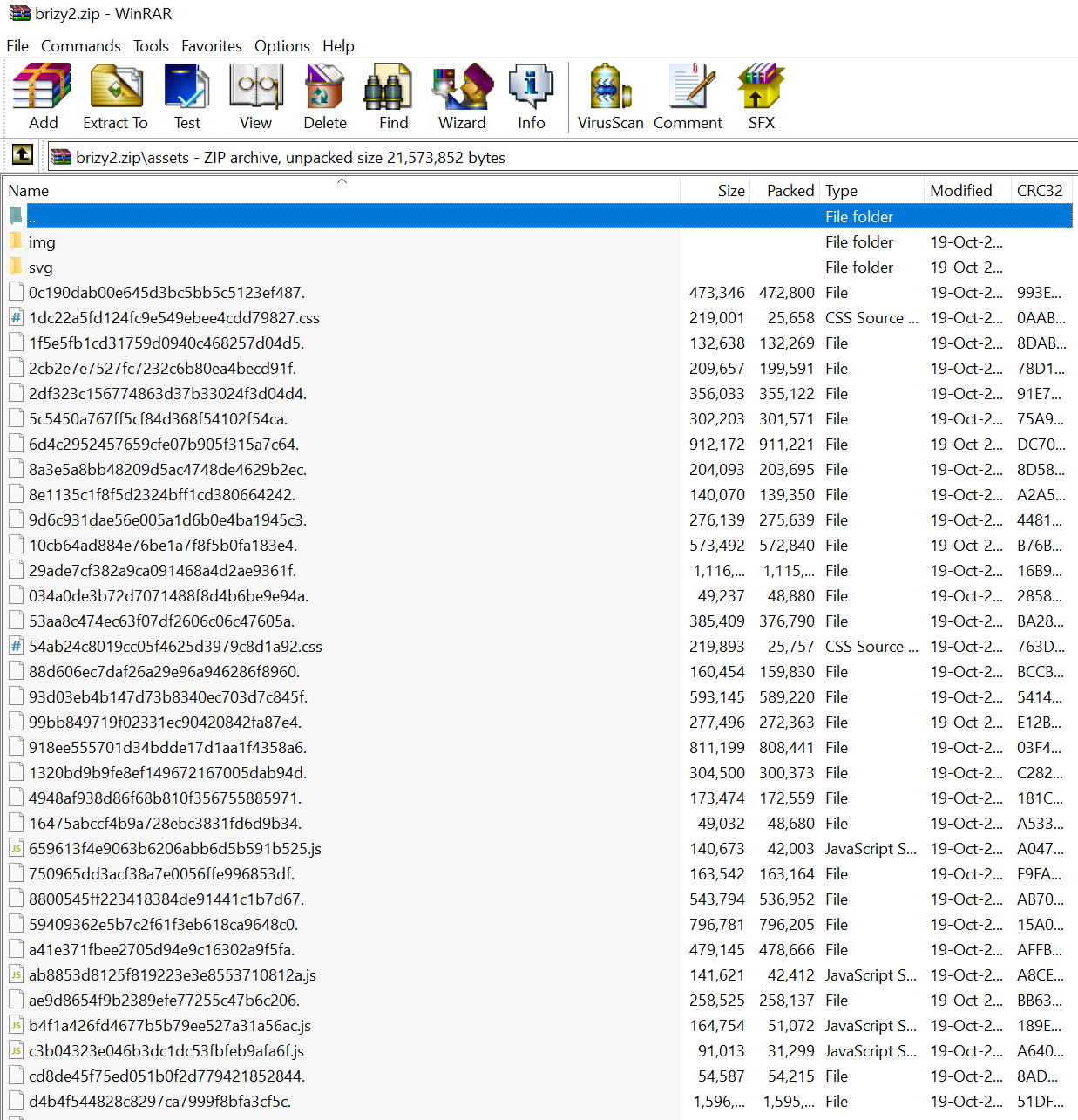
Hi there! I have created a test "website" on brizy cloud, downloaded HTML (with bunch of other files). Now I have "assets" folder with bunch of no extension files that I cannot delete. Their size is from 48kb up to 1560kb. Their names are something like "5c5450a767ff5cf84d368f54102f54ca." and similar.
Any idea how to remove these files?
I managed to delete all the other files (HTML, CSS, js...) but not these.
-

Hello!
Sounds pretty strange.
Usually, the Assets folder contains the CSS and JS files and images folder.
And where from you can't delete mentioned files?
Kind regards,
Mihail
0 -
Hi Mihail,
I am trying to remove them from desktop (PC, windows 10). I haven't uploaded them to any server yet, they are on my PC desktop.
I have just tried to download them again, and there are the same files under "assets".
Are you able to access my account and download this sample "Project #1"? Maybe you can see the files, too.
 0
0 -
Hello Miodrag!
Sorry for such a delay!
I did create an internal issue to investigate your case.
Will be back to you with the results as soon as possible.
Sorry for the inconvenience.
Kind regards,
Mihail
0
Please sign in to leave a comment.
Comments
3 comments