WP Brizy Pro: Don't crop Product / Category Images

Hi Brizy Team,
my customer doesn't want the images cropped: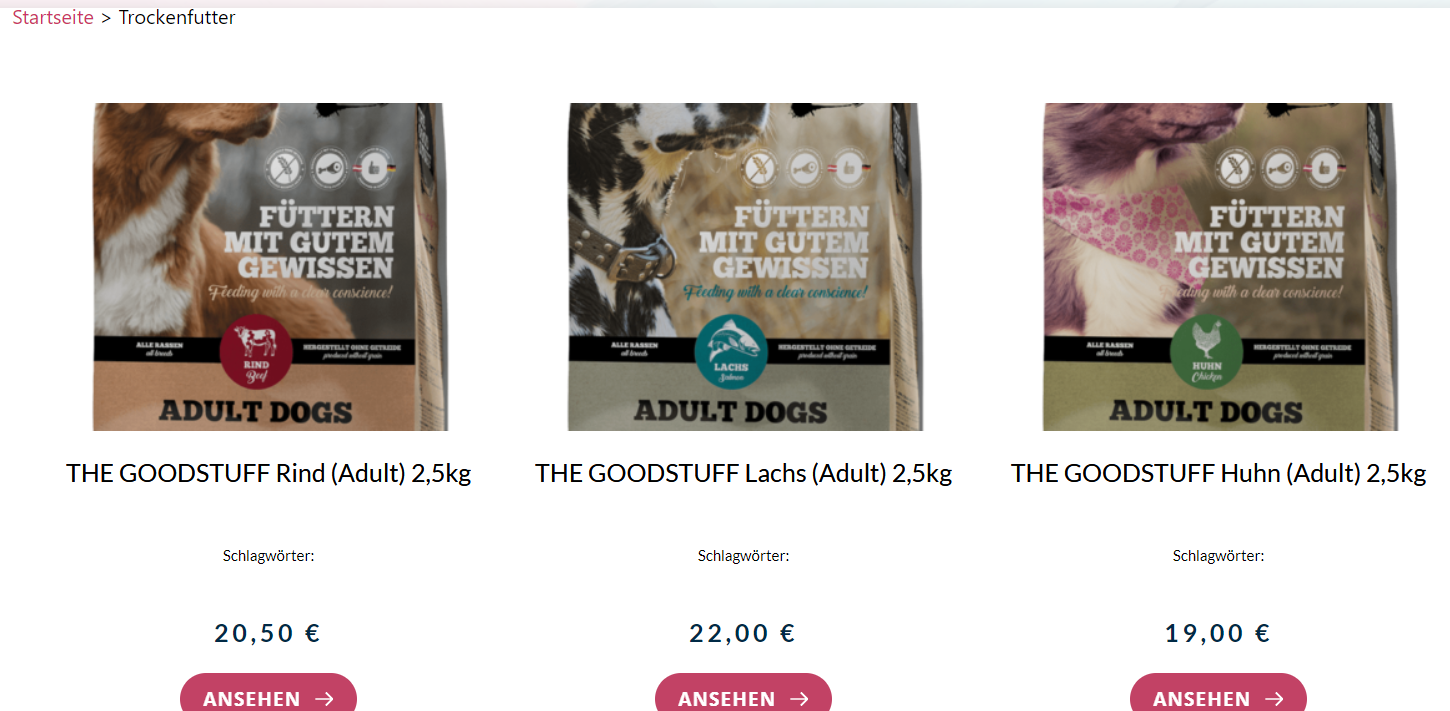
How can i achieve that?
-

Hi,
try to increase the image height in Brizy Shop Template: https://jmp.sh/GYPJTBR
0 -

Hi Alex, this doesn't work as I need to adjust the height in percentage % instead of px.
Also the dynamic data for image sizes won't catch the self defined image sizes.
0 -
Hi,
Try to set it in px, but equal for all. I think the bags are about the same size. Unfortunately, you cannot set it in % for this element so you will need to add product images of similar size.
0 -
Unfortunately If I set it to px, the whole image scaling is messed up.
Reuploading pictures isn't an option because the problem will remain the same --> Scaling.
So it's your turn.
0 -
Hi,
I can't help you much in this case because we cannot add value in % at the moment. The divs that contain the image must be equal to create this product grid: https://jumpshare.com/v/x3UQBOFZ4LpMlBL71w7z It cannot have different dimensions as in masonry e.g. https://jumpshare.com/v/MaxOwW8LS09fm7W39XjA
You could try to regenerate the images using this solution: https://betterstudio.com/blog/regenerate-thumbnails-woocommerce/
0
Please sign in to leave a comment.
Comments
5 comments