I can't find the block in brizy home in homekit. Help me?


-

Hello Le,
Thank you for your message!
Regarding what you asked, can you please give us more details about your problem? What block can you not find? Do you have Brizy installed? Do use Brizy for WordPress or Brizy Cloud? Hope to hear from you soon!
Best regards,
Doina
1 -
I use Brizy for WordPress and i want show this block like you in homepage but i can't find it
0 -
how can i make it like you
0 -

Hi,
You couldn't find it, because it is not a block but a layout. It is the Empire layout, please see here. You can import this layout and delete the block that you don't like from it.
Let us know if you need anything else.
Best regards, Nelea.
0 -
No no no you get me wrong. Sorry for my bad english. The funtion in the red frame exaclly i want.
 0
0 -
Hi,
If I understood correctly, do you want this function? This is not a block, it is the Tabs element from the dashboard. You have to add the Tabs element and customize it, you can add an image, text, buttons, video almost all the elements from your dashboard. Please see here. Also, for more information about Tabs element please see this video : https://www.youtube.com/watch?v=A7Sqr8drPjQ
Let us know if you need anything else.
Best regards, Nelea.
1 -
At last, after all... Yub. Thank you!
0 -
You welcome ! Have a nice day !
1 -
I did try this tab you told me but whatever i do, it have nothing like same effect like your homepage. They are lined up vertically instead of horizontally and on hover they change the image
0 -
Hi,
If you need to change in the horizontal mode, please click on Tabs->Change orientation. See here: https://jumpshare.com/v/MvkHkeDH0ltJIN3fnwEj For, hover option, also please click on Tabs-> Style->Activate Tab-> On hover, see please here: https://jumpshare.com/v/pOx235UihbjtMAqLQ2dR
Best regards, Nelea.
1 -
I can't access this link. Can you give another?
0 -
Hi,
Please see now: https://jumpshare.com/v/MvkHkeDH0ltJIN3fnwEj
Regards, Nelea.
1 -
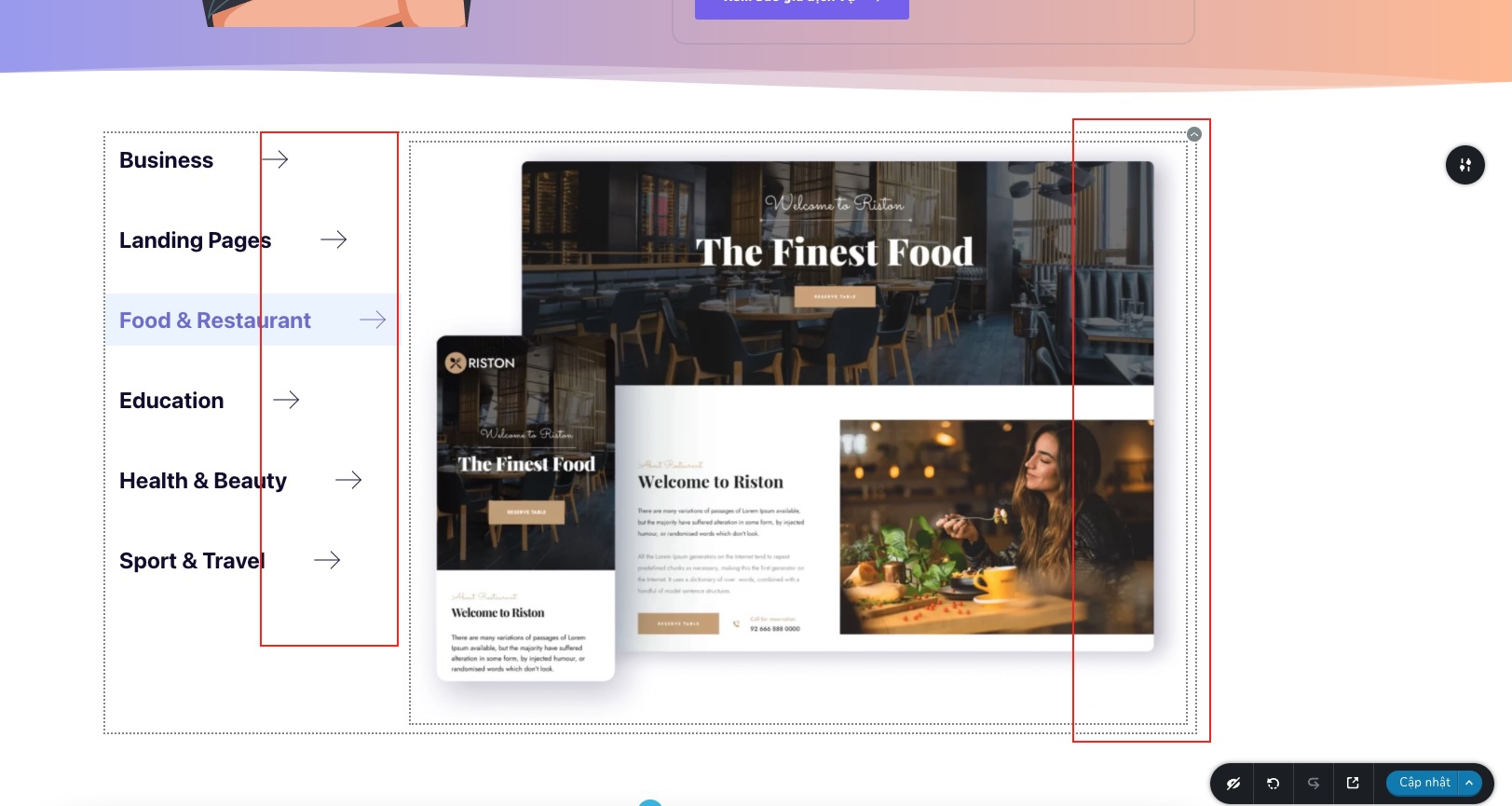
Thank you for your support. In the tab section there are a lot of functions but quite a few specific instructions. I also had a problem with the arrow icon part. Icons don't line up even though I have tried many ways including using the "space" key. In addition, the photo frame cannot be pulled larger to the right.
 0
0 -
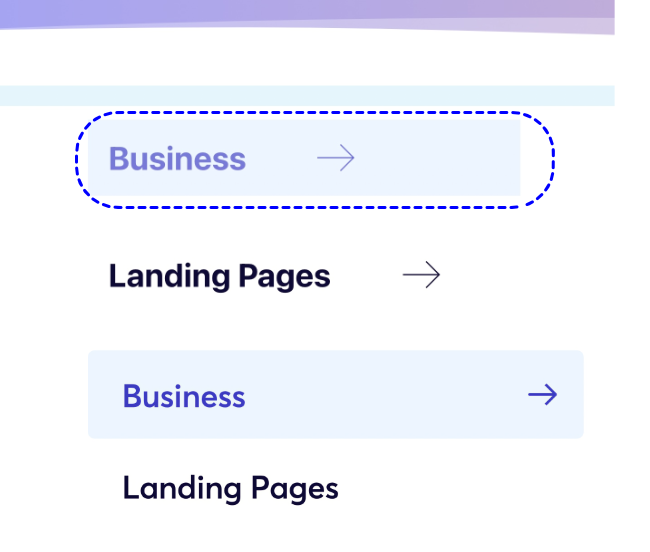
when I hover the hover part is slightly curved in the corners. I also looked but didn't see this effect in the tab
 0
0 -
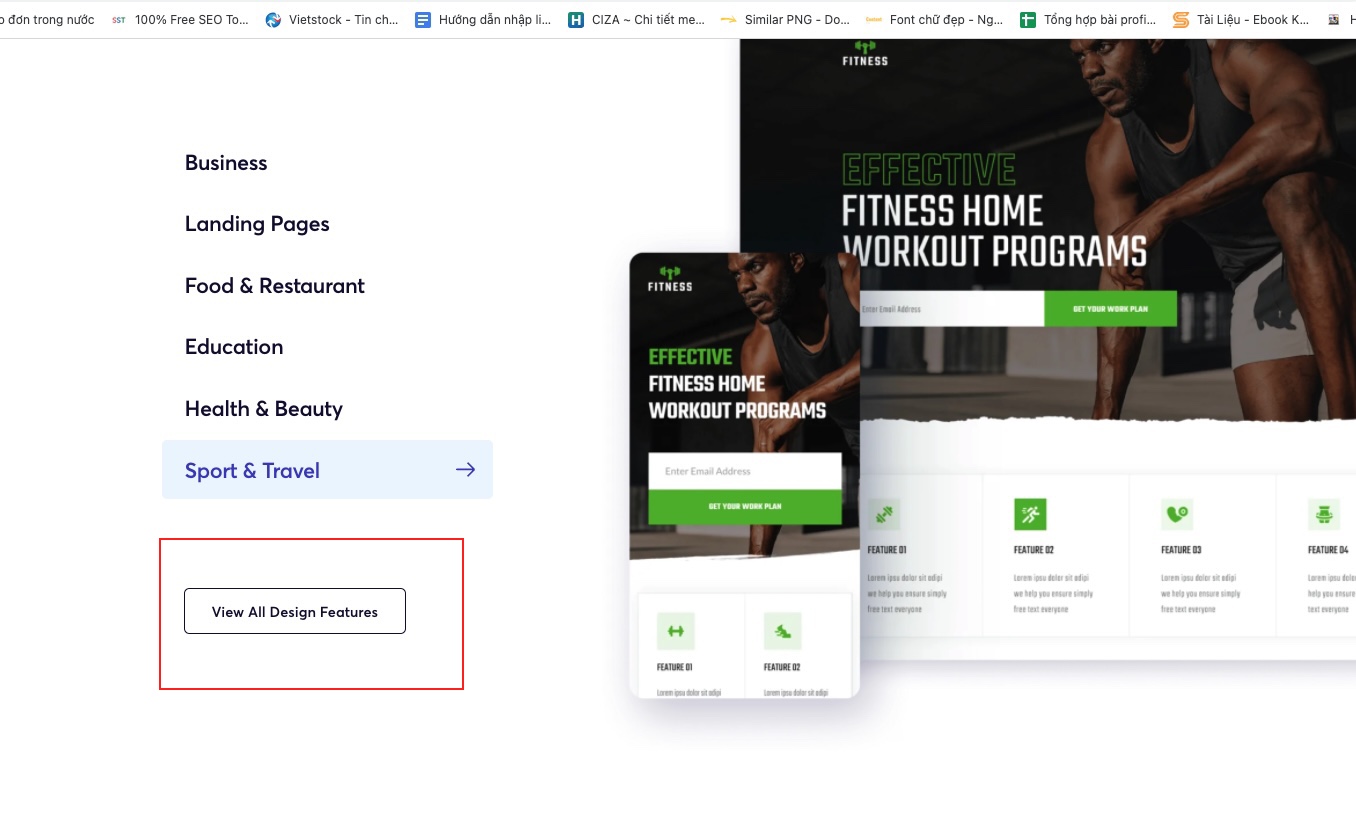
And i can't add button like you in bottom
 0
0 -
Hi,
Regarding the first question, sorry but I could not reproduce this issue, please see this video, the arrow in the tabs element is added automatically, so it should not be any space between elements. For the second question whit hover, you have to look at the properties, I think you have changed the shape. And for the last question, this is a simple button whit a hover effect, please see this video. Also, you can inspect our Brizy website and see how was made every element on the page, see here.
Best regards, Nelea.
0 -
I'm sorry but your answers are not what I needed except the first one you answered to the point. What I'm asking is right in your homepage and all the other effects. It's hard to describe when English is not my native language.

First of all, the arrows on your homepage are all aligned with each other and that's the thing that puzzled me the most, why I couldn't.

Second, still in the same frame but the border is curved, which is also something I can't do in tabs.

Third, I can't get the button inside the tabs.

Plz, check again for me at https://goccuaduong.com
0 -

Hi,
One thing you need to understand when working in WordPress (and I'm sure you know that) is that not all things can be done from options. Sometimes you have to involve JS or most often Custom CSS. This is what we did on our site and this is what you have to do if you want to obtain the same thing.
For example, to get the arrows aligned we added a custom width and changed the properties of the icon a bit: https://jmp.sh/vUovTK8 -> https://jmp.sh/RUM14h0
Same for the button: it's not actually inside the tabs, but it's the "under" tabs element. Unfortunately, I can't give you all this custom code because this will be called custom work (🙂) but if you have knowledge of CSS you can easily get what you need using the tools in the browser.
1 -
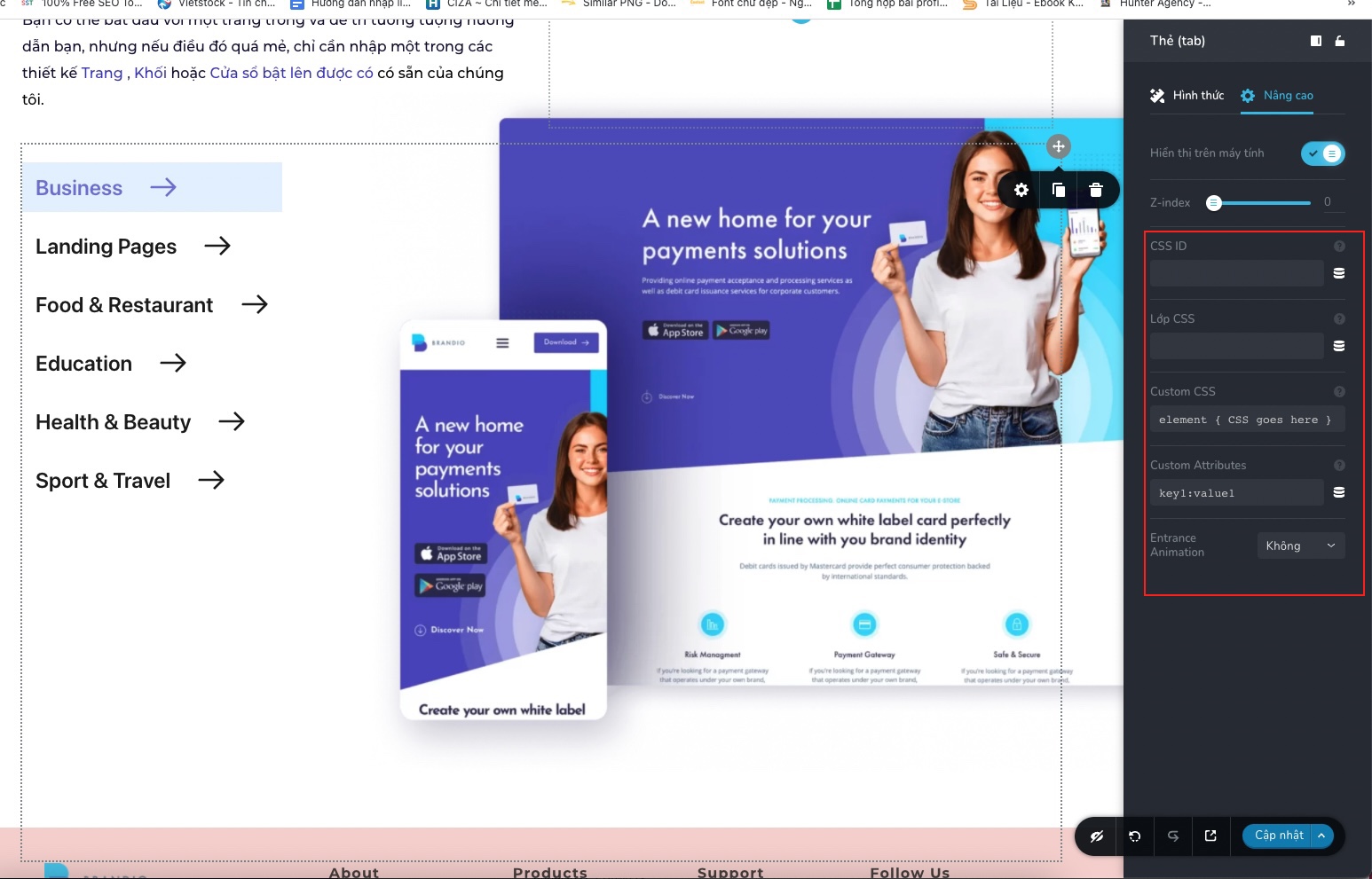
Thanks for your answer. I also understand that css is needed in certain cases. However, I still wonder one more thing, are you going to write the code inside brizy? And will you guys develop this feature in the future, but I really want it in the upcoming updates.
 0
0 -
Hi,
We can not add CSS code inside Brizy builder for you, if you need it for certain elements you should add it, and in this way, you will customize the element.
Best regards, Nelea.
0
Please sign in to leave a comment.
Comments
20 comments