Woocommerce Messages Only display on Cart page

Using Brizy Templates to display products. When I click the "Add to Cart" button, the page refreshes, but the typical Woocommerce Message that notifies the user that the item has been added to the cart with a button to "View Cart" doesn't show.
Furthermore, any changes to the cart anywhere on the site, whether it be a product page or via the Cart element/drawer I have implemented in the nav, no woocommerce-message is displayed. The cart drawer and icon bubble update, but no woocommerce-message.
UNTIL... you go to the cart page, then all previous changes, no matter how many are all listed above the cart table. Which you;'l admit is kind of pointless to "View Cart" when I'm already there.
WP v5.8.1
Brizy v2.3.17
Brizy Pro v2.3.13
[Image: Cart Page]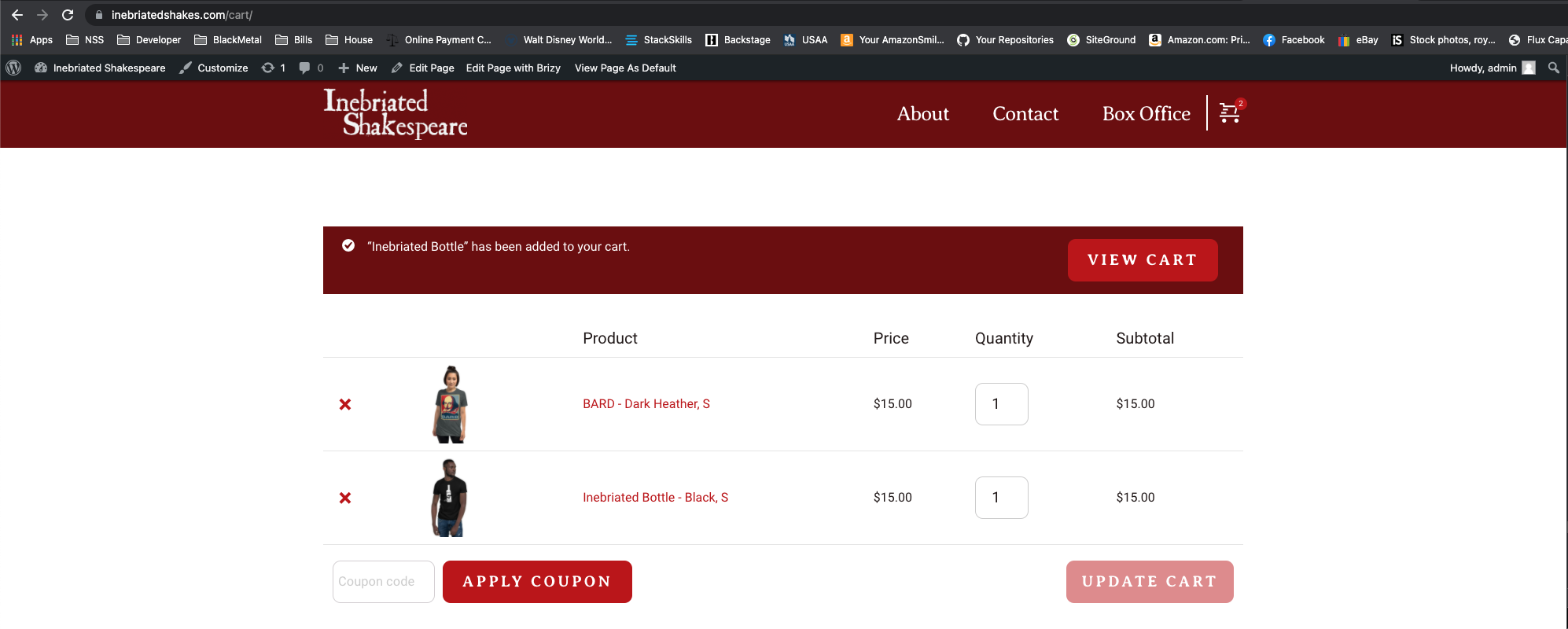 Woocommerce 5.7.1
-

Hi,
Thank you for getting in touch with us.
I have created an internal issue and one of the developers is already looking at your project. I will come back with a message when I have news about it.
Best regards, Nelea.
0 -
Hey Nelea,
Any movement on this?0 -
Hi Evan,
We are sorry for this inconvenience but the developer team is still working to fix the issue.
Thank you for your understanding and patience, we highly appreciate that.
Best regards, Nelea.
0 -
Any news on this bug?
0 -
Hi Evan,
We are very sorry for this inconvenience.
I just have asked your dev team about this issue and they told me that it will be fixed in the next update, or in the second update.
Best regards, Nelea.
0 -
Here's hoping.
Thank you!0 -

We have the same problem, any updates on this?
0 -
Hi Daniel,
Thank you for getting in touch with us.
This issue was already fixed. Please update Brizy plugin to the latest version: Fre 2.3.24 and Pro 2.3.17
Best regards, Nelea.
0 -

Hi there,
Sorry for dropping in since this was answered a year ago. But having a similar issue.
On single product page (which is a Brizy template) we don't see the Product added to cart message / link to cart.
We're using WP 6.1.1
Brizy Pro Version 2.4.16
Brizy Version 2.4.17Any thoughts?
Thanks,
Darren0 -

Hi Darren,
Thank you for reaching out to us.
I tried this in my test environment, but the issue doesn't seem to be happening.
https://prnt.sc/113n8tQW4Q7rCould you please confirm if the issue occurs if you temporarily switch to another theme?
I am looking forward to your response.
Best regards,
Ariel H.0 -
Hi Ariel,
Thanks for getting back to me.
We're using Twenty Twenty-One Child theme. As we use WooCommerce and Brizy we decided against using a 'WooCommerce' theme to save on bloat and unnecessary bloat.
Is there a plugin or any custom php code we could look at instead?
Thanks,
Darren0 -
Hi Darren,
Thank you for the update.
You could try adding a filter-hook to functions.php in your child theme, like the example below.
// Add "Added to Cart" message filter
add_filter( 'wc_add_to_cart_message', 'my_custom_add_to_cart_message' );

function my_custom_add_to_cart_message( $message ) {
    $message = sprintf( __( '%s has been added to your cart.', 'woocommerce' ), '<strong>' . get_the_title() . '</strong>' ) . ' <a href="' . wc_get_cart_url() . '" class="button wc-forward">' . __( 'View cart', 'woocommerce' ) . '</a>';
    return $message;
}

// Add "View Cart" button filter
add_filter( 'woocommerce_add_to_cart_redirect', 'my_custom_add_to_cart_redirect' );

function my_custom_add_to_cart_redirect( $url ) {
    $url = wc_get_cart_url();
    return $url;
}
For more information, please refer to this link -
https://woocommerce.com/document/composite-products/composite-products-filters-reference/It is important to note that every website is unique, and the above example code may require some modifications. If necessary, please review the code based on the official WooCommerce documentation and make any necessary adjustments to fit your website.
I hope this helps.
Best regards,
Ariel H.0
Please sign in to leave a comment.
Comments
12 comments