Birzy Wordpress Header Fixed Mode Not Working

Hello,
My Brizy Wordpress Version:
Brizy - 2.3.17
Brizy Pro - 2.3.13
I have 2 problems with the page editor that appeared at the same time.
Problem 1:
When click the cog icon in the header section there are 3 options mode for the header to appear in the front.
1.Static
2.Fixed
3.Sticky
I set it to be Fixed and from some reason it's appear like option 1.Static, while scrolling down the header is stay at the top of the page and not keep going with the scrolling view.
I try to disable it pick other mode and play around but still Fixed mode ain't working.
Problem 2:
In the header section I have a mega menu that works just fine and from some reason now when hover it all the col's got shrank and igonre any padding or margin that was set, all the item inside got brake lines and the mega menu is now broke with nithing I can do with the page editor.
I doubled checkd there no new css or other plugins that where installed.
Problem 1 screenshot: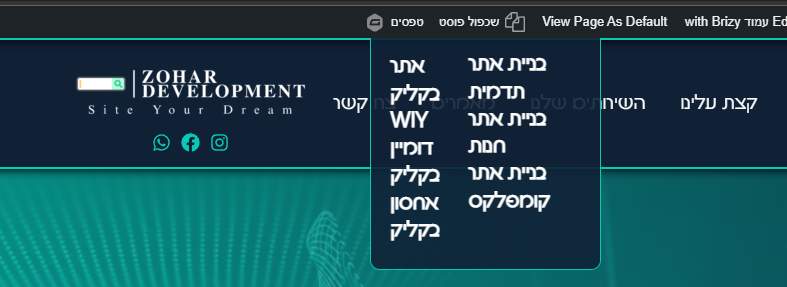 Problem 2 screenshot:
-

Hello!
Try to fully reinstall plugins (deactivate, remove, install again)
Clear the website cache and check your page again.
Let me know the results.
Kind regards,
Mihail
0 -
Hello again,
Thanks, found the cause, it was the plugin: Simple Custom CSS and JS
there is a script line call the jQuery version 2.1.1 and its brake the brizy header Fixed mode from some reason, I will be glad if someone can help me to manage and keep my function which depends on that Particular jQuery version, nevertheless the function is working fine in test environment only the jQuery version 2.1.1 is the one that brake the birzy header.
Thanks in advance!0 -
Hello!
Thank you for getting back
I am glad that you found the reason for your issue.
Kind regards,
Mihail
0
Please sign in to leave a comment.
Comments
3 comments