Text element move up further

Hi Brizy team,
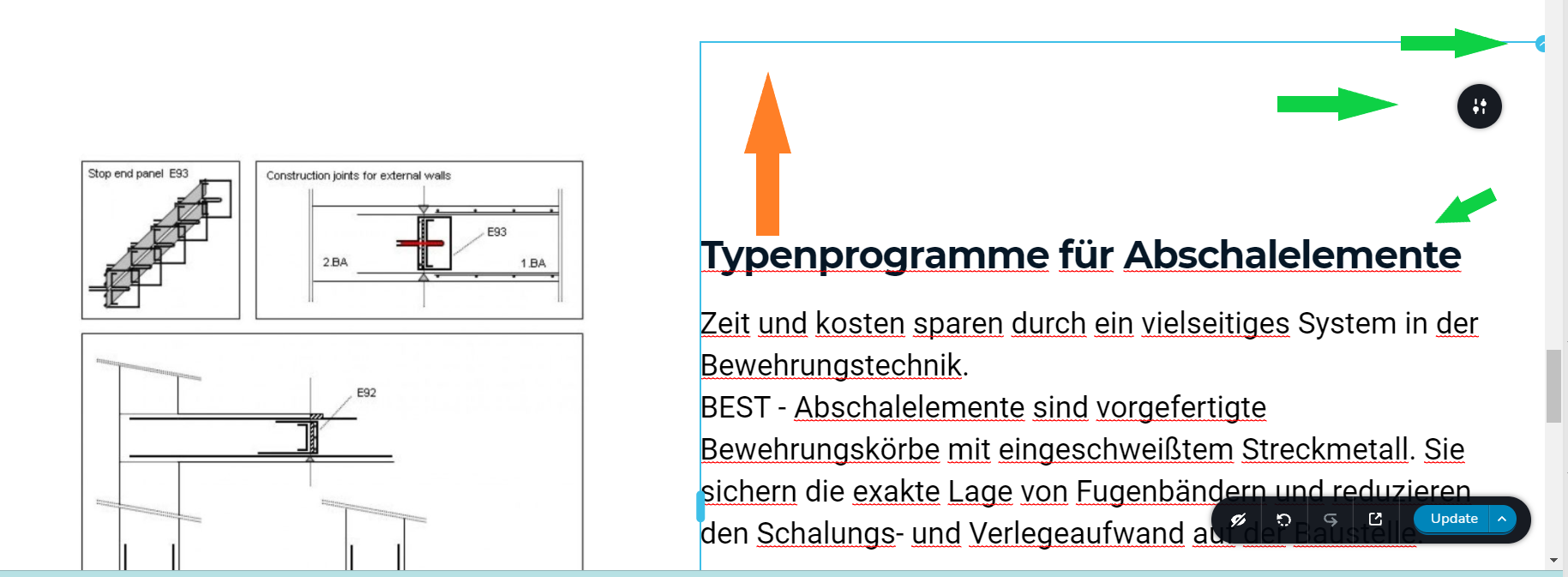
I created a block, hosting two sections, a picture and two text elements. My problem is I do not seem to be able to move the text blocks on the right further up to the top of the page element, as indicated by the orange arrow in attached screenshot.
I did set padding to "0" and margin to "-100" in the settings of page element, section and text settings as indicated by the green arrows in attached screenshot. So it seems I did all the settingstuning I got but still would need to move the textblock up further.
Please let me know how to achieve this professionally.
Best regards,
Max
-

Hello Max!
As I have the access to your website, I will explain the issue thru a screencast: Please check
Looks like you have some additional element (spacer) that can be changed.
Kind regards,
Mihail
0 -
Hi Mihali,
thank you for your response. I had in the meantime figured out myself, that there is a setting within the section that sets all content to be top-bound, center-bound or bottom-bound. The original setting was set to center-bound and what I needed was top-bound. After adjusting it was displaying correctly.
Thank you for your support,
best regards,
Max
0
Please sign in to leave a comment.
Comments
2 comments