WP Brizy Pro: Search Page Archive Template - Can't edit elements

Hi Brizy Team,
I set up the Search Page with the following conditions: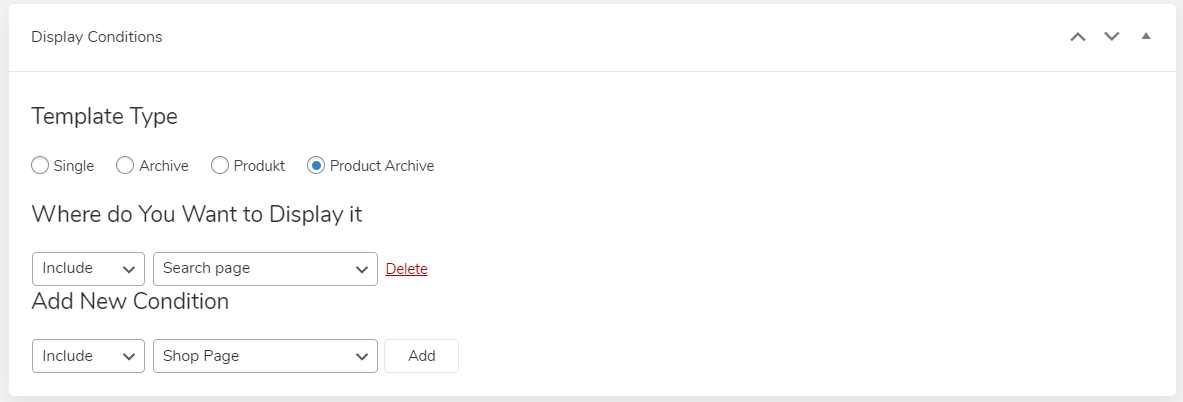
If I edit the Template, add the Archive Element and some other Elements, the Archive inner Elements are not editable.
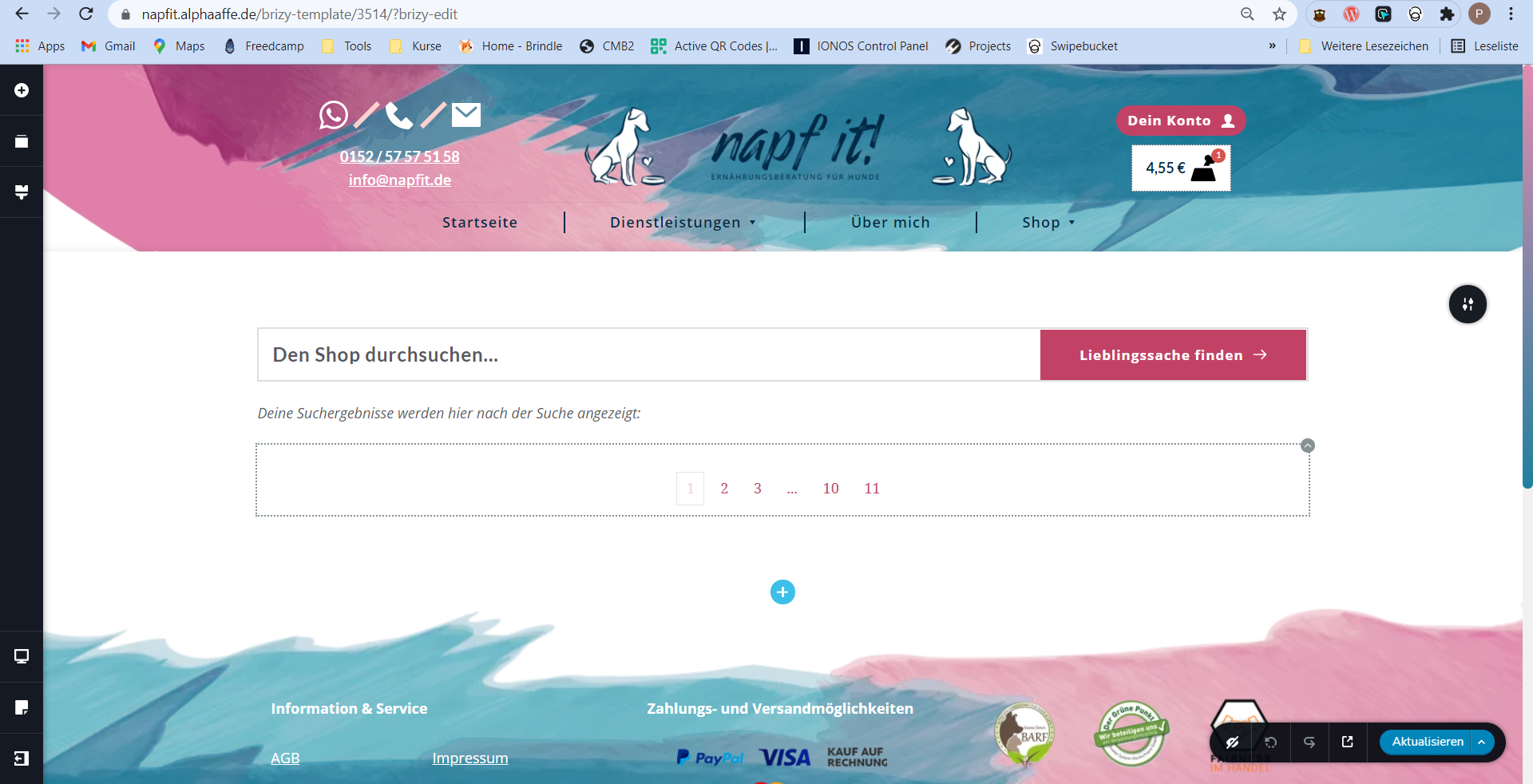
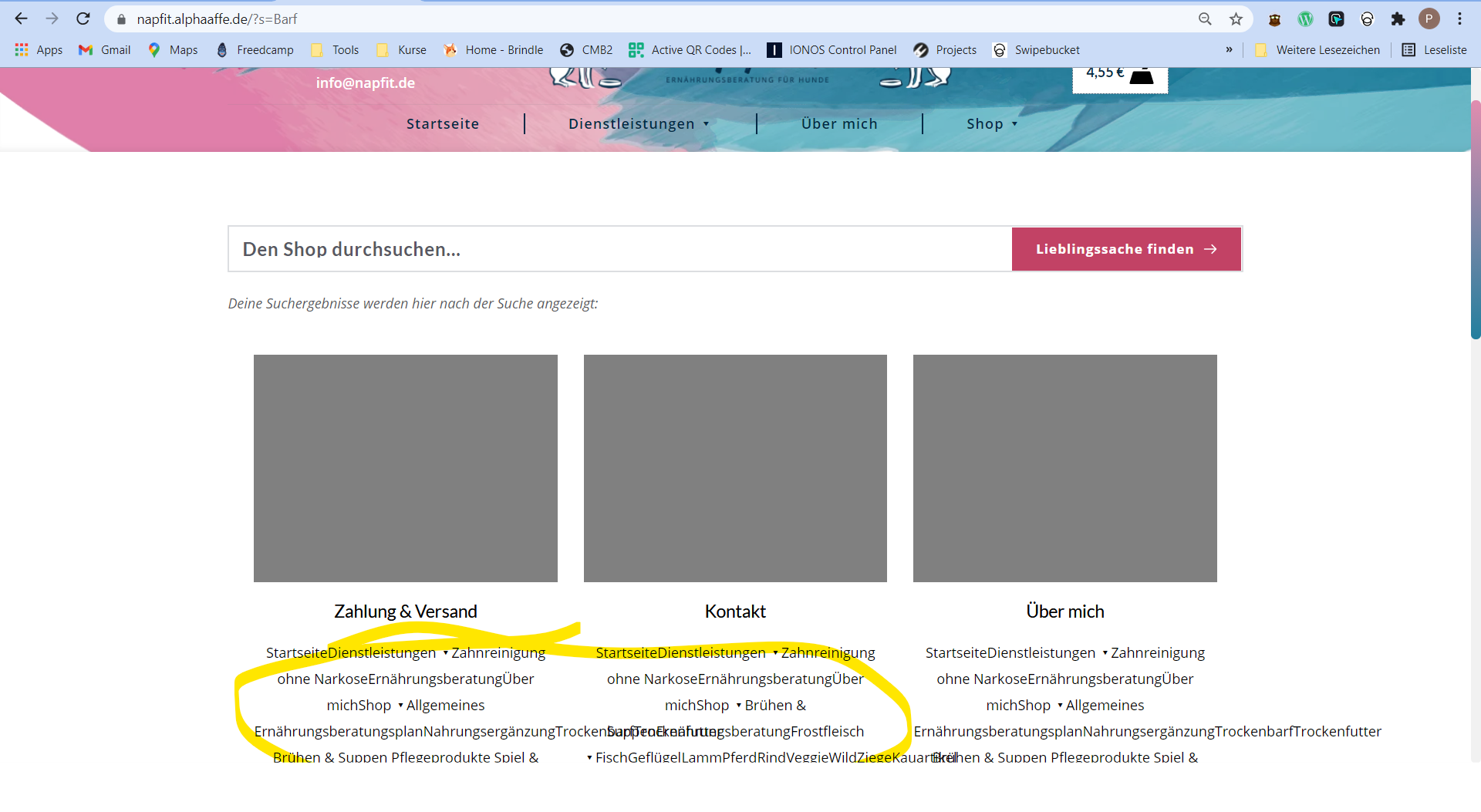
And if I Search "Barf" (dried meat for dogs)
the search results shows up messy things. It reads the menu which it shouldn't. The page template for that sites are set correctly to Brizy Template.
Edit:
For SEO: WordPress Brizy Pro menu invalid text in search results SERP
Okay. The Problem from the latest image appears if you some text is inside the classic editor... (I've disabled Gutenberg).
This happens if you set the wrong template, then the classic editor fetches the site content and displays it. Brizy should have an option to disable that crap. thx.
Switch back to "Classic Editor", clear the text field, Save changes, Click on "Edit with Brizy", Save changes... Take a pill against headache.
-

Hello Pascal!
I've created a private ticket, you should receive an email notification regarding this. In this ticket, please, provide us the link to your website and admin access to the WP dashboard, we would like to check the problem from your dashboard.
Kind regards,
Mihail
1 -

Is there a solution? I have the same problems on the template page with sear archive. No chance to edit anything exept the pagination text. Nothing else is displayed. (Brizy Pro 2.3.21)
0 -
Hello!
Sorry for the delay, it is caused by the weekends.
Thanks for reporting this issue.1. Please make sure, that you have at least one post in the blog, it can be in the draft and not published, but you should have one default WordPress post that exists on your website.
2. Try to replace the Archive element with the Products Element.
Let me know the results.
Kind regards,
Mihail0 -
Thank you - creating a WP-Post in the blog was the solution.
Kind regards
Reto0 -

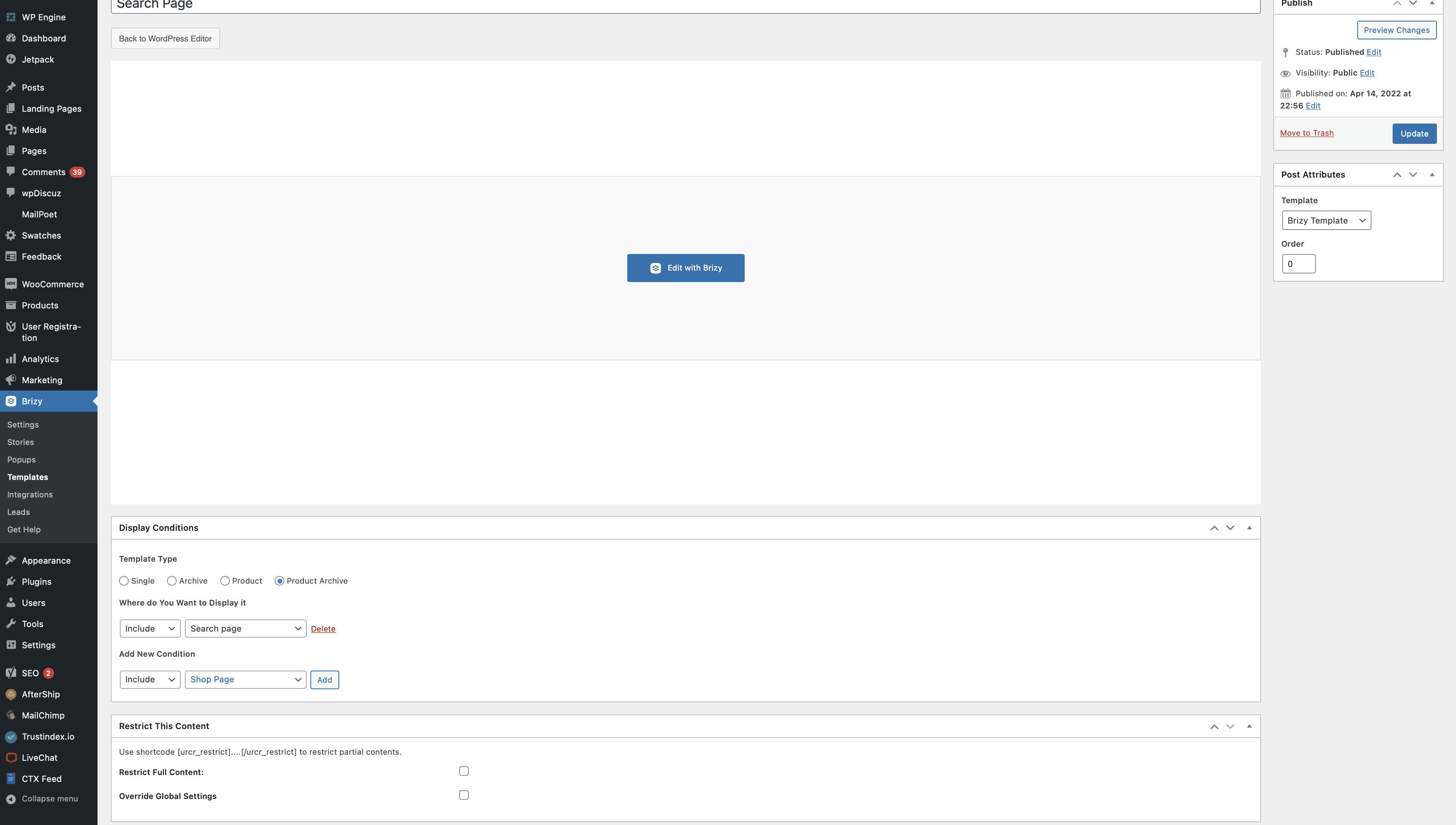
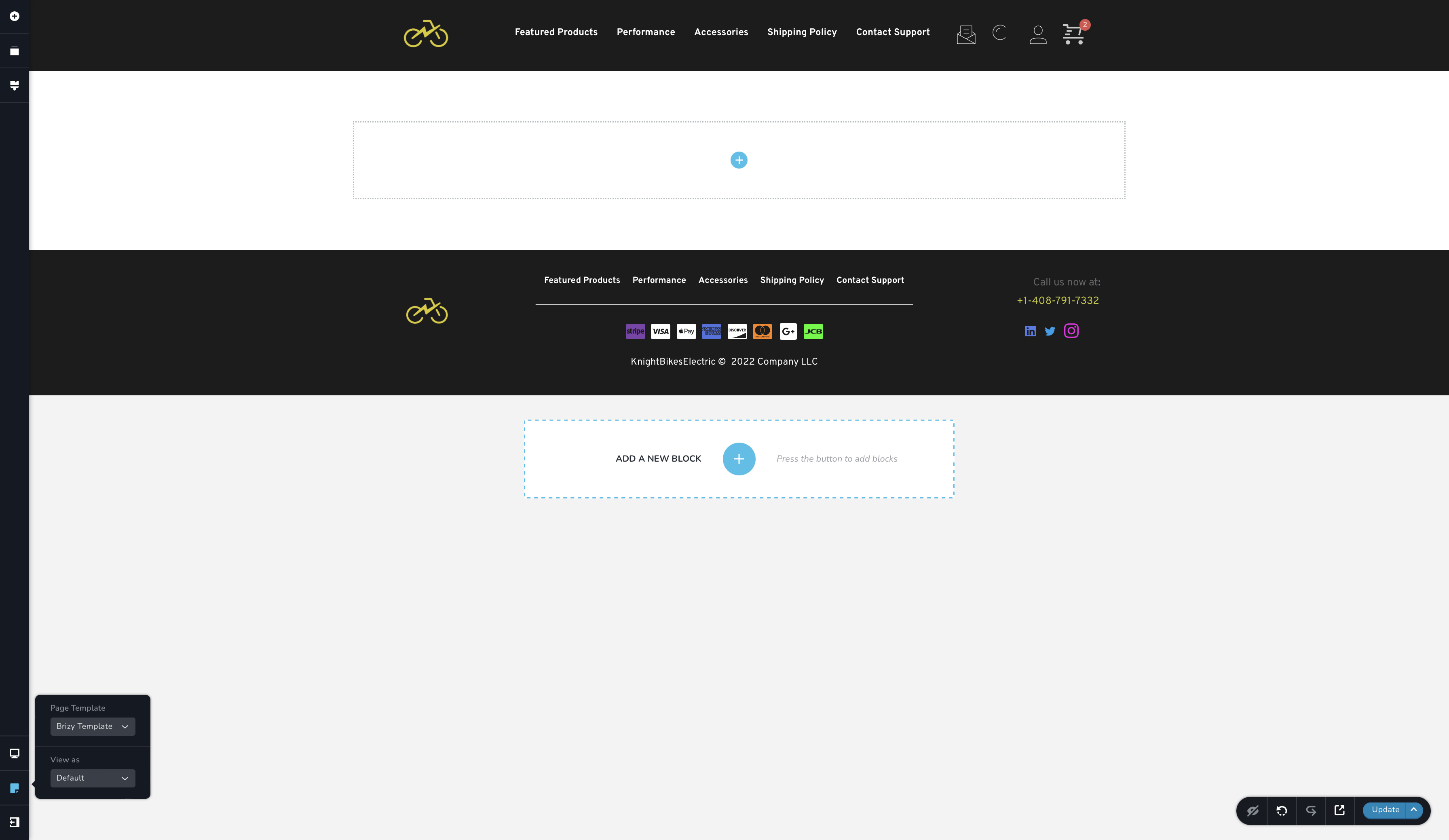
Hello Brizy, I want to create an archive search page for my brizy website but I'm having some trouble. As of now when you search things it goes to the default Wordpress theme site which I don't want. I saw above that you need to make a template and set it to archive and search page which I did. I'm not in the template creater and I don't know what to put there to get this working. I tried pages and there wasn't any product archive page. What should I do to make this work ? here is a screen shot of what iv done so far. I also have multiple blog posts so that's not an issue.
 0
0 -

Hi Andrew
If you are setting up a search page for your blog, then please select this Display Condition
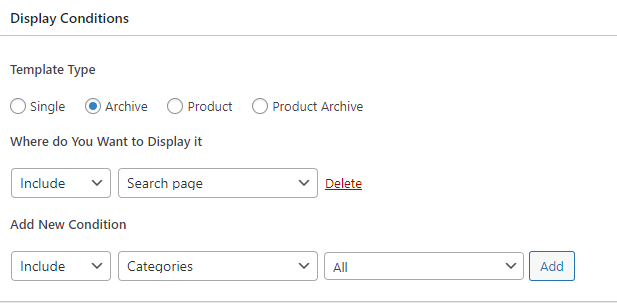
Once you Publish /Update your template,
- Click on "Edit with Brizy"
- In the blank page that opens up, add the 'Archive" element and customize it according to your preferences.
- At the top of your Search Template, you can also add the Brizy Search element.
0
Please sign in to leave a comment.
Comments
6 comments