Menu Added After Update

This new huge ugly menu appeared above my normal menu on my website after the newest update. I will post a picture. I already rolled back to a backup so it it doesn't show up now. https://bilingo.jp/
You can report this as a bug. Thanks!
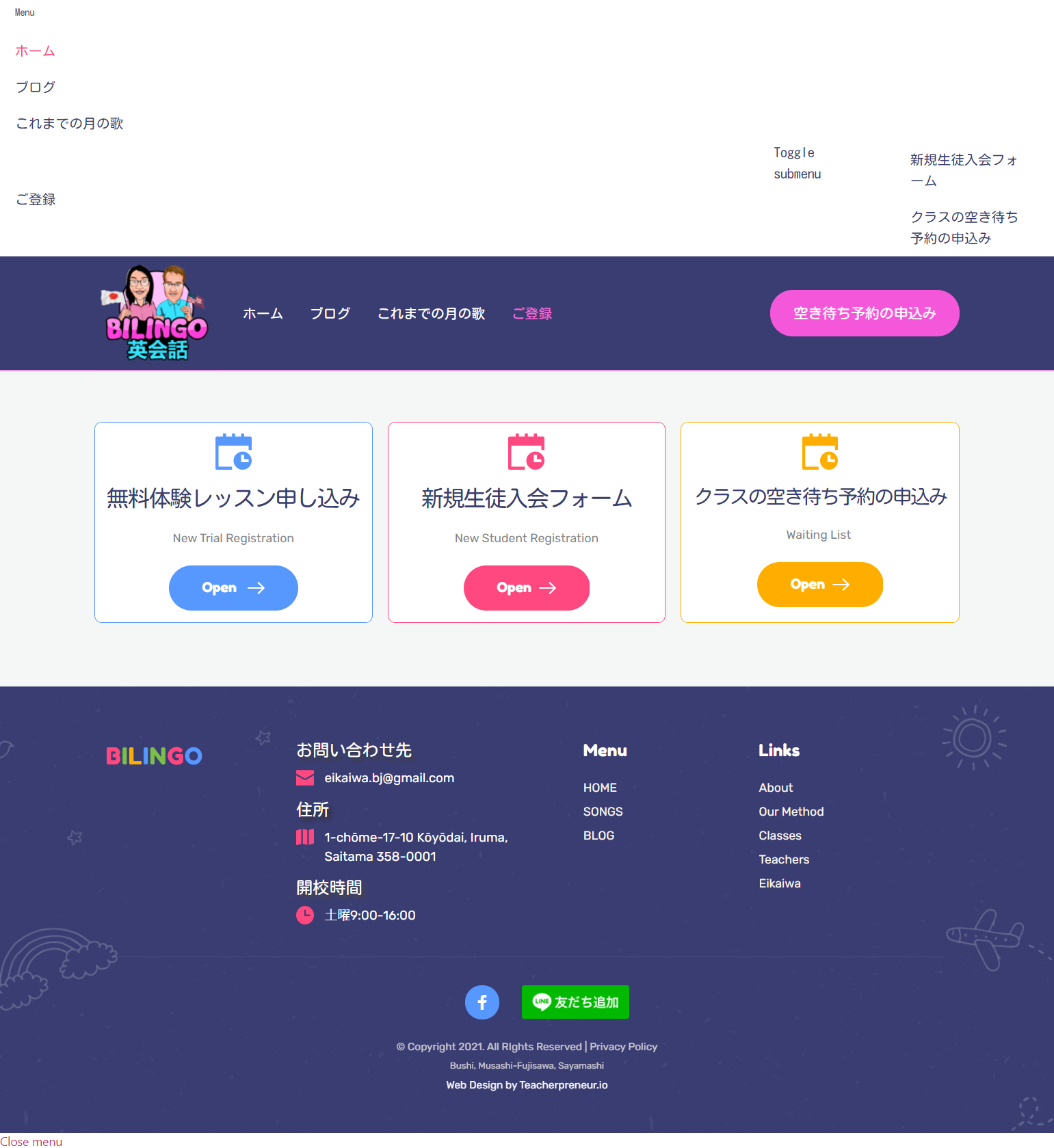
-

Hi Ben,
Thank you for contacting us.
Do you use any plugin for cache? If so, which one do you use?
Kind regards,
Denis.0 -

I had the same problem and had to roll back the update too.
It's a bug that's also visible on Brizy's own website https://www.brizy.io/
So Brizy's website uses which plugin for cache?
0 -
Hi Andryanto,
Sorry for the inconvenience. Problem on our site was solved. Now team is working to deliver this fix to our customers.
Could you try to deactivate cache plugin and check if this will make any difference?
Looking forward to your reply.
Best regards,
Denis.0 -
Hi Denis,
Yes, I have tried deactivating not just the cache plugin but also all the other plugins (except Brizy and Brizy Pro) to see if it made any difference.
But unfortunately it didn't help.
Thanks for the reply. I look forward to the next update so you can deliver the fix to us.
0 -
Hi,
Yesterday was released update for Brizy Free where issue with menu was solved. Could you, please, update Brizy Free and check if menu will work correctly?
Looking forward to your reply.
Best regards,
Denis.0
Please sign in to leave a comment.
Comments
5 comments