Headers/Footers keep disappearing

Hi,
I've watched Dimi's video on global headers and footers. Did Brizy ever institute the "add to all pages" feature? Because I keep adding the global header and footer from the global blocks and it shows for a little while and then disappears. They don't even appear as blocks on the pages anymore. There are about a dozen pages I've been doing this to. I save/publish the pages each time. I'm tired of having to keep doing this for every single page. I'm working locally so I can't share the site with you. What's up? Why isn't it working?
-

Hello Paul!
You can create "all" conditions
Here is no need to create new condition each time you create new page. Can You add some screenshots for better understanding of your issue.
Kind regards,
Mihail
0 -

I am facing the same problem recent days.
I posted on the WhatsApp Group and Dimi responded my message. But, the problem still unsolved. Please help.
0 -

Hi Fuad,
With the Version 2.5.1 and Brizy Pro 2.5.0, we have launched a new compiler. You can read more about it here https://www.brizy.io/new-compiler-200-loading-performance-boost To activate the new compiler, you must update to these versions.
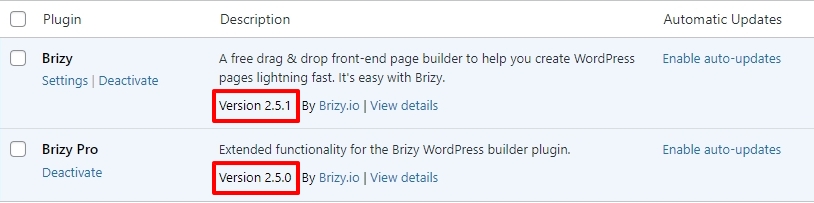
For new projects, the compiler's benefits are automatically applied, ensuring immediate performance boosts. However, to take advantage of these enhancements on existing projects, kindly follow these 3 steps- Open Your Project: Open the project you wish to optimize in the Brizy Editor
- Make a Minor Change: Navigate to any page within your project, make a small edit (such as modifying the padding by one pixel), and then revert the change.
- Save the Project: Update the page to activate the compiler.
For the websites that have gone down, kindly update to the latest versions and follow the above three steps.
-1
Please sign in to leave a comment.
Comments
3 comments