Last Brizy update totally messed up my website

Hello, las brisy update totally messed up my website.
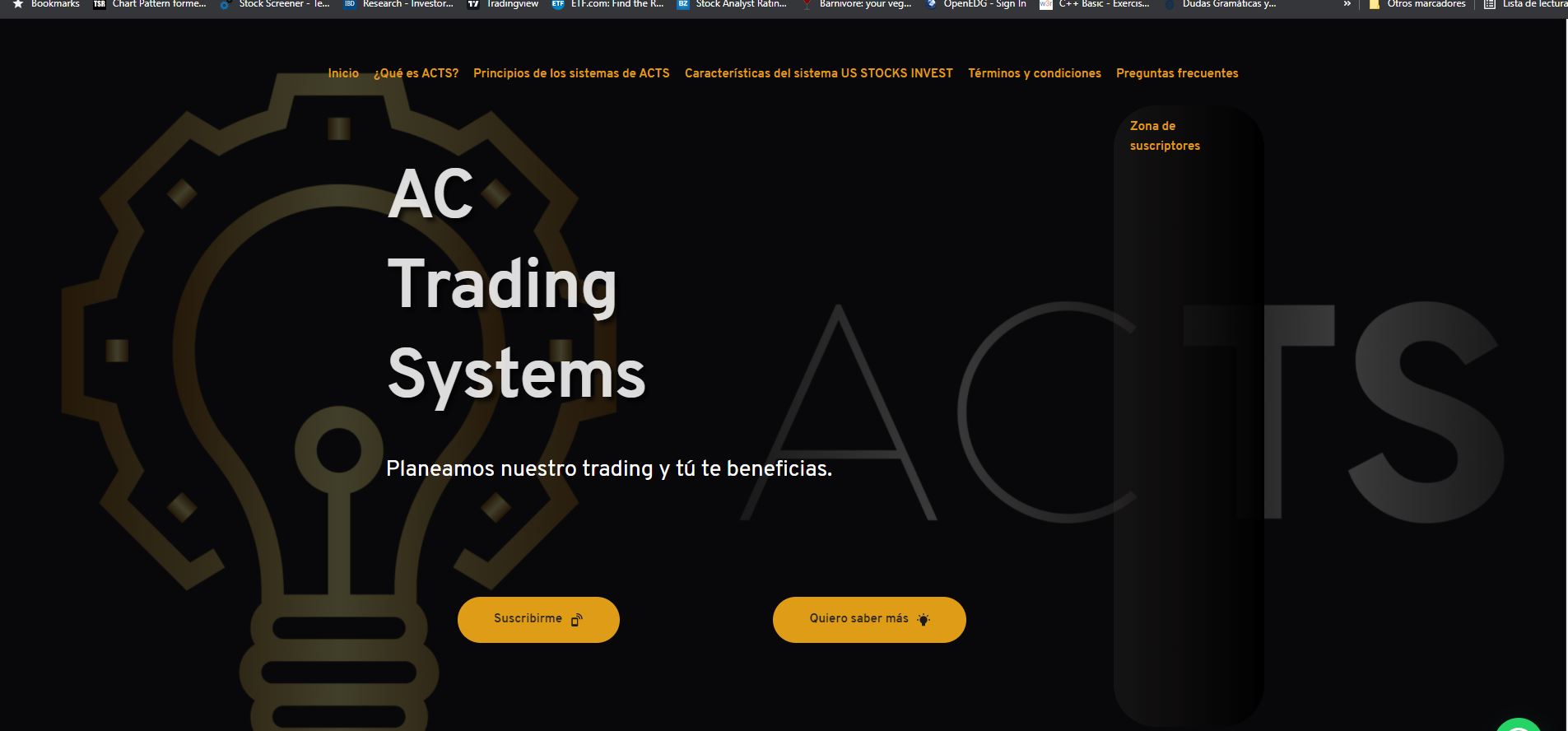
It went from looking like this:
To this:
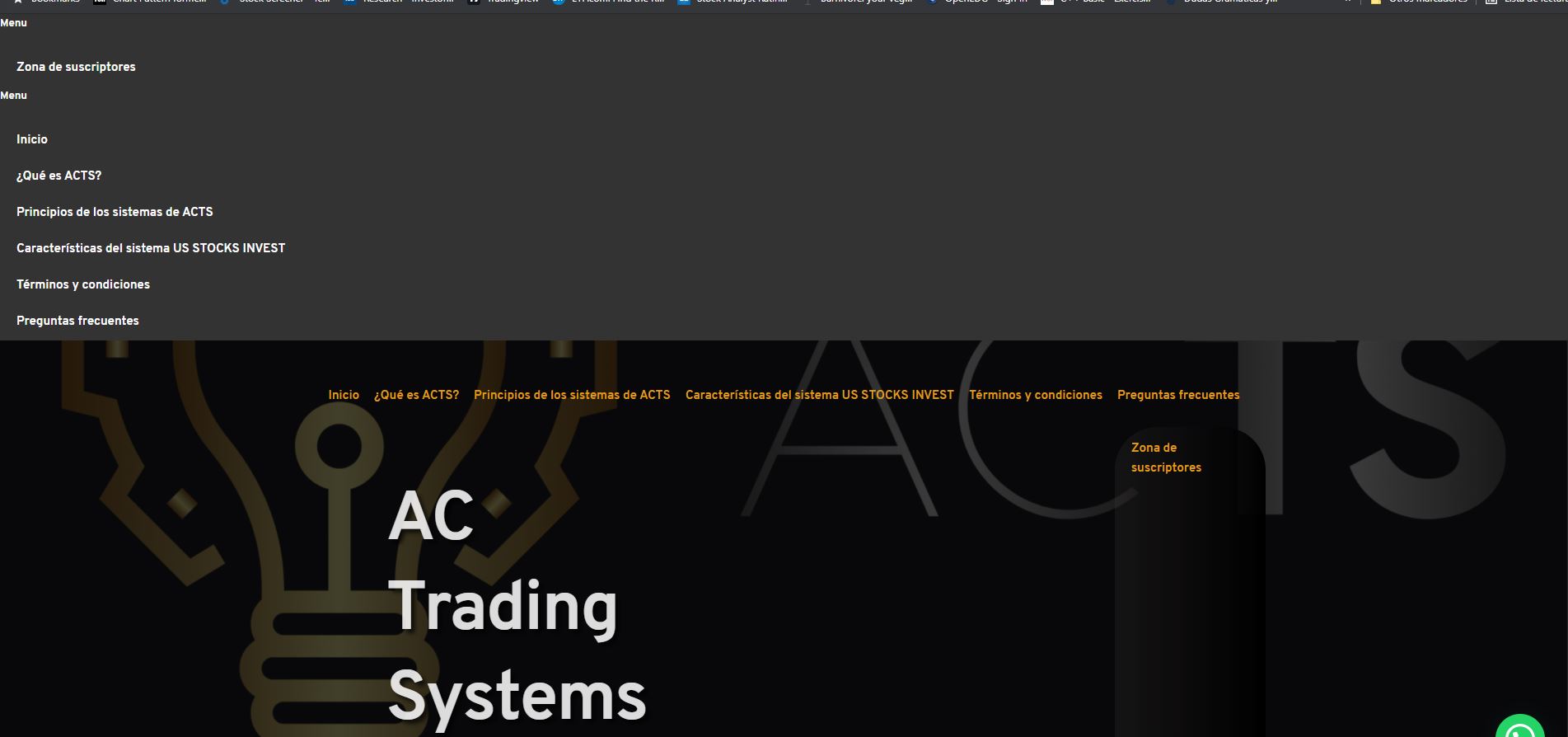
The menu appears above now in a very strange way in all site pages which takes like 40% of the screen!
I had to restore the whole website and disable update from Brizy...
Please fix the issue!
-

Hi Camilo,
Sorry for lat reply, support is limited on weekends.
Are you using any cache plugin? If so, which one are you using?
Kind regards,
Denis.0 -
Hi Denis,
I do. I use: WP Super Cache and Autoptimize.
Would appreciate some help, as automatic updates were supposed to be disabled, but Brizy is forcing the update, and therfere my website stills being messed up.
CA
0 -
Hi Camilo,
Thank you for your feedback.
First of all you have to use only one cache plugin. This is not a good practice to use two or more plugins of this kind at the same time.
Secondly, if auto-updates are disabled both for Brizy Free and Brizy Pro, they couldn't be updated automatically or force the update as auto-update option is WordPress feature.
Issue with both WP Fastest Cache and Autoptimize are know and right now our team is working on fixing this problem. While update wouldn't be released, please, disable both plugins. After update, please, use only one of them.
Sorry for this inconvenience.
Best regards,
Denis.0 -
Hi Denis,
Thank for your suggestions. I disabled both plugins and you are correct, the issue is gone now. I try to leave one of both plugins on and the website is working properly without Autoptimize. The WP Super Cache so far is working fine and the website is back to normal.
Thank you again.
CA
0
Please sign in to leave a comment.
Comments
4 comments