Popup element Column

HI Team,
Today i made a whats app integration by popup feature , i applied popup for all pages.
i found when scrolling page - buttons are not working because popup column is barricading the beneath button element .
for your reference check this home page link https://www.yaswanthphotography.com/
Instruction:-scroll the page such a way that whats app icon is on footer form "submission button" , for your reference attaching the pic for the postion im talking about.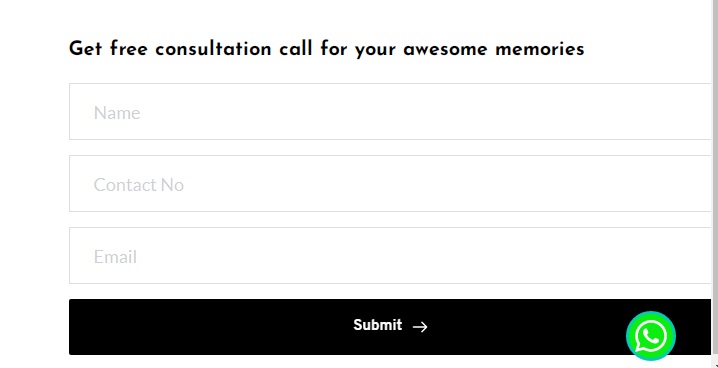
at this position the button is not working when i click on extreme right side, button is working when i click on middle or left side.
in mobile version popup column is barricading the all buttons in our services section of home page.

My assumptions is that popup column is overlapped with button column, whatever the popup column width is there that width is barricading the back side page columns.
Hope you will fix this problem...
Thank You,
Bjs Pavan Kumar
-

Hi,
You are right. The pop-up container overlaps the content and because of that you can't press the buttons: https://jmp.sh/Oetnjfk The thing is that the Brizy pop-up container has a default min-width of 300px, so you can try to rewrite this using the following code:
.brz .brz-popup2__inner > .brz-container__wrap {
min-width: 100px!important;
}0 -
where I have to paste that code ?
Can you please guide me by video so that in my future projects it will help me .0 -

Hi,
You can add CSS code in Project Settings: View screenshot.
Best regards,
Denis.0
Please sign in to leave a comment.
Comments
3 comments