Can't edit post archive format - nothing shows up on the template

Hey there,
So after all the Brizy software updates in July 2021, we lost the ability to edit the design of the archive page. When we open the archive template, this is what we see: 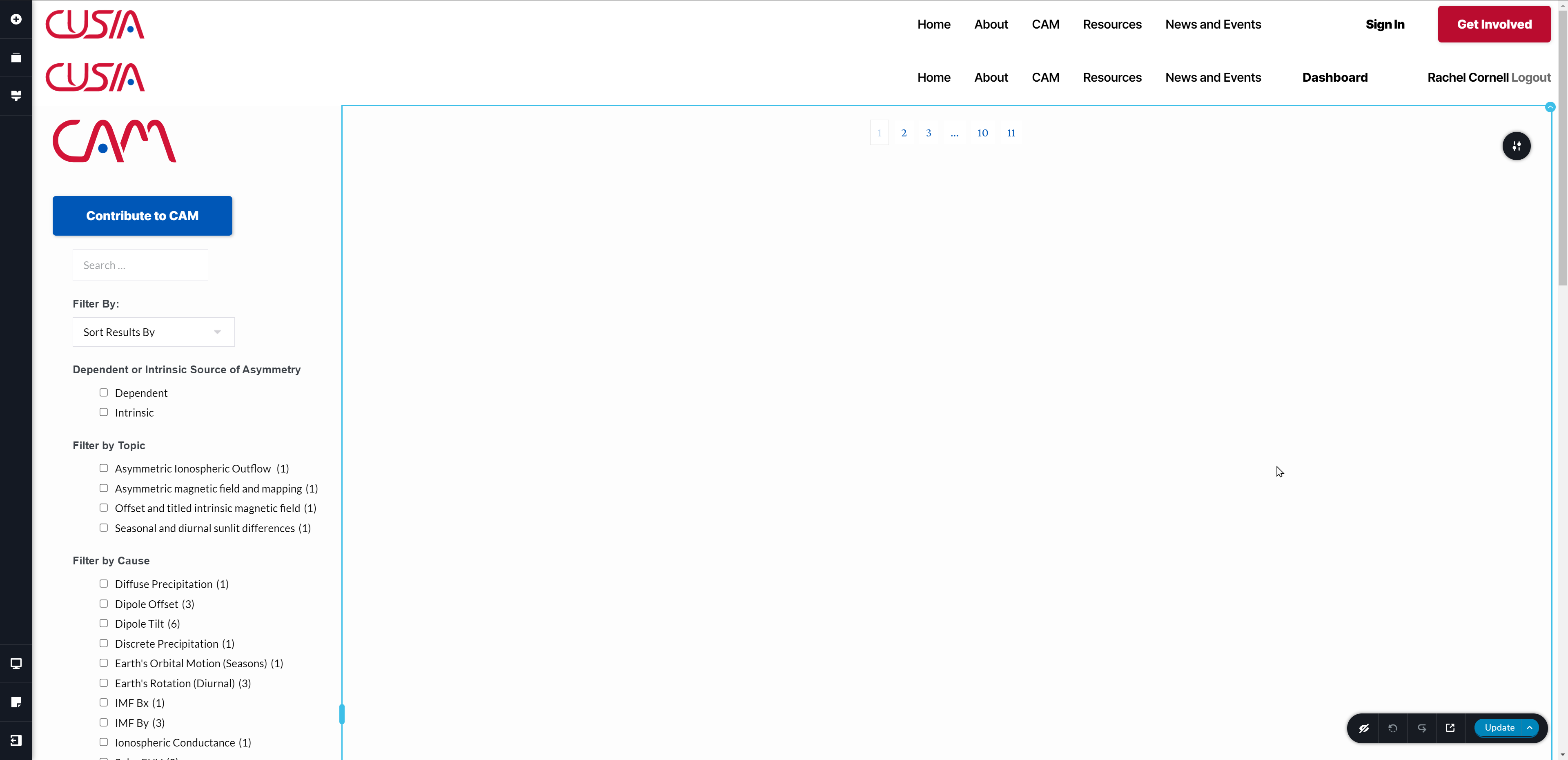
The only options available when we click the grey "up arrow" button on the right side of the archive box are:
- Archive (columns, rows, and spacing)
- Filter (offset, order by, and order)
- Navigation (pagination and spacing)
Before the July updates, we were able to go in and change any part of the design format on the archive page, but now we cant even see it. Since July, we have changed some of the formatting on the main post page, and we want the archive page to match the post page, but we need to be able to edit it to do that. Until we edit it, we're stuck with the old archive design we had before the July updates.
Can you help me fix this issue so my main post page matches my archive page?
Thanks,
Rachel and Steven
-

Hello!
Please make sure that you are using latest Brizy plugin versions, which is 2.3.16 for Brizy free and 2.3.13 for Brizy Pro.
Try to fully reinstall plugins (deactivate, remove, install again)
Clear the website cache and check your page again.
Let me know the results.
Kind regards,
Mihail
0 -
Hey Mihail,
Thanks for getting back to me. I can confirm our site is on the latest versions of Brizy (2.3.16 for Brizy free and 2.3.13 for Brizy Pro). We followed your advice and fully reinstalled both Brizy Free and Brizy Pro (deactivated, deleted, and installed again) and cleared our site cache. That didn't fix any of our problems.
After that didn't work, I trashed our current archive template and set up another template with identical display conditions to see if it was an issue with the specific template. It was the same result as before, which is to say, no result (see picture in first message).
What do you recommend we try next?
Thanks,
Rachel and Steven
0 -
Hello!
I've created a private ticket, you should receive an email notification regarding this. In this ticket, please, provide us the link to your website and admin access to the WP dashboard, we would like to check the problem from your dashboard.
Kind regards,
Mihail
0
Please sign in to leave a comment.
Comments
3 comments