Squashed images (losing proportions)

I cannot explain why images on published pages appear to lose their proportions but look OK in the editor. Please can you point the cause of this. See image attached.
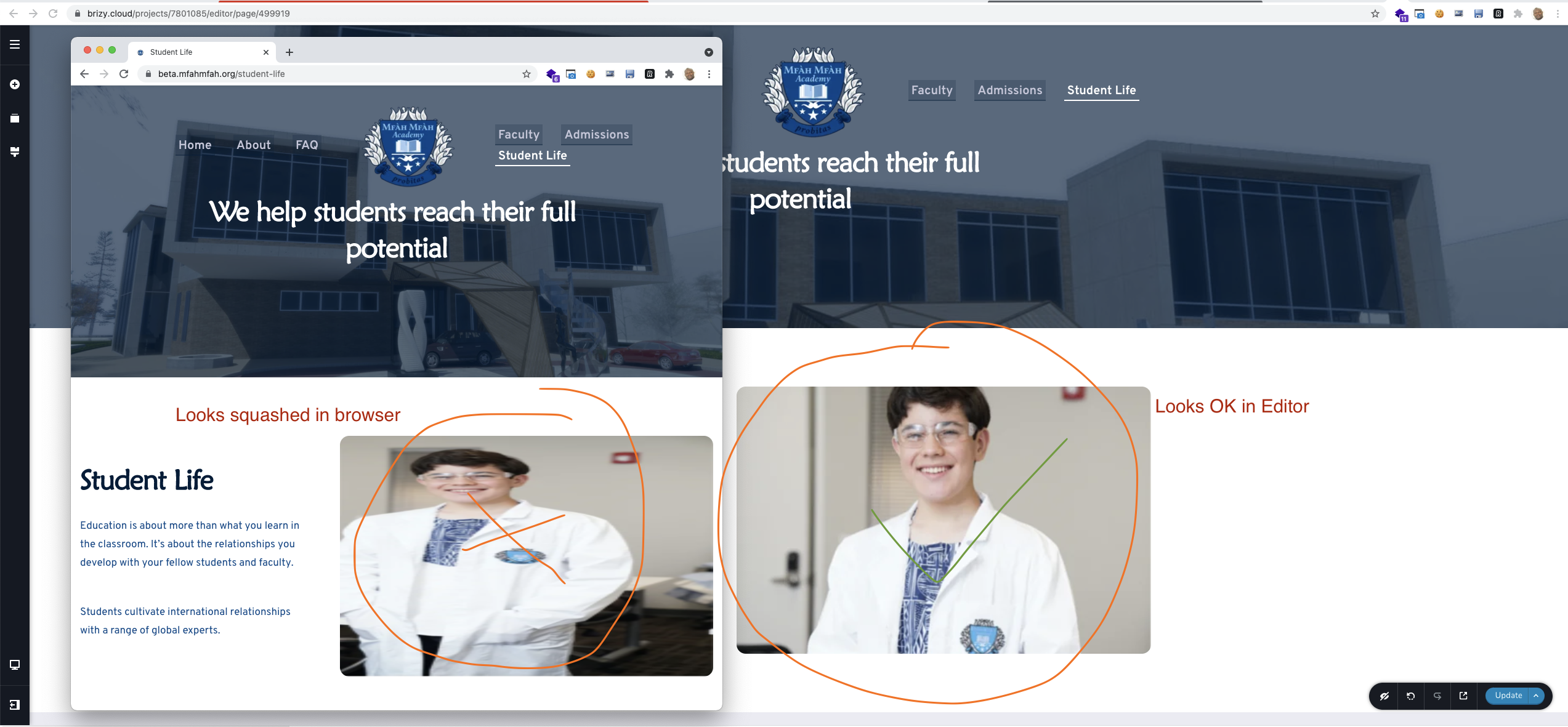
-
Live link: https://beta.mfahmfah.org/student-life
0 -

Hi,
from what I see the original image has a different ratio: https://jmp.sh/4rbz3yk Can I know what settings you used for that image? zoom, padding, margin, filter? Does this happen with all the images?
0 -
Hello Alex
Many thanks for your quick reply. There is distortion on all images for this page only. See settings below:
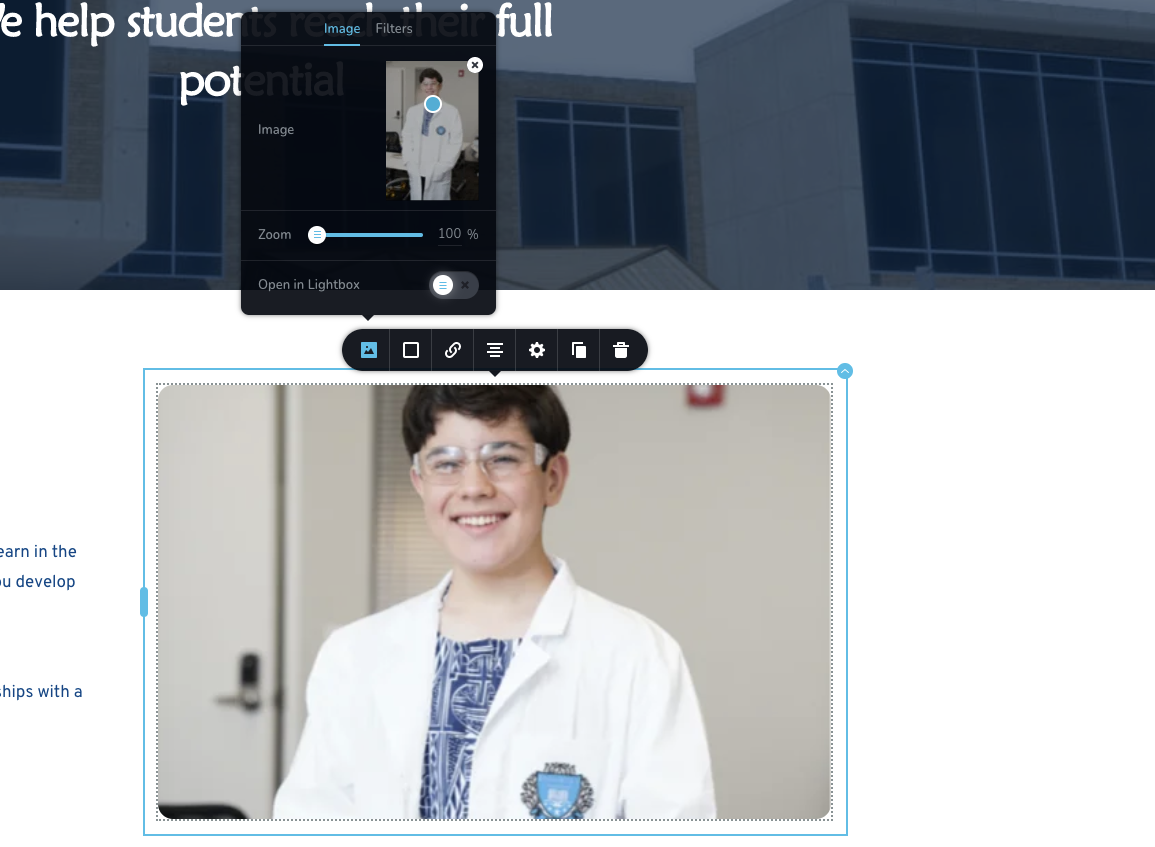
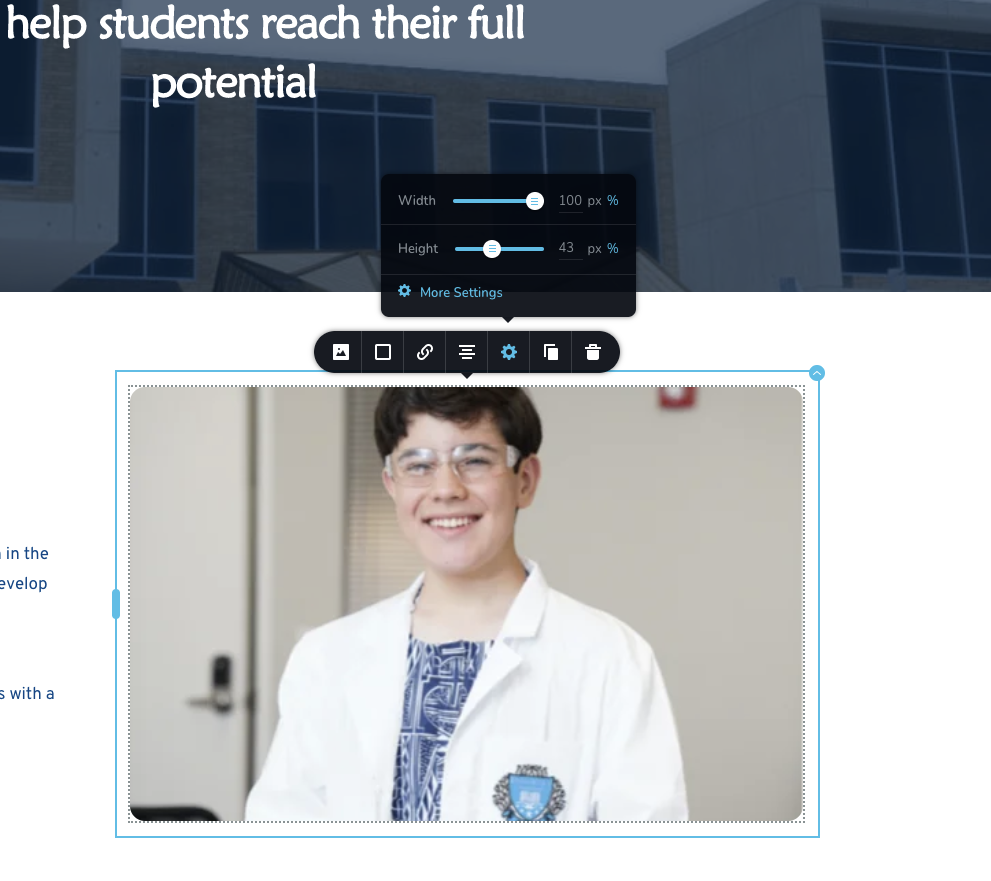 0
0 -

Hello Nelson,
Thank you for your post.
An issue is already created for our team. As soon as I will have some details about this fix - you will receive a notification.
Regards, Natalia
0 -

Hello Nelson!
Thank you for your patience.
After some research, we came to the conclusion that the reason is in uploaded images.
Images were corrupted before uploading them in the project and the editor returned Invalid source image metadata. Please try to use this Image to test
Kind regards,
Mihail
0 -
Hello there,
I want to revisit this issue as it is happening with other clients. Please direct me to the best way to set up images to be responsive. I assume that if I set the width to be 100% and the height to be ##pixels, then the image should constrain proportions - either by zooming in to fill the height or by zooming out to fit the height. In Brizy Cloud, the image is NOT constraining proportions. Please advise on my use case so I know how to implement this appropriately. See attached. Live website link: https://www.bettahealth.org/ - blog section
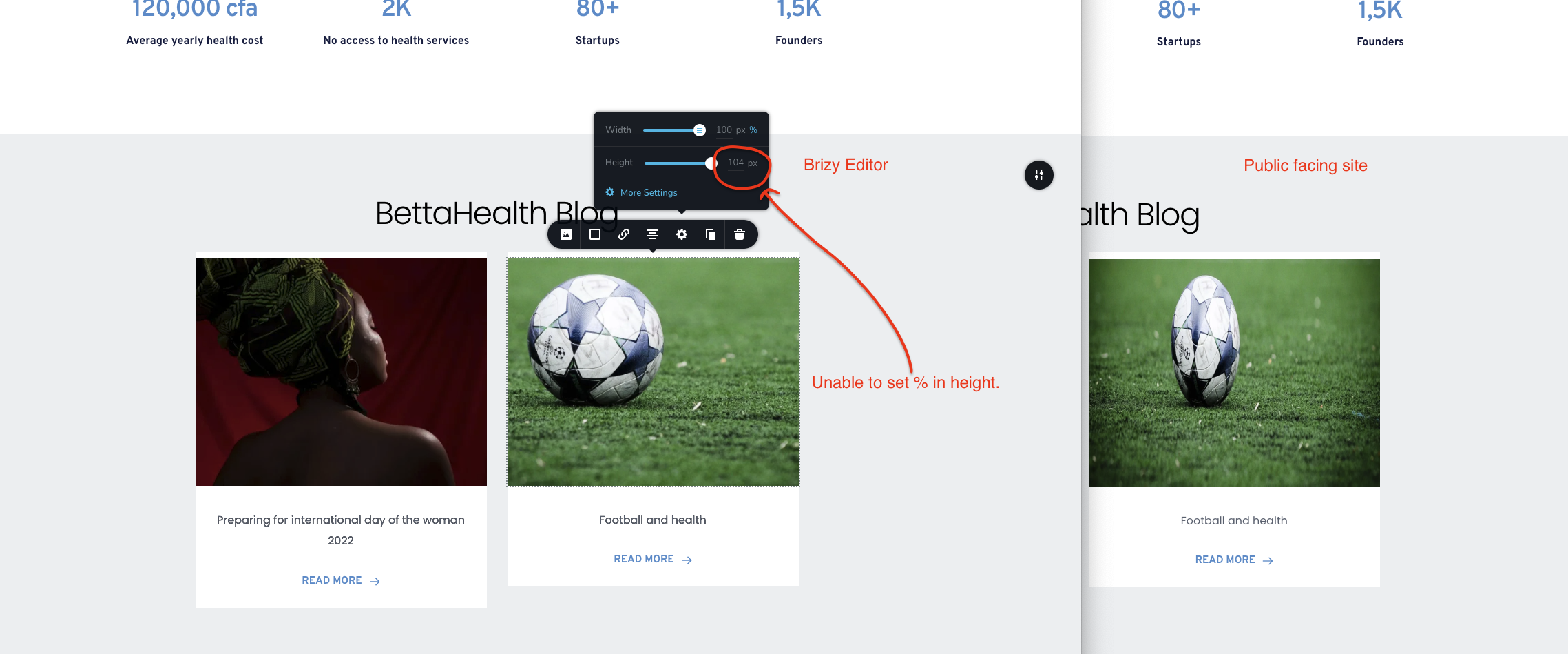
Regards
Nelson
0 -

Hi Nelson,
Sorry for the late reply, support is limited on weekends.
We are sorry for this inconvenience, it is an issue on our part. We are investigating this problem and we are doing our best to fix this problem as soon as possible.
Best regards, Nelea.
0 -
Hello support,
I want to assume I do not know how to set these images up. I have partner logos at 1280px by 800px and I have set this up to be fixed at 128px by 80px. It looks great on editor. But the preview looks squashed and I can see Brizy adding a height of 100% and width of 100%. See below:
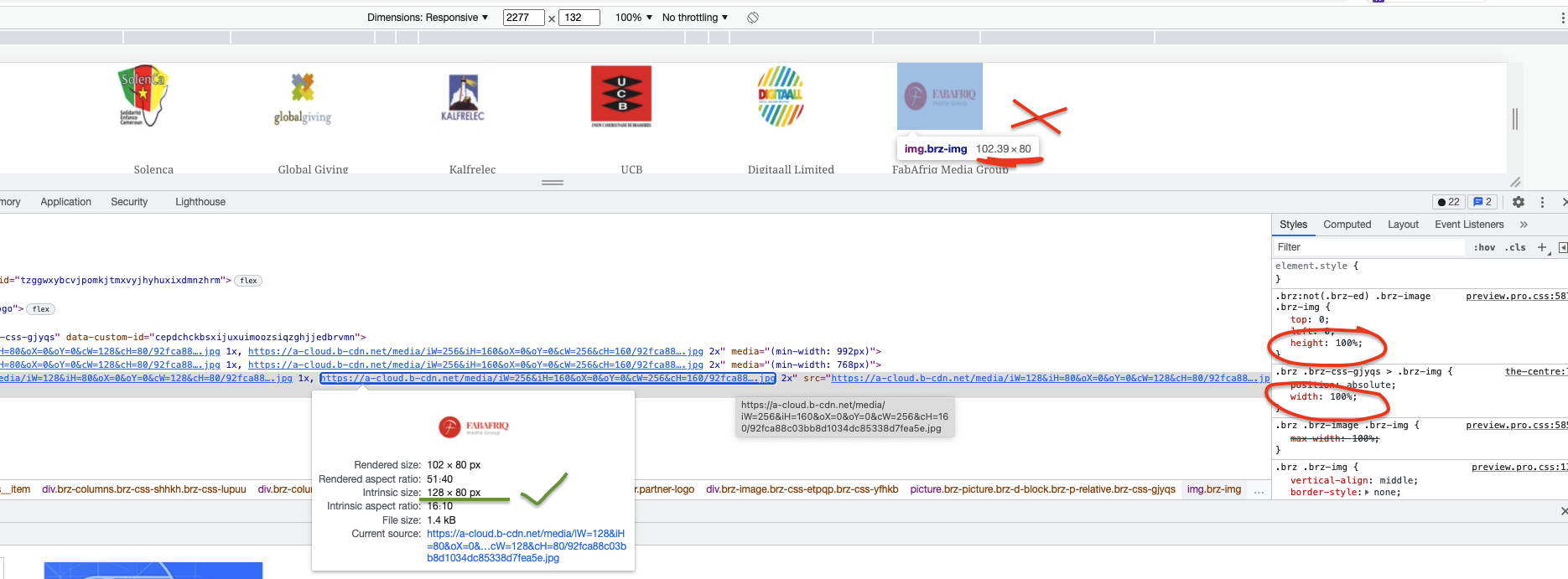
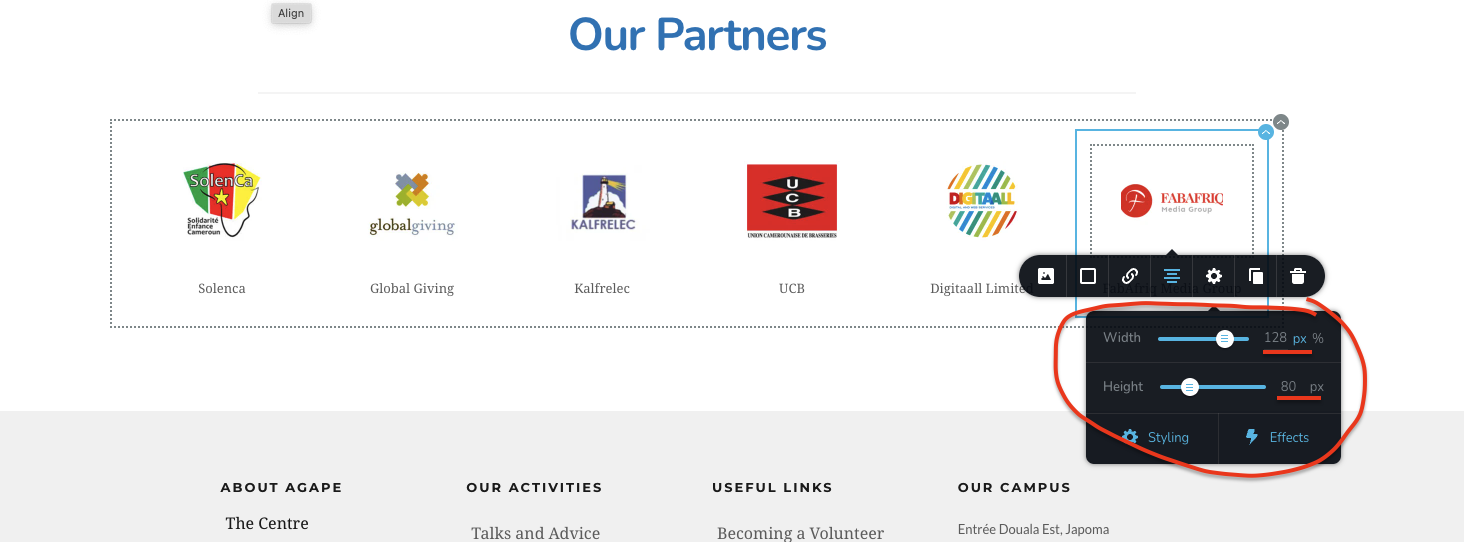
Please can you advise on how to prevent these squashed images?
Thanks
0 -
Hello Nelson!
Can you please provide us with a link to the project page?
Kind regards,
Mihail
0 -

Hello This link https://www.agapecentre.org/our-partners
Regards Nelson
Sent using iNkwenkam
0 -

Hi Nelson
You partner logos should display with the same aspect ration as the original images.
I would like to take a look at your project to analyze further. Can you add me as a Team Member to your Brizy Cloud project? My email: kc.george@brizy.io. Please assign me the "Manager Role"
Once you have sent me an invitation, please let me know here
 0
0 -
Hi Nelson
The reason why your images do not display in the original aspect ratio is because you are using the Posts element. Using Posts element to display a set of logos is not a recommended practice.
If you recreate your partner logos using the column element instead of Posts, you will get much better control of your images.
0 -
Hello George,
The logos are images. From your response, you mean... it is not recommended to use Posts to display images. Is that correct? This applies to all kinds of images. Right?
Well, this ticket was created a while back as it is the same behaviour for NON-post images like the initial project on the history of this ticket.
I am happy to let you know that the problem has been fixed. The "picture tag" height is now 'auto' NOT '100%' and it has fixed the issue.
Thanks
0 -
Hi Pah'mboni
I am glad you could fix the issue with the logos.
0
Please sign in to leave a comment.
Comments
14 comments