Sticky block with custom css not working.

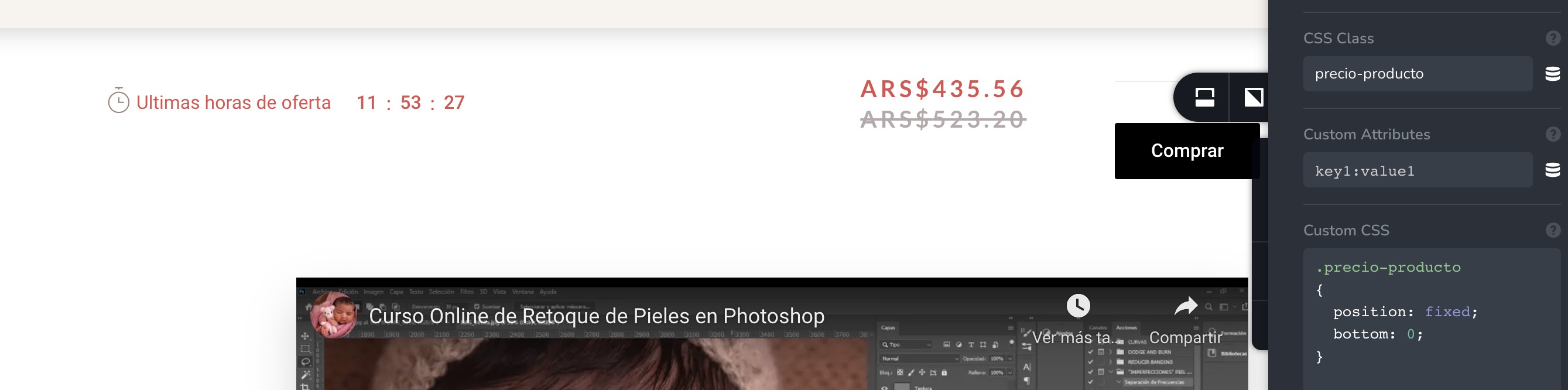
Hi, I want to display this block sticky on footer:
So, I created a class and gave this values on the css but it's not working. What am I doing wrong? How can I do this possible? Thank you!
-

Hi Gera,
Thank you for contacting us.
You CSS doesn't work because it doesn't override our CSS code. For position try to use !important, this should work.
Best regards,
Denis.0 -

Hello, i'm having the same issue as Gera.
The custom code works perfectly in the default checkout page, but not in the brizy checkout page. I'm wondering if this has something to do with the fact that my brizy page is using a sticky header.
Please advise.
0 -
Hi Ils,
Do you try to make footer sticky same as Gera asked for?
Kind regards,
Denis.0 -
Hi Denis, thank you but that's not the issue.
I'm trying to add position: sticky; to the "my order" div in the checkout page. So that it scrolls with the user until the end of its container.
The issue is that custom css styling seems unable to override Brizy styles, even when using !important.
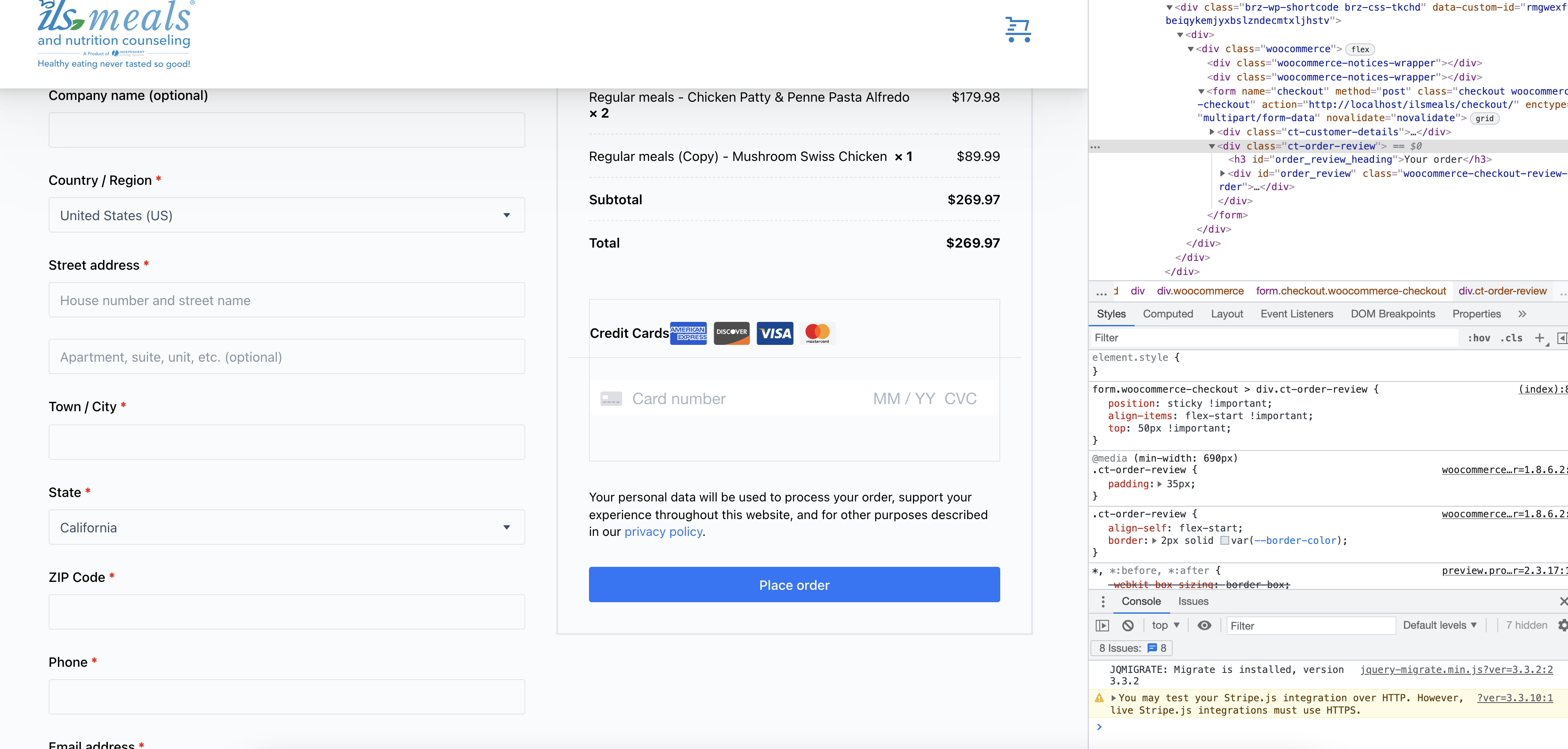
I tried adding the styles inside brizy using the advanced tab. Then I tried adding it with a plugin. Then adding the styles to the style.css of the child theme. I also tried adding them using safari's and chrome's inspectors. Neither of these methods worked in the brizy built checkout page. (see image below)
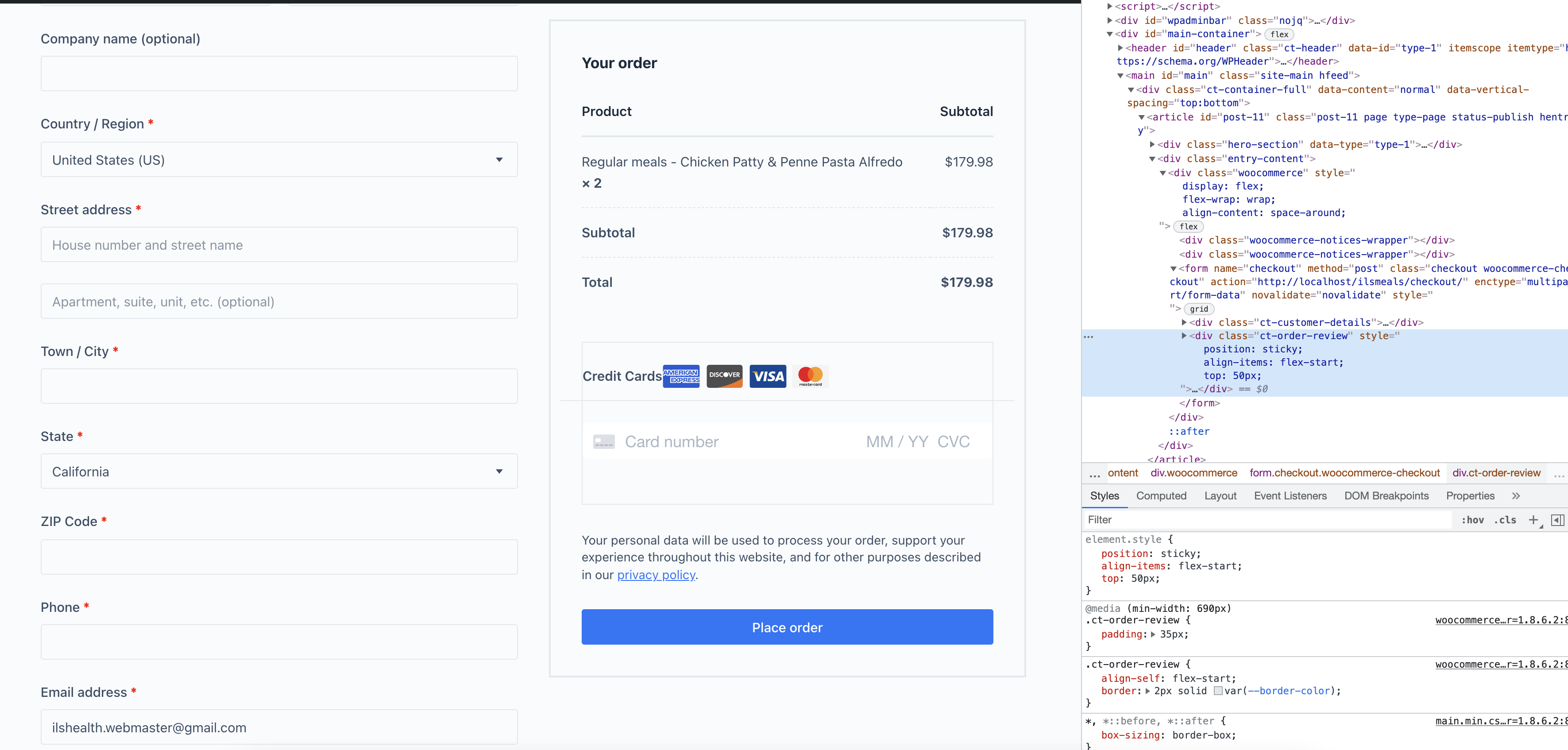
However, all of these methods seem to work when it is applied in a page where brizy builder is not being used, such as the original checkout page (see image below)
 0
0 -
Hi,
Can I ask you to provide link to your website so I can check the checkout page?
Kind regards,
Denis.0
Please sign in to leave a comment.
Comments
5 comments