Cannot Embed Paypal Button

Cannot Embed Paypal Button
Hello, I am working on a site I'd like to embed a paypal button on so payments can be made after it redirects, since there's no way to include payment methods on brizy directly. I used the article to do that, which led me to the paypal site, but with this smart button, it is not working. The embed element will completely disappear when I paste in the code.
<div id="smart-button-container"> <div style="text-align: center;"> <div id="paypal-button-container"></div> </div> </div> <script src="https://www.paypal.com/sdk/js?client-id=sb&enable-funding=venmo¤cy=USD" data-sdk-integration-source="button-factory"></script> <script> function initPayPalButton() { paypal.Buttons({ style: { shape: 'pill', color: 'gold', layout: 'vertical', label: 'pay', }, createOrder: function(data, actions) { return actions.order.create({ purchase_units: [{"description":"The #Adtalk Walkthrough in 7 Days","amount":{"currency_code":"USD","value":200}}] }); }, onApprove: function(data, actions) { return actions.order.capture().then(function(orderData) { // Full available details console.log('Capture result', orderData, JSON.stringify(orderData, null, 2)); // Show a success message within this page, e.g. const element = document.getElementById('paypal-button-container'); element.innerHTML = ''; element.innerHTML = '<h3>Thank you for your payment!</h3>'; // Or go to another URL: actions.redirect('thank_you.html'); }); }, onError: function(err) { console.log(err); } }).render('#paypal-button-container'); } initPayPalButton(); </script>
The older buttons happen to work, but I'd like to utilize the new smart button. Is that something we can do? Thank you!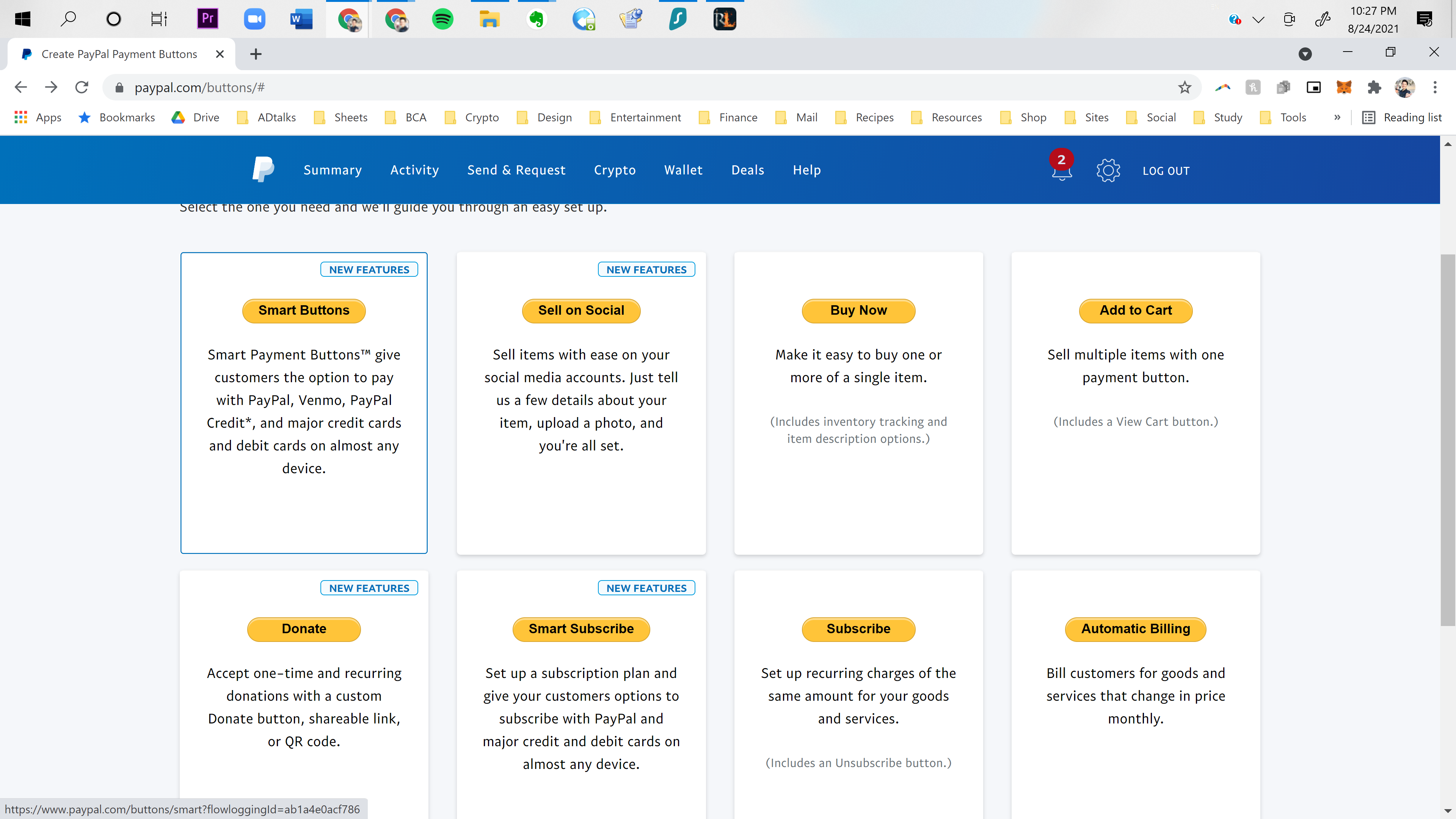
-

Hello Michael,
Thank you for your message!
Regarding what you said, first of all the embed code will not be always shown in the editor mode. Second of all, your code had a lot of comments in it and that affects the functionality. See this to understand about what comments I am talking about (the green part are the comments). Now, you need to add this code:
<div id="smart-button-container"> <div style="text-align: center;"> <div id="paypal-button-container"></div> </div> </div> <script src="https://www.paypal.com/sdk/js?client-id=sb&enable-funding=venmo¤cy=USD" data-sdk-integration-source="button-factory"></script> <script> function initPayPalButton() { paypal.Buttons({ style: { shape: 'pill', color: 'gold', layout: 'vertical', label: 'pay', }, createOrder: function(data, actions) { return actions.order.create({ purchase_units: [{"description":"The #Adtalk Walkthrough in 7 Days","amount":{"currency_code":"USD","value":200}}] }); }, onApprove: function(data, actions) { return actions.order.capture().then(function(orderData) { // Full available details console.log('Capture result', orderData, JSON.stringify(orderData, null, 2)); // Show a success message within this page, e.g. const element = document.getElementById('paypal-button-container'); element.innerHTML = ''; element.innerHTML = '<h3>Thank you for your payment!</h3>'; // Or go to another URL: actions.redirect('thank_you.html'); }); }, onError: function(err) { console.log(err); } }).render('#paypal-button-container'); } initPayPalButton(); </script>
And the button will be shown in the preview - https://jmp.sh/n3Y024I
Hope this helps and made things clear for you! If you have any other questions or encounter some problems, please feel free to ask! We will be happy to help.
Have a nice day and best regards,
Doina
0 -
Ok, it does look like it kind of works, like you said it's not visible in the editor mode. If I wanted to create different buttons, what would I need to do specifically? What changed exactly? Might I need to reach out to you? With Gratitude and Unconditional Love, Michael Earth Osada
0 -
Yeah, and now the button isn't appearing when I attempted to put it on the actual page I desire. It's also not rounded, it's square. With Gratitude and Unconditional Love, Michael Earth Osada
0 -
Hey thanks for making the effort, but this doesnt help me at all. Please refer back to the first post here with the PayPal coding. Then, give notice that I need to put this on my site, and the coding that you have me worked once, but did not work again. Also, I would like to make another PayPal smart button similar to it. How do I do that successfully with it being viewable on screen after embedding it into the site?
0 -
Hello Michael,
Thank you for your message and sorry for the late response!
Regarding what you said, this is not Brizy related. Brizy can not modify the button in PayPal ( you can modify it if you have in PayPal different options). Everything that you put in embeded can not be modified, just it will be shown in preview. If it doesn't appear in preview then you made a mistake. If the first worked, please be sure to do the same things for the second. I can try to help you if you give me the link but I do not promise anything. Hope to hear from you soon!
Best regards,
Doina
0 -
Give you the link to what exactly? You see on the PayPal buttons menu I went in and did it, but I believe you changed the coding to actually get it to work with the site, which also props boy had something to do with changing the round shape to square. That's all I wanted. Would there be a way to give me working code with the same stuff, but rounded as was done in paypal itself before your coding edit?
0
Please sign in to leave a comment.
Comments
7 comments