How to disable lazy load for images by brizy?

How can I disable lazy load for images by brizy?
-

Hi Roeland,
Thank you for your message.
Unfortunately, you can not disable it, this is from the native browser and you cannot modify it.
Best regards, Nelea.
0 -

Any update on this?
This lazy load feature is lazy loading the first image on my page which is not good for speed score and UX! 0
0 -

Hi Jean-Baptiste,
Please consider this plugin for disabling it
0 -
Hey,
I disabled:- WP Rocket
- Wordpress Default Lazy Load (with code in php file)
- Lazy Load on Theme (Blocksy)
The image is still lazy loading
When the page is not built with Brizy, the image are not lazy loaded when I disable these option.
Let me know if you want access to see for yourself0 -
Hi
Can you please share the page URL?
0 -
Here you go: https://evaboot.com/
Here are the details:Lazy Load from WP Rocket is deactivated for the big image on the homepage
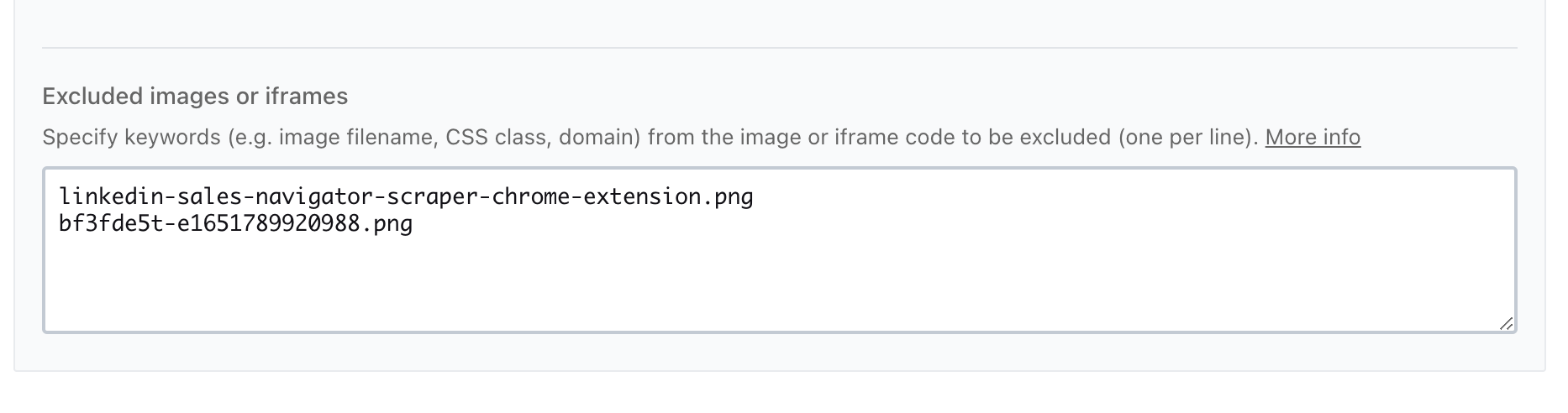
WP default lazy load is deactivated

Lazy load deactived in Blocksy (my theme)
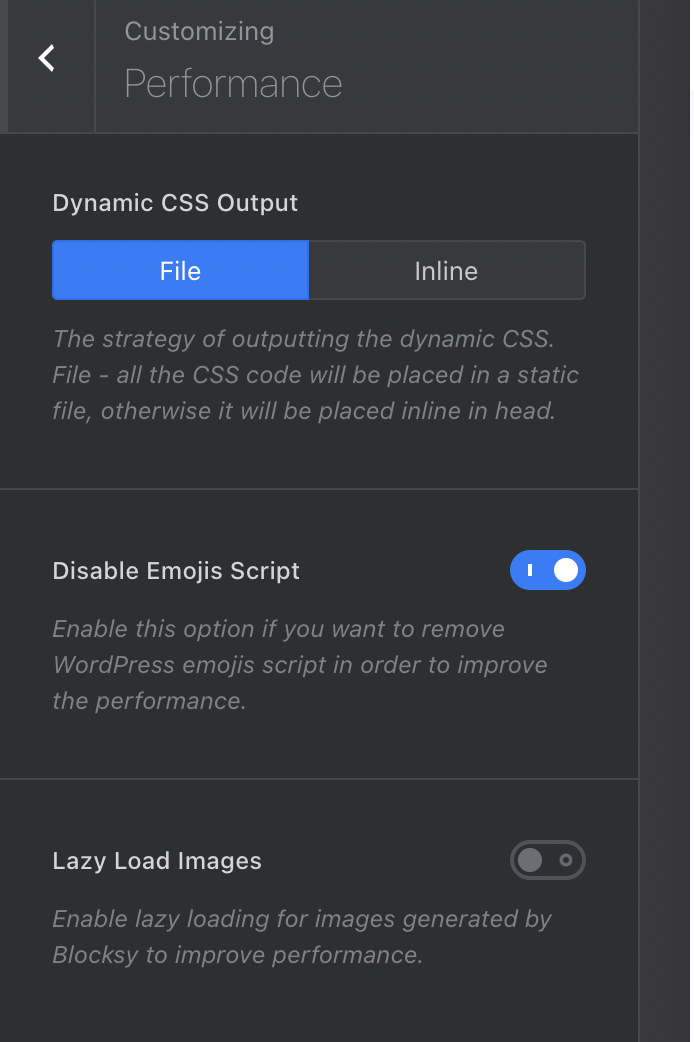
Still, image on homepage is lazy loaded 0
0 -
Hi Jean-Baptiste,
Do you know if you have a lazy loading setting with Cloudflare? Try purging Cloudflare cache as well.
0 -
Hey George,
Sorry for the late reply.
Kinsta is managed by Kinsta. I'm 100% the problem come from Brizy because when I exclude images from lazy loading on pages not managed by Brizy, the exclusion works:https://share.cleanshot.com/kSMydc
On this example:
- first image is on Brizy pages
- third image is on post page (managed by Blocksy)
The 1rst one is still lazy loading: https://share.cleanshot.com/lpC72PThe 3rd one is not lazy loading anymore: https://share.cleanshot.com/QUqIG8
You can find it on this URL (first image after the video): https://evaboot.com/blog/how-to-use-linkedin-sales-navigator0 -
Hi JB,
You could be checking a cached version of your pages. Please disable Kinsta CDN and check again.
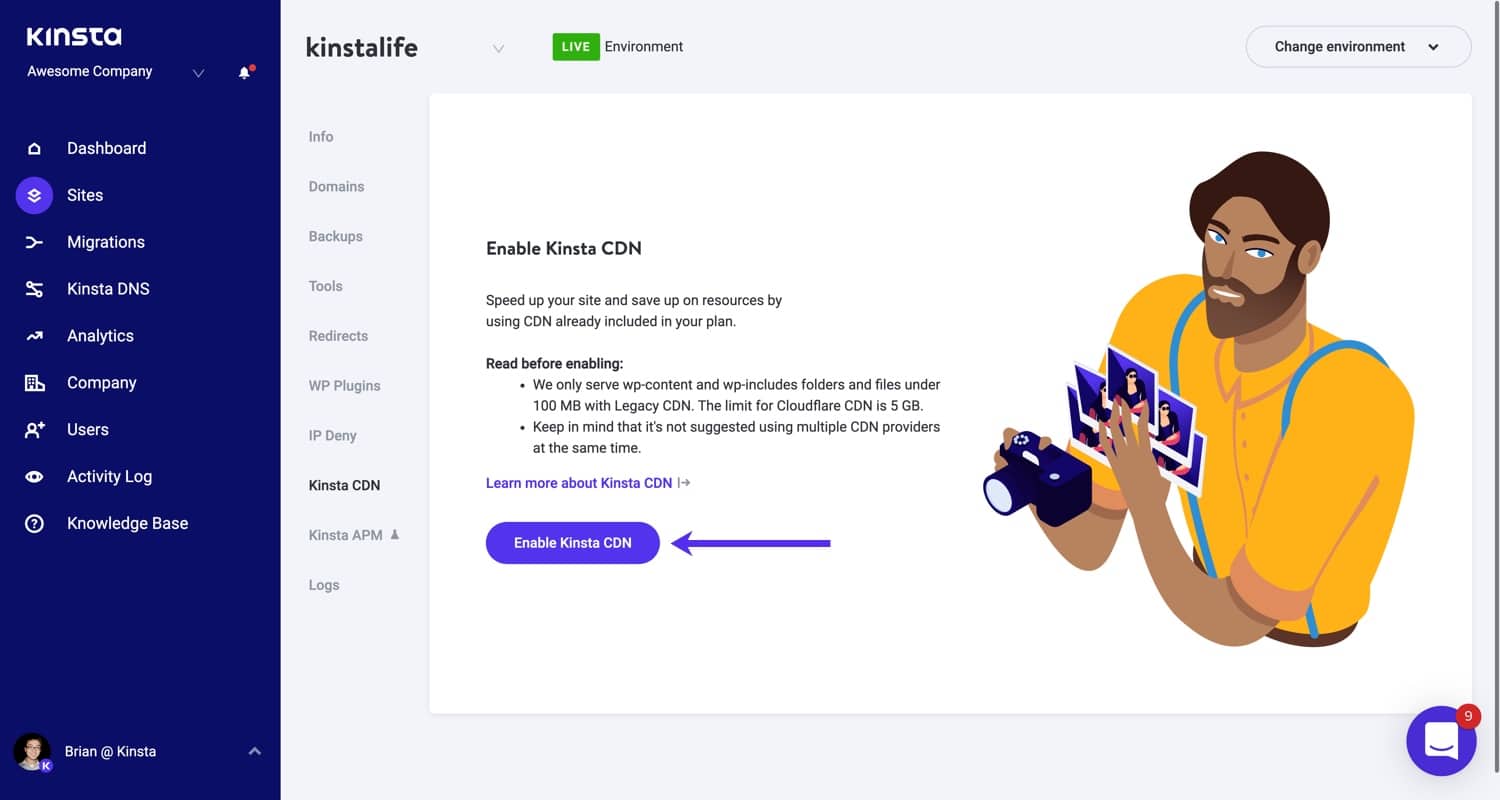 0
0 -
Hi George,
Hi just did this and still doesn't work, here is a video: https://share.cleanshot.com/nLHqsT
Do you want me to put you in relation with Kinsta Support?0 -
Btw issue is also on staging website which is on CDN.
On the staging website, I:- deactivated WP default lazy loading
- deactivated Blocksy lazy loading
- deactivated WP Rocket
- the website is not on a CDN
The issue still appear on Homepage: https://share.cleanshot.com/2OttOm
You can see that images from Homepage (made with Brizy) are still lazy loading but the images from blog post (handled by Blocksy) are not lazy loading anymore
When I reactivate WP Rocket, the images of the blog post are lazy loading again: https://share.cleanshot.com/DCipRN
This clearly shows that the problem is caused by Brizy don't you think?0 -
Hi Jean-Baptiste,
Yes; looks like Brizy is lazy loading images in the image element. Please try this work around. Remove the image and add it back as the background to the right hand side column in the hero section of your homepage and see if that helps.
0 -
Hey Georges,
Honestly, I don't want to start using hacks to solve this problem. It seems pretty obvious to me that hero image should not be lazy loaded.Plus, if I delete the image, I lose the SEO benefit.
Can't you guys give the option to disable lazy loading for images?0 -

Hey George,
that fixed the lazy loading problem for me. Thanks!
0 -
Hi Jean-Baptiste,
Adding an option to disable lazy loading would be a good Feature Request. We have hundreds of such requests in the pipeline. Hence we cannot predict when we it would get implemented.
Please do not delete the image from the Media Library and don't change its URL. Once you add it as column background, consider adding an image sitemap so that Google can index your background image. https://developers.google.com/search/docs/advanced/sitemaps/image-sitemaps
0 -
Hey George,
it would definitely influence it from my knowledge. Moving it to the background makes it being called via css. In the front it's an html element with alt tag and everything.
+1 for a feature to disable lazy loading
0 -
Hey Georges,
To give some "Why" to your developers.
Having lazy loaded images above the fold (without scroll) is harming Google Key Metrics like Largest Contentful Paint (LCP) and First Contentful Paint (FCP)
These problems currently makes my page fails Google Core Web Vitals assessment0 -
Hey George, any update on this?
0 -
Hi Jean-Baptiste
Like I have mentioned earlier, we have hundreds of such requests in the pipeline (if not thousands). Out of hundreds of requests, some get into the plans for the year. With a fixed number of staff, fixed number of days per week and fixed hours per day, only small portion of the hundreds of requests can be implemented in a year. Apart from the plans for the year, the development team also focuses on bug fixes: things which were working well earlier and stopped working now or is not working efficiently. These are the focuses of year 2022
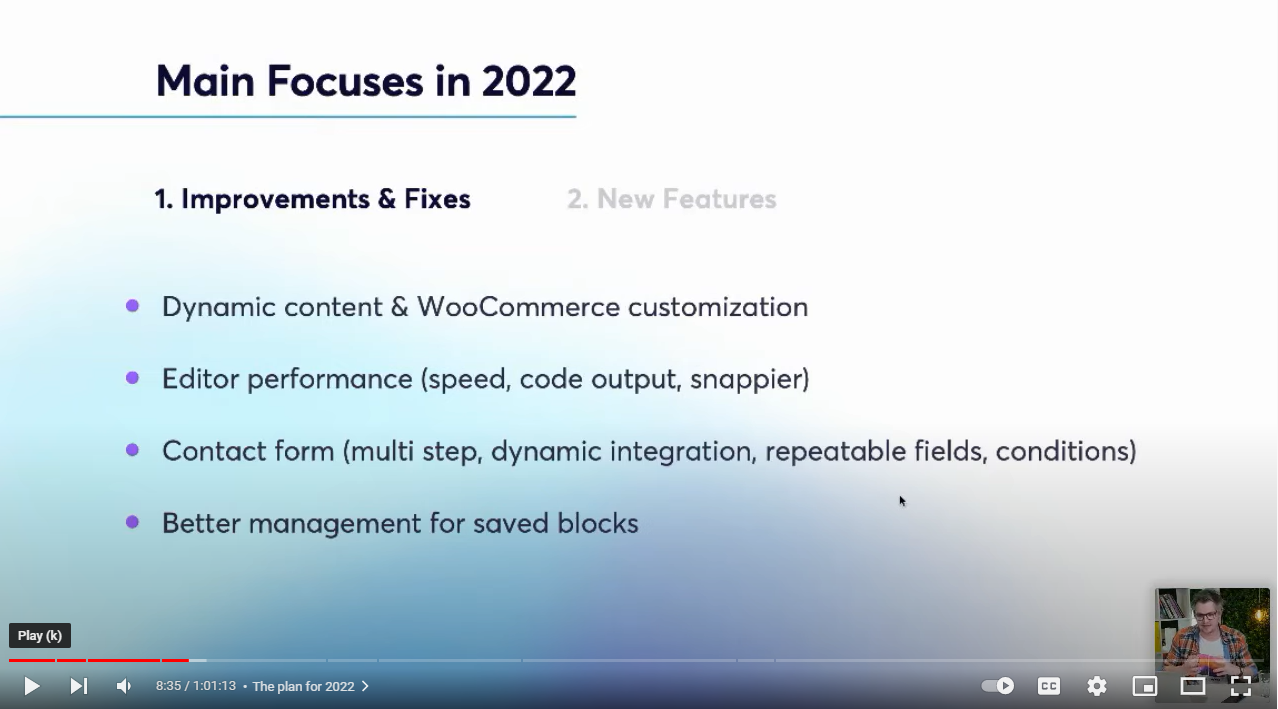

Features requested two years ago are part of this years plans. This should give you an indication of how long and big our pipeline of Feature Requests are.
0 -

Any idea how we can resolve the lazy load issue then on a page that pulls the images in?
https://www.hostelworld.com/blog/backpacking-europe/
We can't make all these images background images. Lazy load stops the icons appearing. KC George, if you change the data-src to src in inspect element, the images appear.
Do you have any advice on this?Thank you
0 -
Hi David,
We are sorry; we still do not have a solution to avoid lazy loading for images.
You have mentioned that "Lazy load stops the icons appearing". Do you have an example for this?
0 -

Hi,
Is there a solution for this by now?
Kind regards
0 -

Hi Jan,
Thank you contacting us.
We regret to inform you that we currently don't have a solution for this issue. However, you can try using the following script, which might help:
<script>
// function to remove lazy load attribute
function removeLazyLoadAttribute() {
  const images = document.querySelectorAll('.brz .brz-image .brz-picture img');
  images.forEach((image) => {
    image.removeAttribute('loading');
  });
}

// run remove the lazy load attribute
removeLazyLoadAttribute();
</script>
Please note that this script was tested in Brizy Cloud, but it should also work in Brizy WP by adding it as a custom JavaScript in the WP Code Snippet plugin.
Keep in mind that this is just an example, and there are other ways to implement this solution. Feel free to modify the script as per your specific requirements. This should be inserted in the footer of the page, as demonstrated on this screencast - https://youtu.be/oEFLdorDnhQ
Please try this and let me know if this helps.
Best regards,
Ariel H.0 -
Hi Ariel,
Thank you for your answer.
This looks like a paid plugin, at least for JS scripts. Doesn't really feel worth it.
Please include this in your roadmap.
Kind regards
0 -
Hi Jan,
Apologies for not providing the link to the plugin earlier.
I'm referring to a specific plugin that is free to use.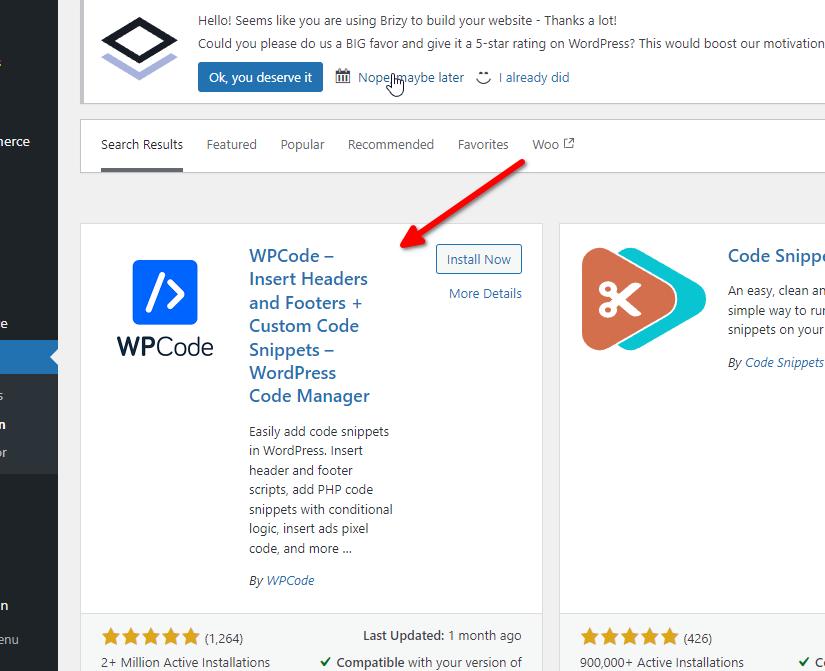
Kind regards,
Ariel H.0 -
Does this script disable lazy load only by brizy or also for other plugins WP-Rocket and EWWW?
0 -
Hi Roeland,
Thank you for contacting us.
This code snippet specifically disables lazy load in Brizy images. It can be used as a last resort if your preferred optimization plugins are not working effectively.
Kind regards,
Ariel H.0 -
Hi Ariel,
Thank you for the clarification; I'll give it a try tomorrow.
Do you happen to know if it's possible to disable lazy loading specifically for images above the fold using this method? If so, could you guide me on how to modify the code accordingly?
Kind regards
0 -
Hi Jan,
Thank you for the update.
For images above the fold, please try using this plugin - https://wordpress.org/plugins/preload-featured-images/
Best regards,
Ariel H.0 -
@Ariel that only works for Posts do you have something that works with pages? Or images inside the post (not the Featured Image)
0
Please sign in to leave a comment.
Comments
36 comments