How to make a button element inactive?

Hello!
So the issue is that I've made a website using Brizy on WP and I have some buttons used there (used them to style the text with a bg and rounded corners). The issue is that I haven't put any link or anything else on them, because there's no need for it yet and every time I click them the site refreshes and brings me back to the top of the page.
Screen record - https://we.tl/t-w55oHlXEor
So the question is - how to disable the button temporarily until I will have a link to put on it?
-

Hi,
Thank you for your message.
If you need to disable temporarily the button, please access the Setting Button and delete the link, please see here. Therefore when you will have a new link you can add it again.
Please let us know if we can help you with something else.
Best regards, Nelea.
0 -
Hi,
I'm sure that there is no link or file or block marked on the button, although when triggered - it reloads the webpage. And that is the problem.
To state the problem more clearly, please have a look at website geriauskambinkpauliui.lt and try using the buttons that are marked in the attached picture.
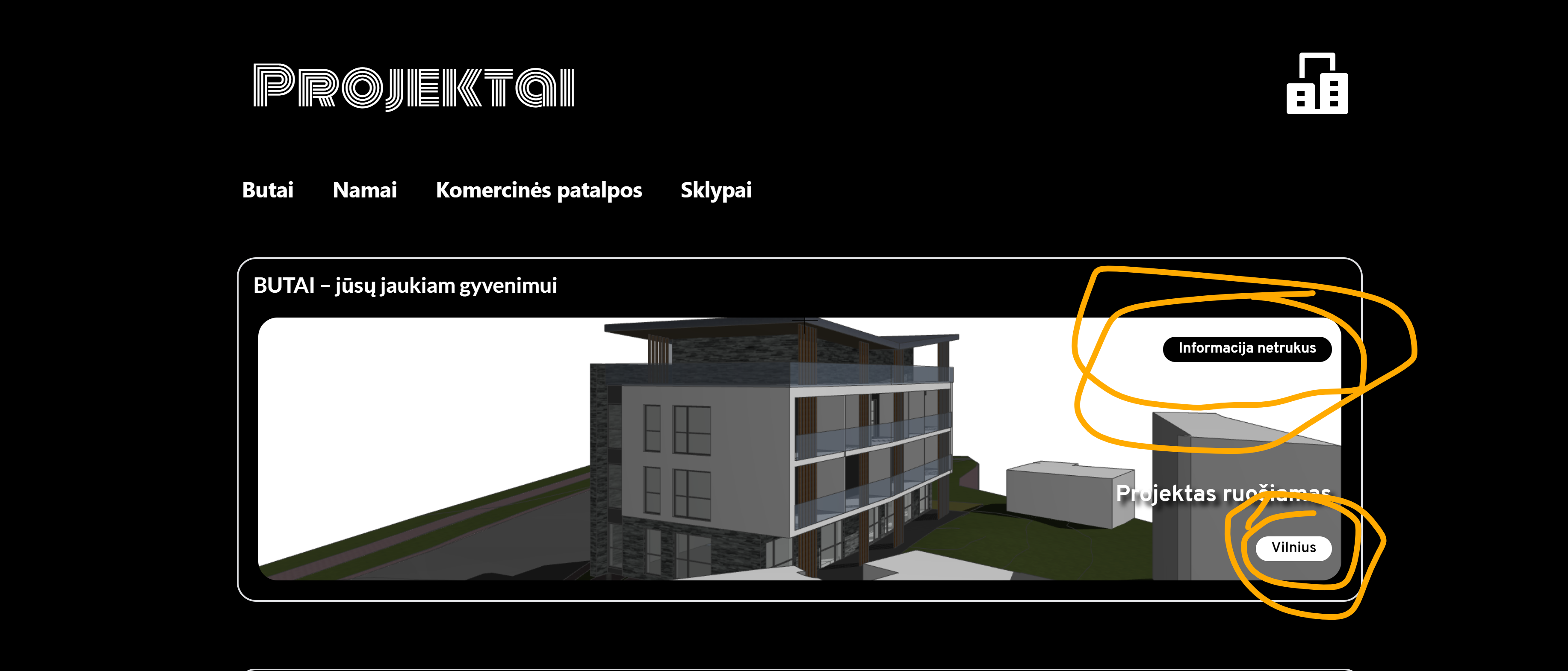
Best regards, Valdas.
0 -
Hi,
Thank you for all these details! We would like to check this problem from your dashboard. Could you please send us the WP credentials to this site? We have created a private ticket for this request. You had to receive a notification regarding this by email. Could you send us in that private message the WP credentials to this site?
Best regards, Nelea.
0
Please sign in to leave a comment.
Comments
3 comments