How can I change the position of a featured image?

I want to put the featured image in the background, as a background. But I can't define the position. I want it centered but the upper part of the image always comes out.
-

Hi,
Thank you for your message.
If you need to change the position for a background image please see this video.
Best regards, Nelea.
0 -
Hi, thanks. But this is impossible with Featured Image.
Lets see: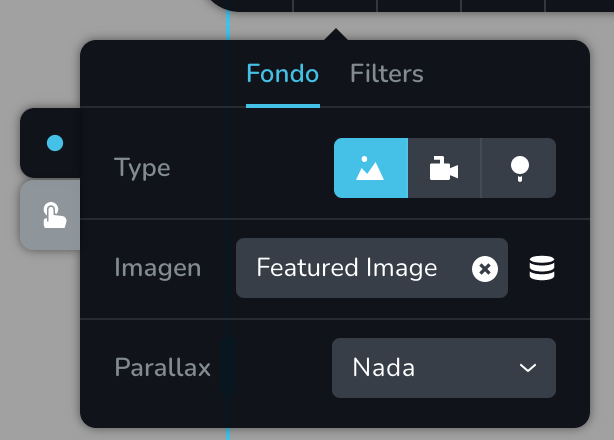
Thanks for your help.
0 -
Hi Cezar,
Thank you for your message.
Thank you for all details. We could reproduce this inconvenience and create an issue on this topic. We tried to add a featured image, see here and could not define the position. Our team will investigate this problem and will strive to solve it as soon as possible.
We are sorry for this inconvenience.
Best regards, Nelea.
0 -

Hello,
I see that this post is old, but I have the same issue. As you can see here, I put the point on some place in my article.
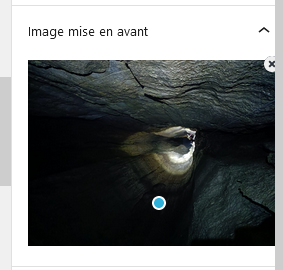
And in the brizy template, I can't choose any position (and it's godd, because I don't want to choose a global position, but let me choose position for each post). As you can see here :
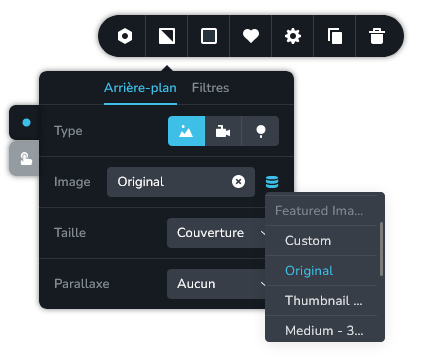
But the fact is that no position is taken into account in the result :

I've done lot's of tests, but difinitively, this setting of wordpress editor isn't heard by Brizy. Could you please add this feature ?
0 -

Hi Théophile,
We appreciate your feedback and suggestions, and we're constantly looking for ways to improve our product to better meet the needs of our users.
We've taken note of your request and will carefully consider it as we plan future updates and enhancements to Brizy WP.
Best regards,
Ariel H.0
Please sign in to leave a comment.
Comments
5 comments