Login Element Showing Extra Username Field

I'm not sure what's going on but all of a sudden all Login elements now have an extra username email address field. I'm using the latest Brizy Pro and Free versions and I'm using WP 5.8
Were having big issues with people being confused on logging in. Please help ASAP.
Thanks
Chad
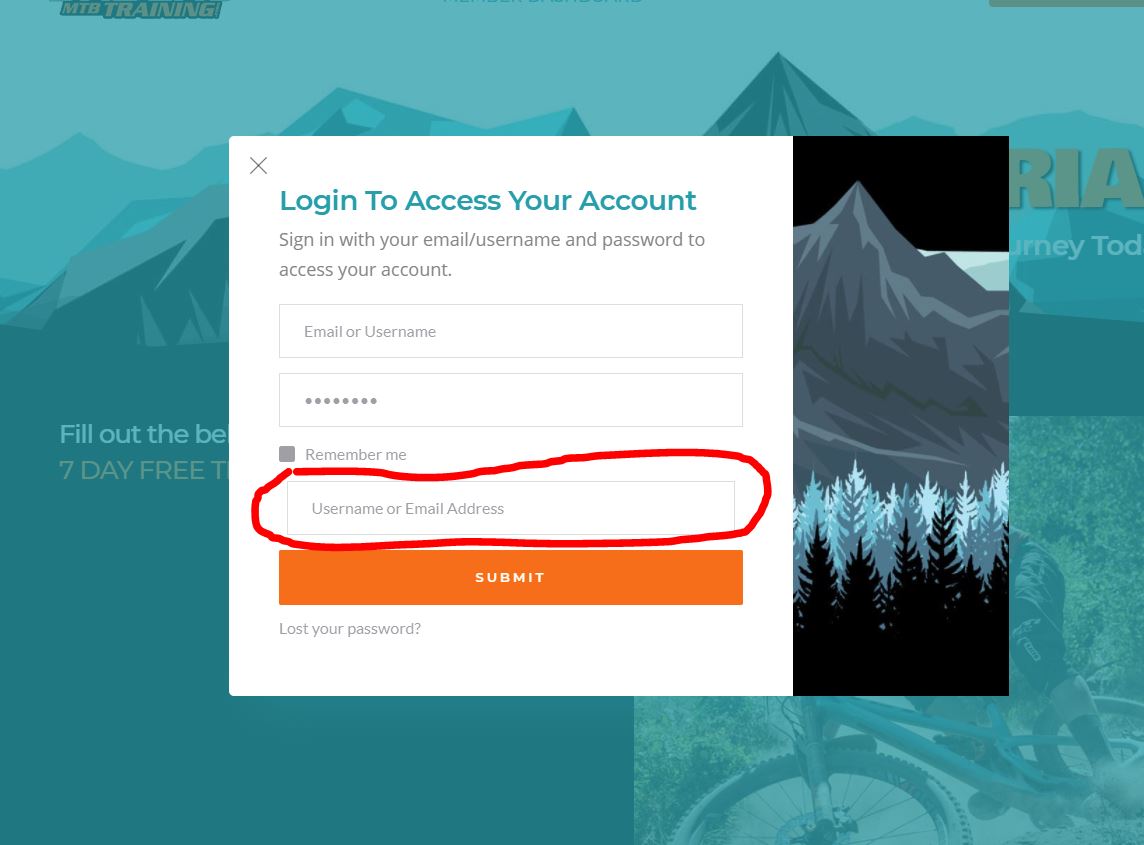
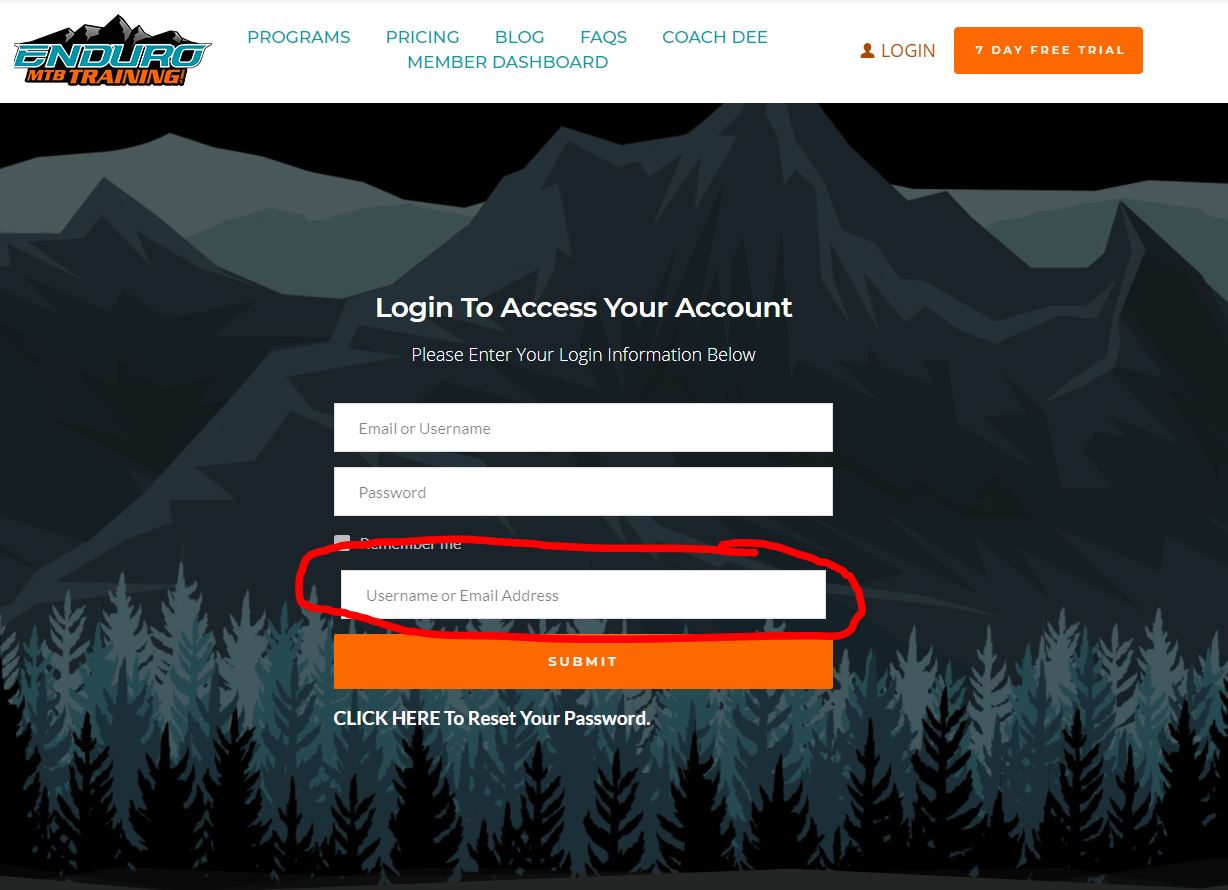
-

Hi Chad,
Thank you for your message,
Could you please temporarily deactivate all external plugins (except Brizy Free and Brizy Pro) Do you still have this problem? I had tried to reproduce this issue but everything works fine, please see here
Can you please tell me if this login element was created with Brizi, or it was imported?Best regards, Nelea.
0 -
Nelea,
Yes, I've deactivated every plugin and tested each time in an incognito window.
All these login forms have been working for months, so something along the lines of an update seems to have caused the issue.
The login element is 100% Brizy and it was not imported. It was created on the page or in the pop up case, using Brizy's pop up builder. Again, all these forms looked fine until recently.
Chad
0 -
I see you recently updated Brizy with being able to reset the password within the Brizy form. That bottom username or email address is actually your reset password field. It's not being hidden on the normal login view. If you click the reset your password, then you can see in the screenshot you have your new option of doing it right there. It use to go to the WP default screen for the password reset.
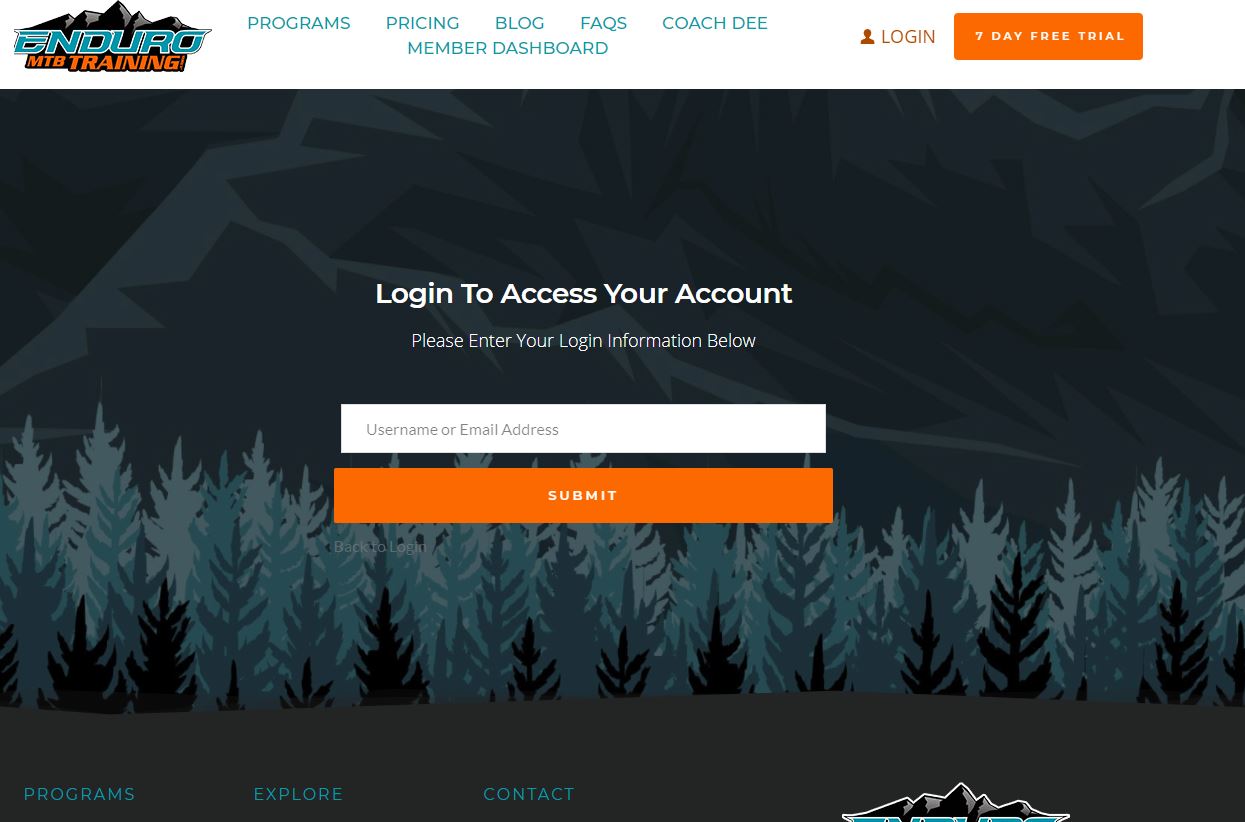
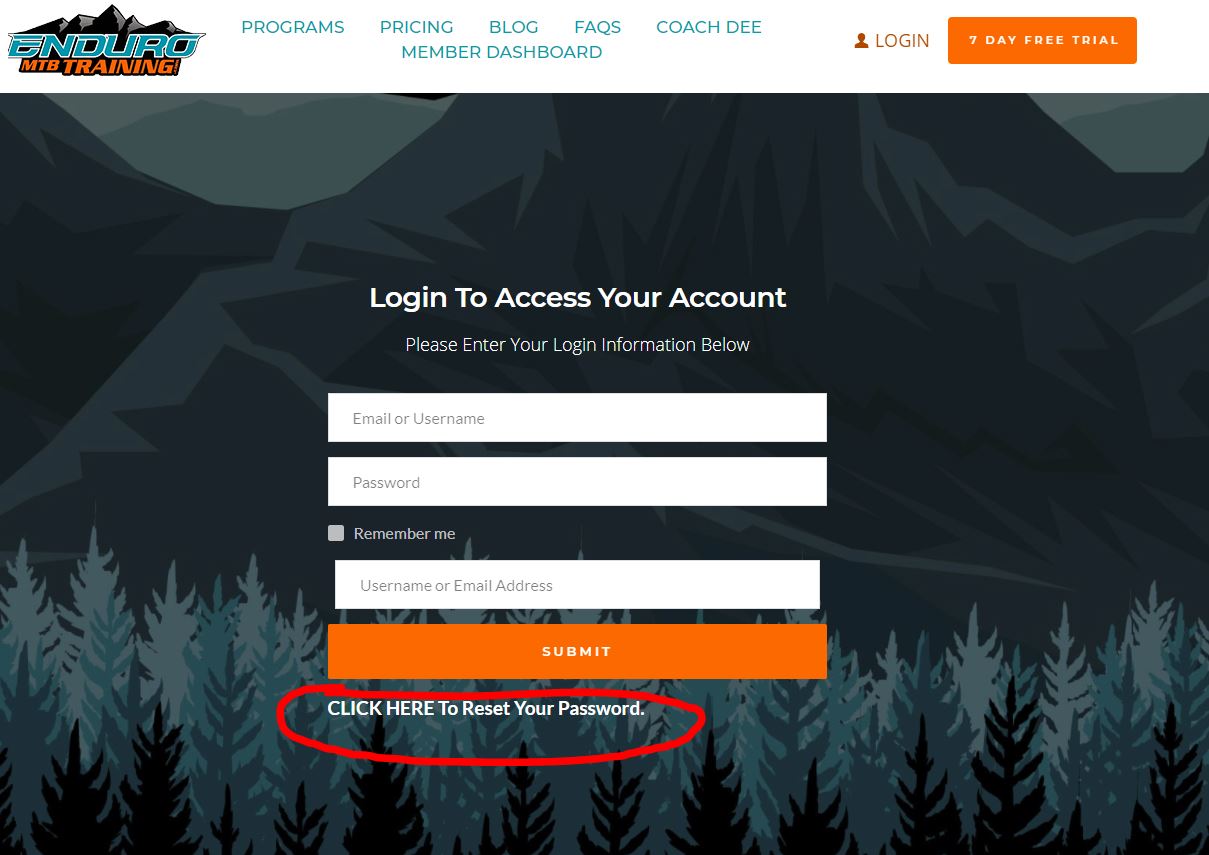 0
0 -
Hi Chad,
Thank you for sharing this information with us.
Best regards,Nelea.
0 -
Nelea,
Is there any solution for this? Were really confusing our users with this login.
Thanks,
Chad
0 -
Nelea,
Just so you know, I also tried hiding the field with display:none on the reset CSS your using but that's not a band-aid either, since when the user tries to reset their password the field doesn't appear as it should. Again, this issue was not happening until one of your recent updates, not sure which one though.
Chad
0 -
Hi Chad,
Could you please activate a WordPress default theme? Also, could you please check in the console, do you have some errors? If you still have this problem please sent us the URL link so we could inspect it.
Best regards, Nelea.
0 -
Nelea,
Still no luck. I changed the theme to a default one with the same result. By the way, I'm only using the Brizy Starter theme, I'm not using any other big them since I built the site strictly with Brizy.
Also, as you can see in the attached photo there are no errors in Chrome Dev tools on this page. This goes for any of the pages the login form is on.
You can see the URL of the website in the photo attached.
I'll be on the lookout for what you find out.
Chad
 0
0 -
Hi Chad,
Could you please try one more thing? to delete the login element and then add it again?
Best regards, Nelea.
0 -
Nelea,
Re-creating the login element worked. Now it's just a pain to spend the time having to redo certain pages that have login fields, pop-ups that are used on our desktop, mobile, and tablet specific navigation menus.
This shouldn't be something, that as designers we have to redo because of an update.
Are you able to find out why this is happening so it doesn't happen to me or other designers.
Thanks,
Chad
0 -
Hi Chad,
I have created an internal issue and one of the developers will investigate this aspect deeper.
I'm sorry for this inconvenience.
Best regards, Nelea.
0 -
Nelea,
Ok, now the login isn't working at all. I didn't think to test the login form, since it was working previously but now all login forms look ok, but no users can login.
ugh, Brizy has been a mess recently. I've had three others sites with other issues with all these updates breaking sites.
Any idea why, the login isn't working now? Nothing else has updated or been changed on the site
Chad
0 -
I've restored my site back to using Brizy 2.3.5 and Pro 2.3.3 and I'm able to use the login in forms to login ok now.
Also, when you click rest password after you put in your username or email to reset it you we aren't getting the password reset emails with the new Brizy setup. There was no issue previously on resetting the password when the default WordPress form handled the password reset, so you know.
0 -
The default password reset is working fine, so you know. If I go to our WordPress admin login page and use their password reset, I get the password reset email with a reset link with no issues. The issue is only an issue with Brizy's new way of handling the password reset with their form.
Please help,
Chad
0 -
Hi Chad,
Sorry for the late reply, support is limited on weekends.
Yes, you are right, after the last update, there is a problem with membership log-in. At the moment, our developers are working to solve it as soon as possible.
We are sorry for this inconvenience.
Best regards, Nelea.
0 -
Hi Chad,
We have investigated all the issues listed above and everything works well, we could not find any issue. Could you confirm that you still have this issue?
Best regards, Nelea.
0
Please sign in to leave a comment.
Comments
16 comments