STILL No Add FONT Function PRO 2.3.2

Could you please fix the add font function on the latest plugin updates please. Still not working.
Thanks.
-

Hello Mandy,
Thank you your message.
Regarding the problem you have, can you please provide us with more details or make a screenshot/video ? We checked and here everthing is working, the problem that you are talking about could not be reproduced.At the same time make sure you have:
Brizy FREE 2.3.4
Brizy PRO 2.3.2
Hope to hear from you soon!
Best regards,
Doina
0 -
Hi,
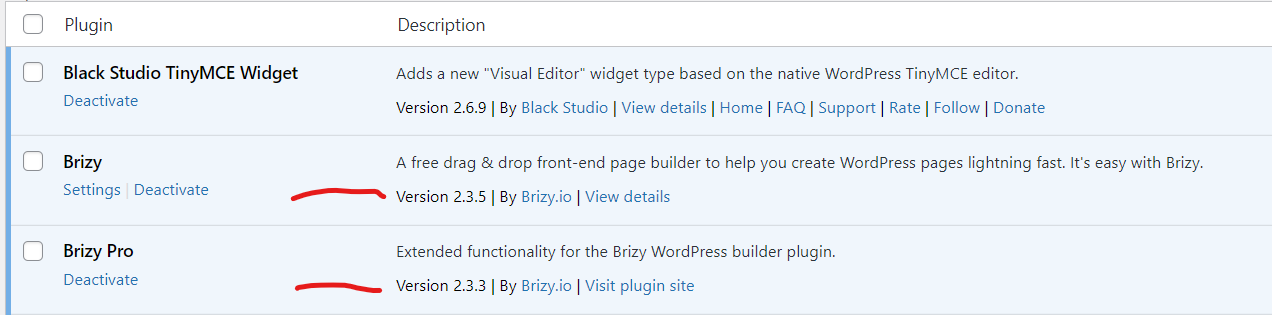
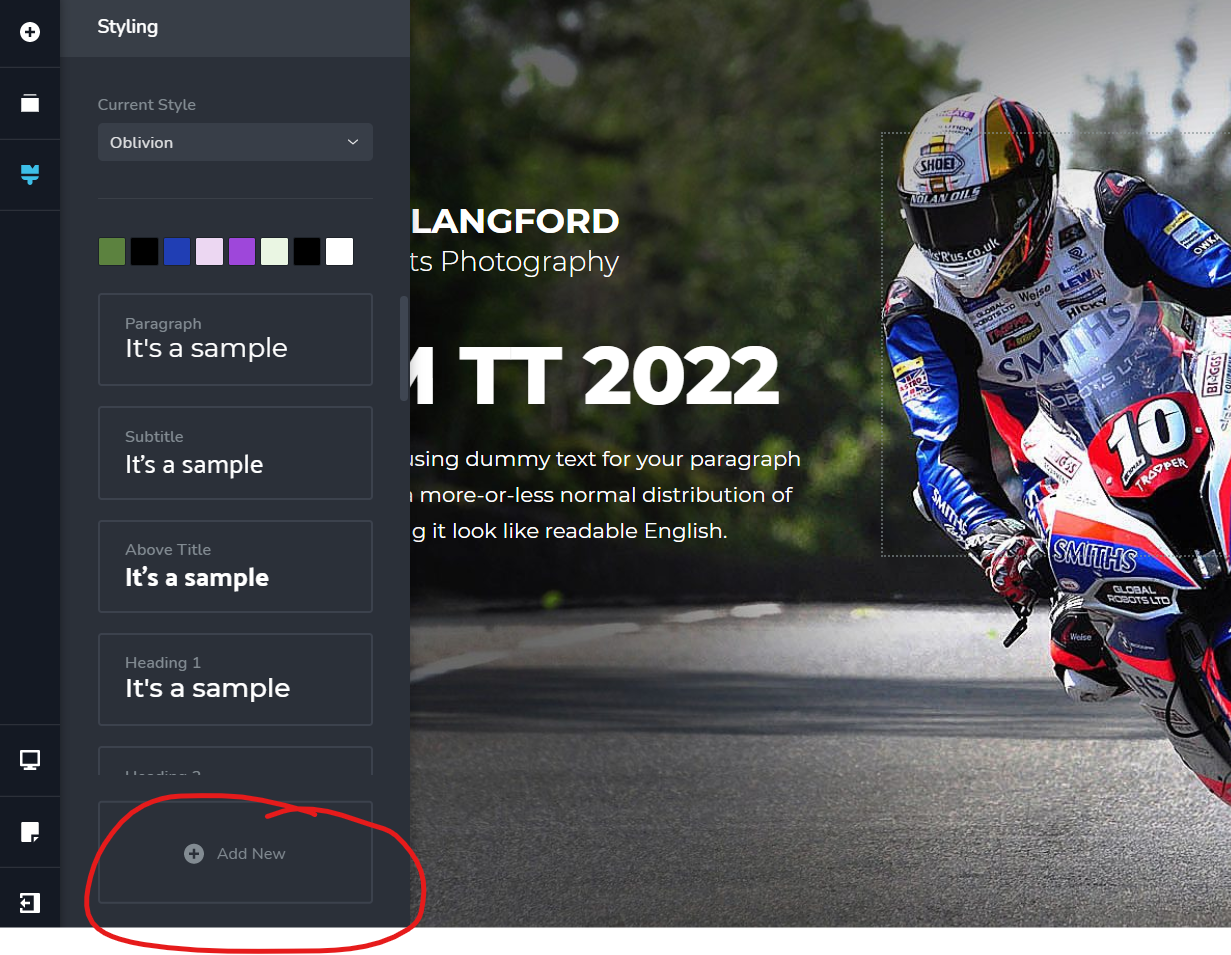
Please see attached. No add font function with:
Brizy FREE 2.3.5
Brizy PRO 2.3.3Thanks.
 0
0 -

Hi Mandy,
I just updated both Brizy FREE and PRO on my localhost and tested the functionality you mentioned: Video. Please, try to clear browser cache and check if everything works correctly for you.
Best regards,
Denis.0 -
Hi Denis,
Cache cleared. No still not working. Looking at your video you did not activate the add font button or install a font???
Best regards.
0 -
PS. The add font function is also not working in Brizy Cloud.
0 -
Hi Mandy,
Sorry for not providing full video. I just recorded new one where is shown that "add font" option is working: Video. Tested in Cloud - works perfect as well.
Best regards,
Denis.0 -
Thanks for the video, however I have again tried to add font both in the plugin and the cloud with no success. I know you guys are busy so if you have time please and try and add font at https://bobbylangford.brizy.site/
Thanks.
0 -
Hi Mandy,
Thank you for your reply.
To clarify: is this option present for you and you can add new font but this font is not applied to the text or this option is missing at all?
Kind regards,
Denis.0 -
Hi Denis,
When I press the add font button in both the Brizy Pro and Cloud editor nothing happens. It appears that the button has been disabled. I have reinstalled the updated plugins on a brand new WP installation and tested it with no result.
I did have the same issue 2 or 3 previous versions ago and contacted support who indeed had the same problem and sure enough it was eventually fixed.
At a loss at the moment however can give you login details for both my Cloud and WP accounts should you think it necessary. In fact if you can get into my Cloud account at your I won't mind.
https://bobbylangford.brizy.site/
Best Regards
0 -
Hi Mandy,
Thank you for reply and explanation. I create a private ticket for you, you should receive email notification regarding this. In this ticket, please, provide us link to your WP website and admin access to WP dashboard, we'll check the problem from your dashboard as we can't reproduce this problem.
Best regards,
Denis.0
Please sign in to leave a comment.
Comments
10 comments