Update problem breaking the layout

Hi, after the latest update of the Free and Pro versions, 1 of the pages on my website refuses to load. This is what appears:
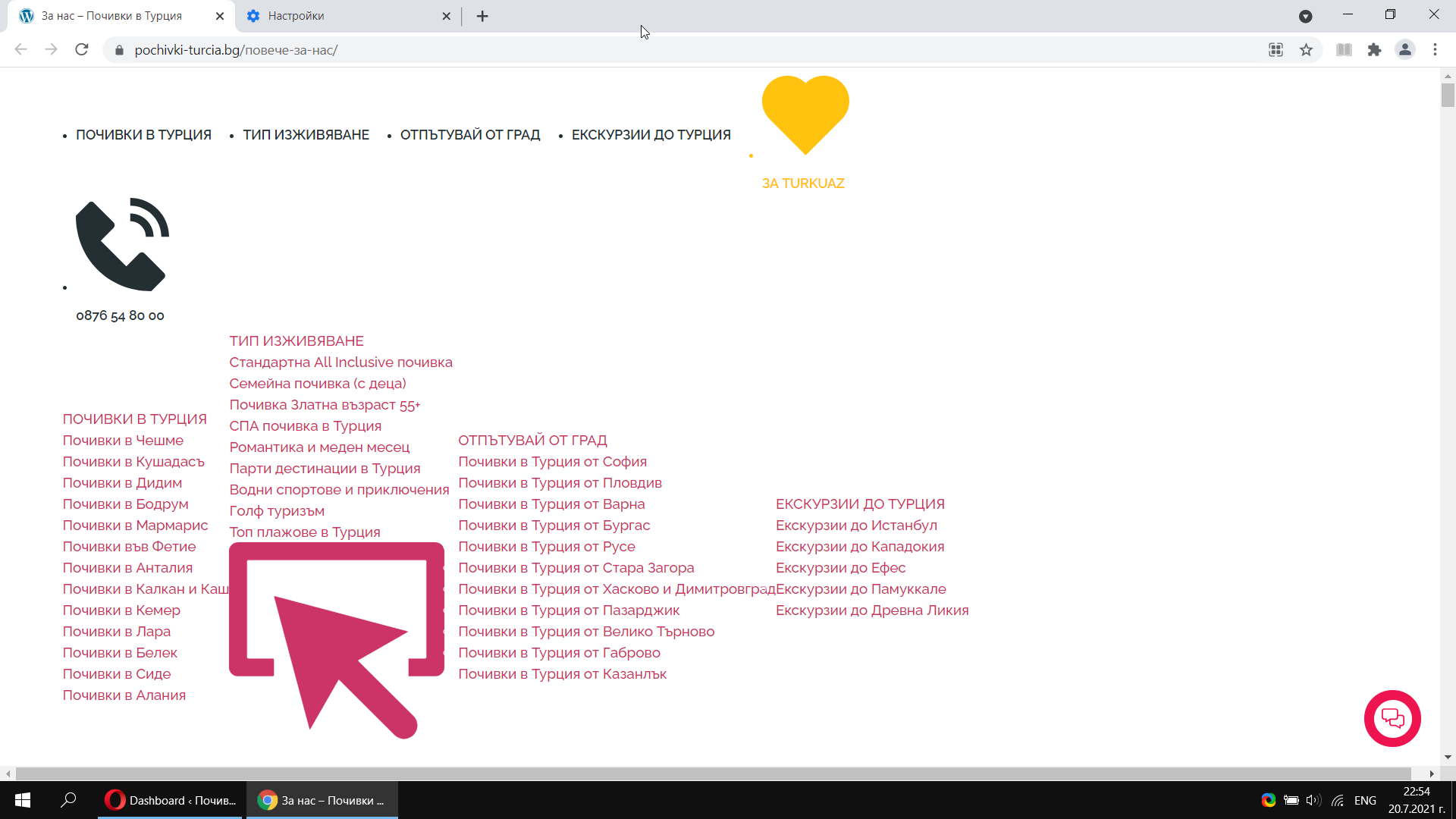
https://pochivki-turcia.bg/повече-за-нас
This is an About us page which is different from the other pages on the website, which load OK.
The problem seems to be with a carousel section on the website. I saved it, deleted it, and then added it again, and it solved the problem.

-

Hi,
Thank you for your message.
If you are able to access dashboard, please, do next: update Brizy FREE to latest version - 2.3.3. Latest PRO version will be available for download in your account within a few hours. Right now you can update Brizy PRO in your WP dashboard in Plugins area: View screenshot. In case, if you do not see update notification, please, go Dashboard > Updates, click "Check again" and then you should be able to update Brizy PRO: View screenshot.
Latest versions at this moment:- Brizy FREE - 2.3.3
- Brizy PRO - 2.3.1
Please, let me know if everything works correctly after updating both FREE and PRO plugins.
I want to apologize one more time for this inconvenience. Thank you for understanding and patience, we highly appreciate that!
Best regards,
Denis.0 -
Hi, there continues to be a problem with loading of the pages. Today this page - https://pochivki-turcia.bg/начало/
appeared like that
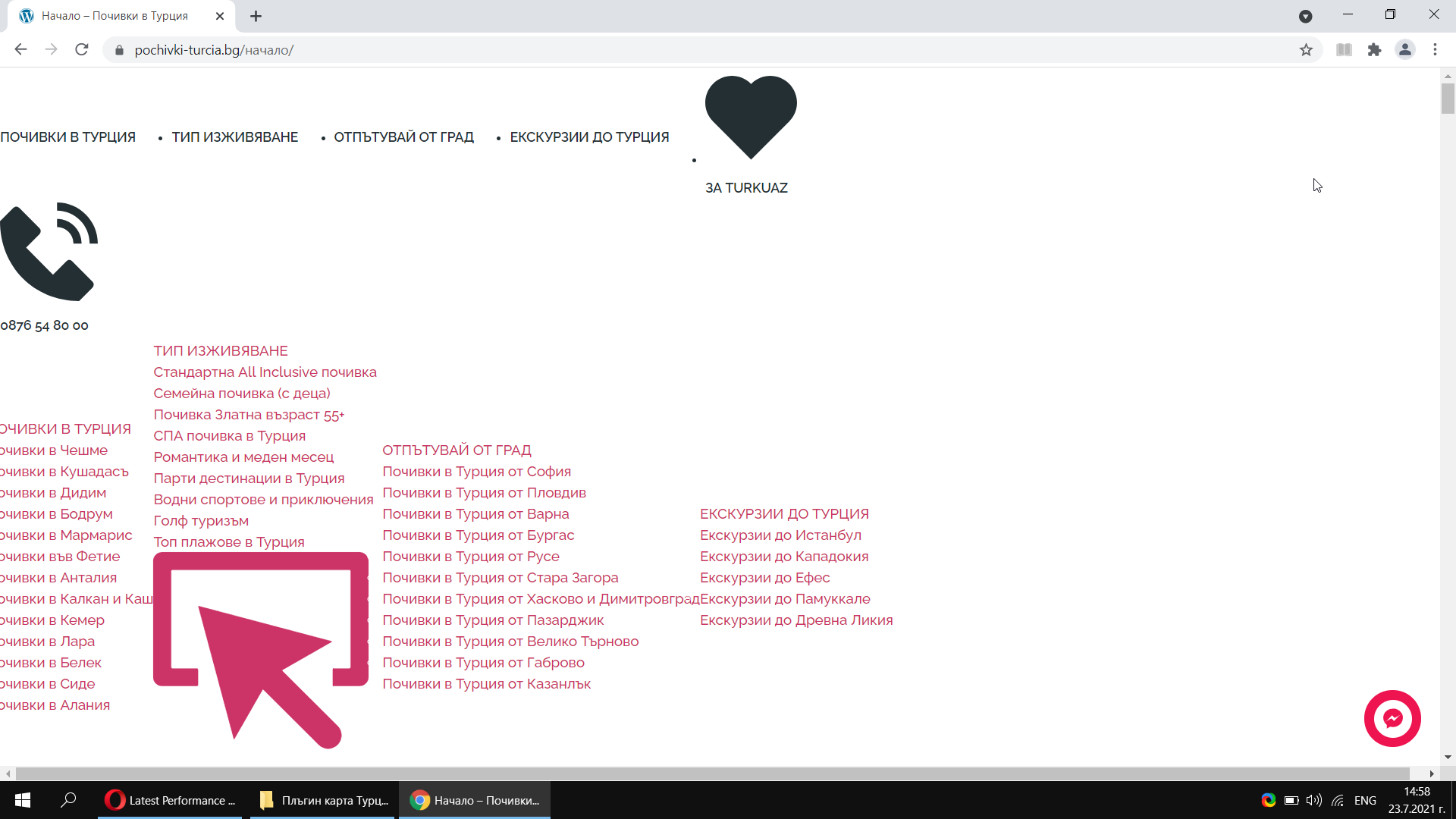
I am not using a caching plugin.
It seems that something is being blocked:
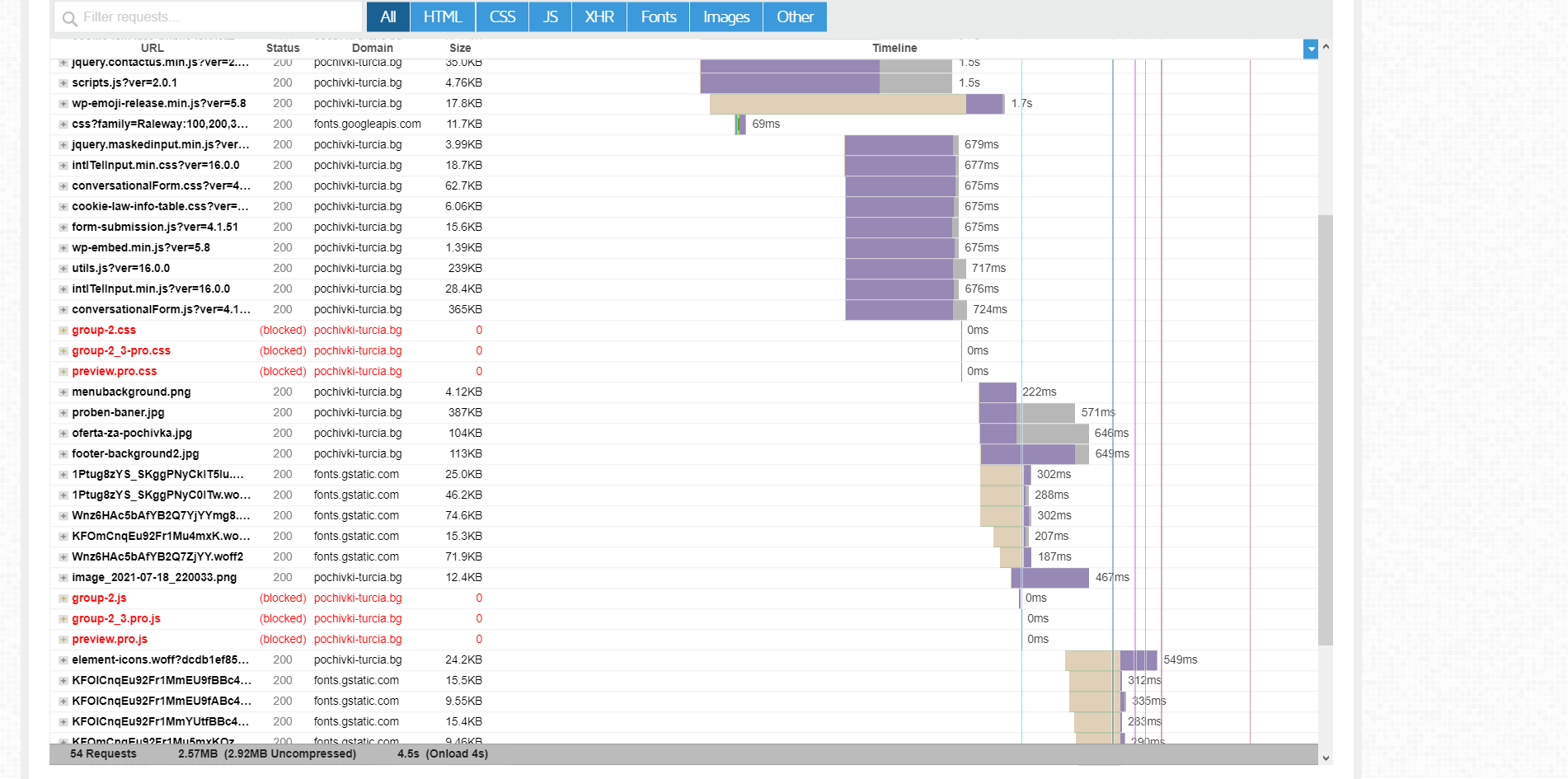
I opened the page with Brizy editor and clicked SAVE LAYOUT without editing anything. Cleared the cache of the browser. Opened it again and the problem is solved. This issue started from the latest updates of Brizy
0 -

Hi,
Thank you for your message.
I just checked your page and everything looks fine, please see here.
Best regards,
Nelea.
0 -
Hi Nelea,
The last part of my message reveals what solves the problem:
"I opened the page with Brizy editor and clicked SAVE LAYOUT without editing anything. Cleared the cache of the browser. Opened it again and the problem is solved. This issue started from the latest updates of Brizy"
This problem is very frustrating to clients, as it happens randomly. Please investigate the issue.
Others users also have this problem:
0 -
Hi,
Thank you for your message.
At the moment, we have informed our team about this inconvenience and they will investigate this aspect deeper.
Best regards,
Nelea.
0 -
Another page that is broken, I won't update it so that u can tackle the issue:
https://pochivki-turcia.bg/почивки-чешме/
* Using the latest updates from today.
0 -
Hi,
Thank you for your message.
I just checked your website and everything works well, see please here. Could you please clear your browser cache and check it again?
Thank you,
Nalea
0 -
Hi Nalea, here are videos of the issue on different devices. Yesterday, the issue got solved by its self, and of course when u opened the page, there weren't any problem for you to see. Today, I edited the home page, saved it, and it visualized correctly. But in a while I opened the website again, and only the home page (https://pochivki-turcia.bg) is now broken.
I am attaching 3 videos - on desktop, on mobile, and from inside Brizzy editor.
https://drive.google.com/file/d/1V4FHWNW6OA6CAoCk0hrHHeljl9JddeZQ/view?usp=sharing
https://drive.google.com/file/d/1QHyV6ebneDz27K_LE4GZgcy9zsUiPLp_/view?usp=sharing
https://drive.google.com/file/d/1fVkUuWNs9edN9C31swIEx9019nMBos3Z/view?usp=sharing
* Cleared the cache of all browsers and devices, which can be seen from the videos
* Not using any Wordpress caching plugin
* Tried with disabling all third party plugin (Yoast, Contact form, etc) and the plugins are not causing or solving the issue
* Using the latest updates of Brizy and Birzy Pro
* The problem started appearing from Version 2.3.0 of Brizy
* From a screenshot in the previous posts, it seems that some of the css-es are blocked from loading, at least Gtmetrix shows that.0 -
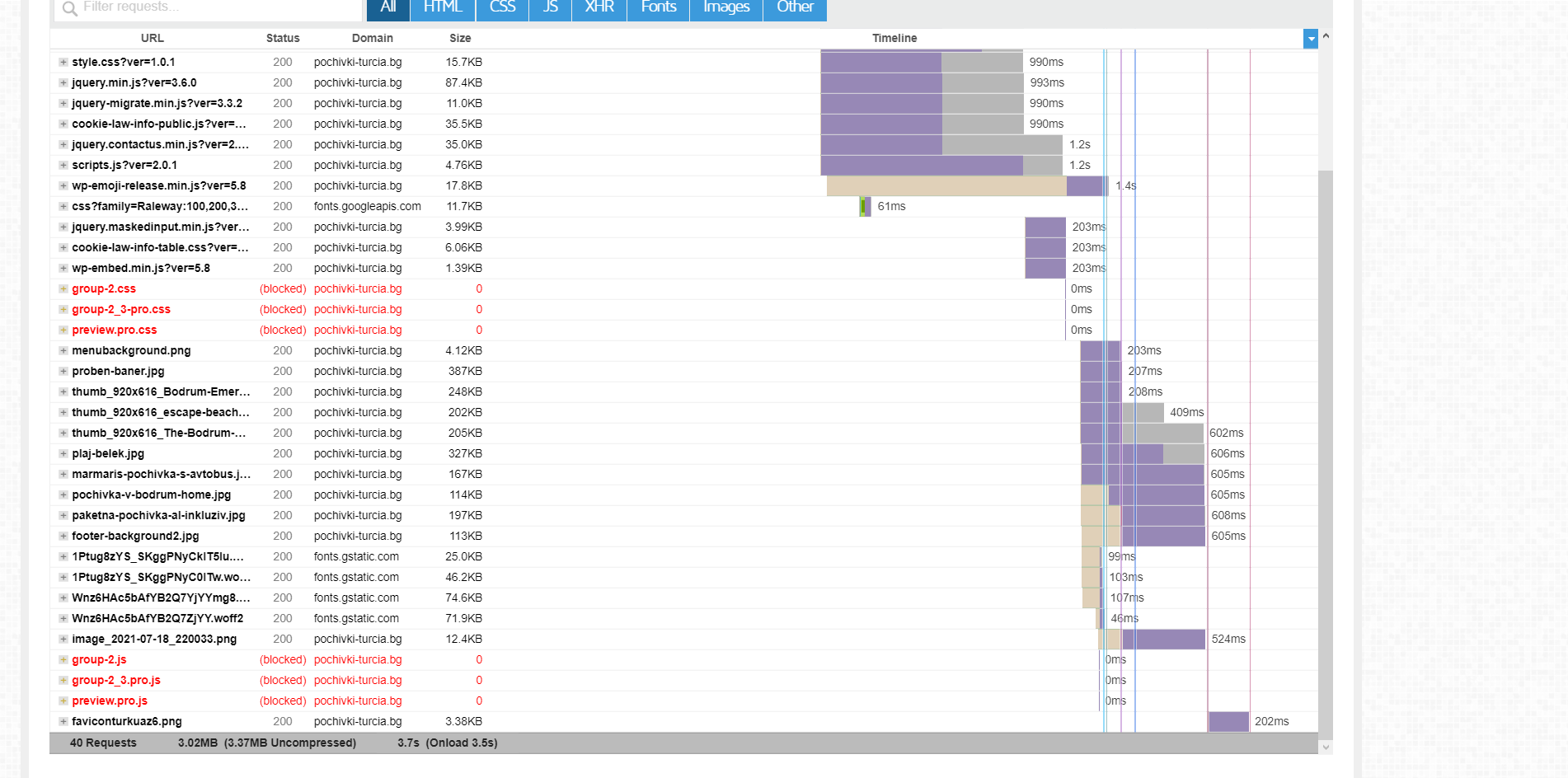
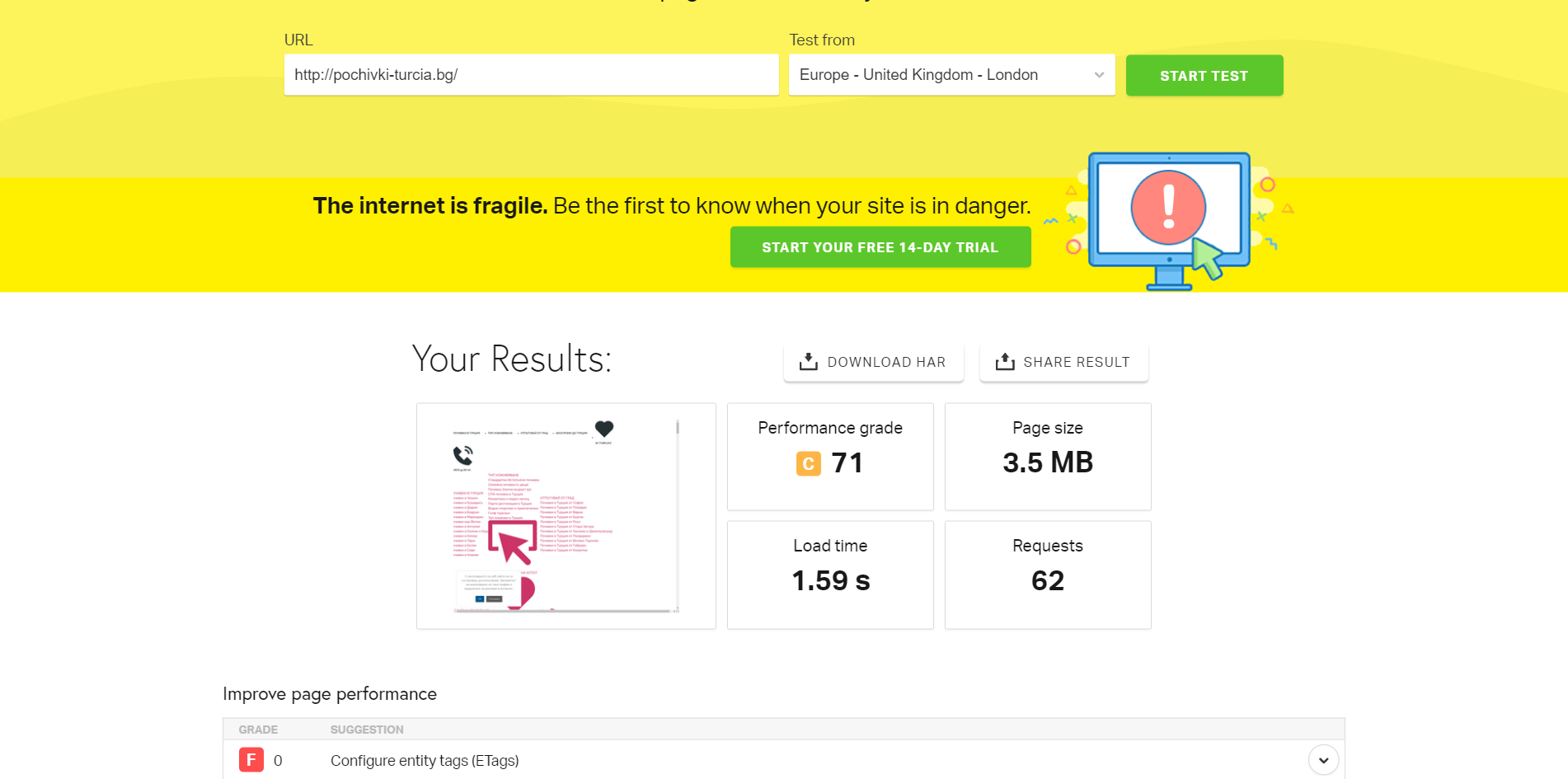
Gtmetrix and Pingdom also visualize the homepage broken.
0 -
Hi,
We are sorry for this inconvenience.
Thank you for all these details! We would like to check this problem from your dashboard. Could you please send us the WP credentials to this site? We have created a private ticket for this request. You had to receive a notification regarding this by email. Could you send us in that private message the WP credentials to this site?
Best regards, Nelea.
0
Please sign in to leave a comment.
Comments
10 comments