Website fatal error

Hi,
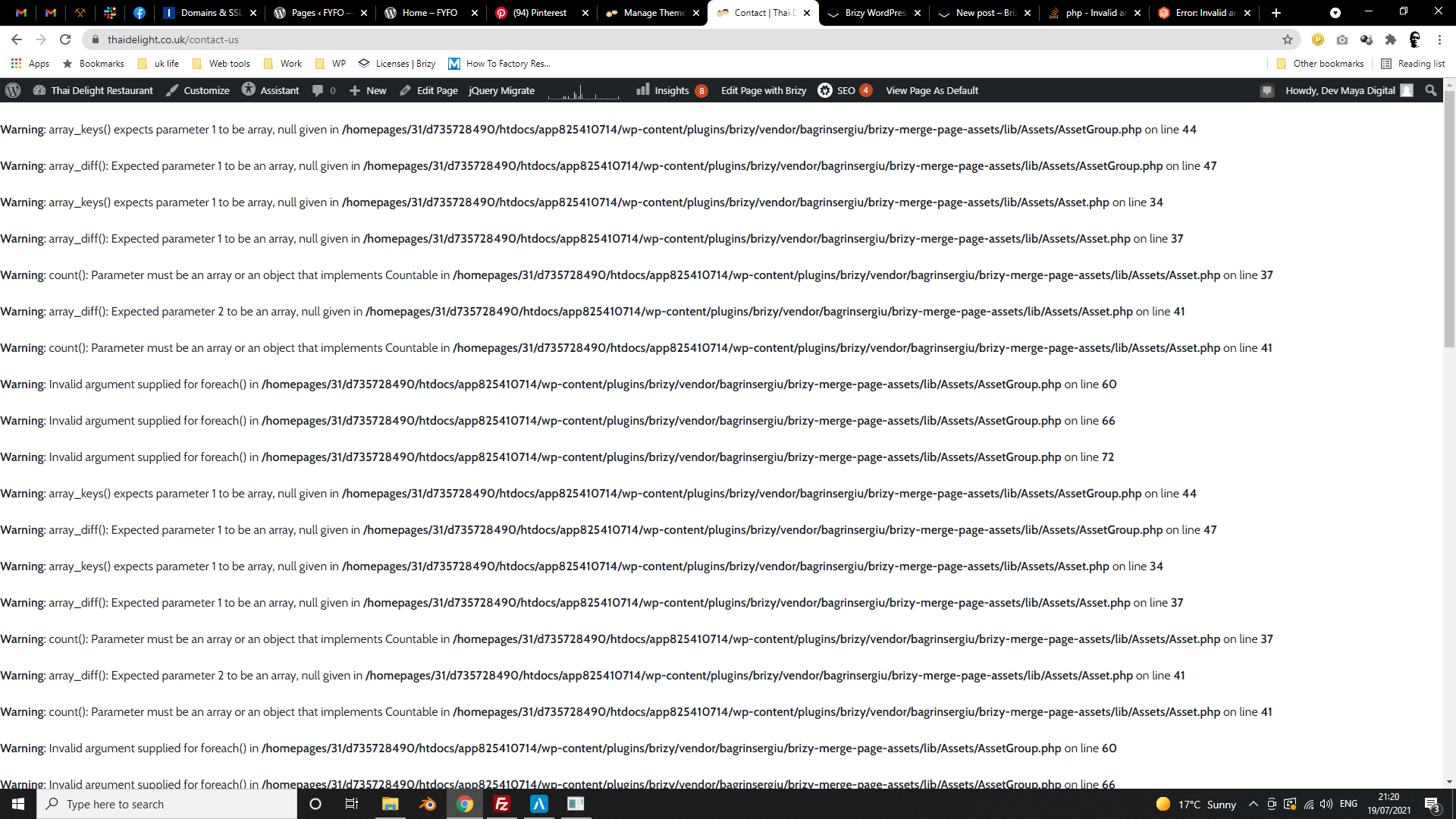
One of my client's website has been in critical error. I have deactivated and deleted the Brizy and Brizy Pro and reinstalled them but still does not work. Is there anything I can do?
Thank you,
-

Hi,
Thank you for your message
We are currently investigating this issue and we will do our best to come back soon with a fix. In the meantime, I recommend you delete Brizy plugins via FTP and install the previous versions(2.2.20 PRO and 2.2.13 Free) manually so you have the site live until we come up with a fix. Here's an article on how you can do that: https://www.wpbeginner.com/beginners-guide/how-to-manually-update-wordpress-plugins-via-ftp/
btw: you might as well try to upgrade PHP to the latest version. I think there is something about this, so it could be a solution for you until tomorrow.
Thank you for your understanding and patience.
0 -

Hello!
Thank you for your post. Apologies for all these inconveniences caused by the last Brizy update.
You need to update the PRO version right now.
1. Log into your Cpanel or FTP account and delete the Brizy FREE version.
2. You will have access to the WordPress dashboard;
3. Download the PRO version from your Brizy account and upload it into your WordPress dashboard. Do not active, because you need to:
4. Download the FREE version from the WordPress repository. Activate the FREE version and then the PRO version.
You should have:
Brizy FREE 2.3.0
Brizy PRO 2.3.0
If you have any other questions, please let me know.
Regards, Natalia
0 -
Hi, Would you mind to give me the link to download the old versions of Brizy and Brizy Pro? Thank you
0 -

Hi Pattara,
We are sorry for late reply and for this inconvenience.
In current situation we do not recommend to downgrade back to previous versions. You need update Brizy FREE and Brizy PRO to latest versions. Brizy FREE you can update as usual in your dashboard.
Latest PRO version will be available for download in your account within a few hours. Right now you can update Brizy PRO in your WP dashboard in Plugins area: View screenshot. In case, if you do not see update notification, please, go Dashboard > Updates, click "Check again" and then you should be able to update Brizy PRO: View screenshot.
Latest versions at this moment:- Brizy FREE - 2.3.3
- Brizy PRO - 2.3.1
I want to apologize one more time for this inconvenience. Thank you for your understanding and patience, we highly appreciate that! Let me know if updates will solve the problem.
Looking forward to your reply.
Best regards,
Denis.0
Please sign in to leave a comment.
Comments
4 comments