Timeline - additional settings

Hi team, I am using the Timeline for the first time but I am not able to find any settings for:
1. Vertical space adjustment - to make elements closer if they are setup vertically
2. Horizontal space adjustment - to move text from the icon (I can press spacebar 5 times but I think there should be a better solution.
Please see the attached image.
Thank you for your help
Petr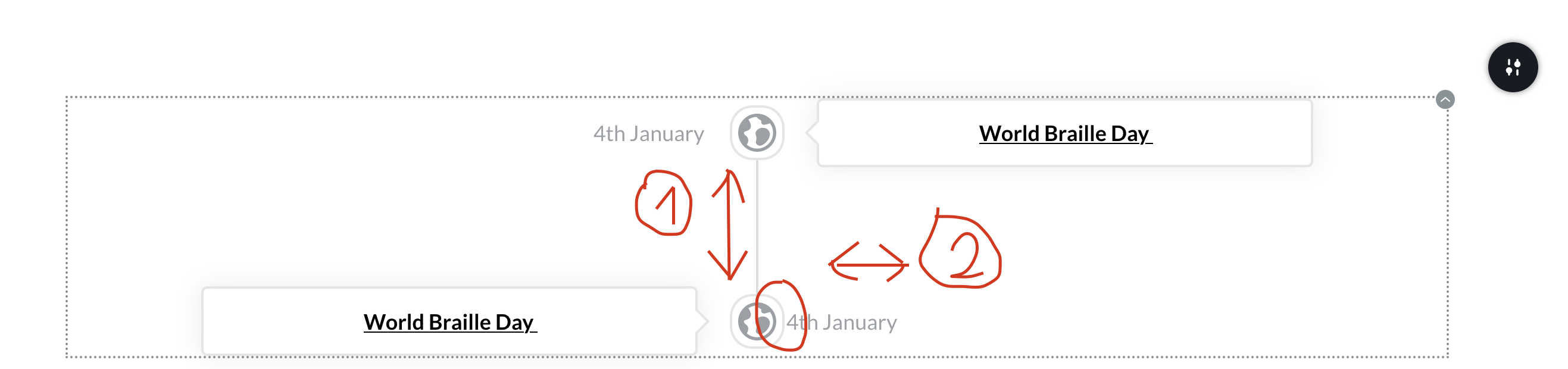
-

Hello Petr,
Thank you for your message!
Regarding the question you have, unfortunately there are no setting that can make the elements closer or adjust the horizontal text. They are set as a default and can not be changed. Though, we will take this into consideration and maybe in the future there is going to be more features to this. If you have other questions, feel free to ask.
Have a nice day and with best regards,
Doina
0 -

@Doina P
#2 mentioned above doesn't require a manual adjustment on our part. It requires a fix. This is a misaligned element, and therefore a technical issue your team should resolve.
Logically each Title should be the same distance from the icon whether it is on the left side or right side; the same as it is with the content rectangles. They are perfectly aligned, and so should the Titles.
When do you expect your team to fix this?
Thanks
1 -
Hello Steve,
Thank you for writing to us!
Regarding what you said, thank you for letting us know your opinion! We will take this into consideration.I have created an issue for our deveopmente team will these request. Unfortunately I don’t have a deadline right now to provide, but we will try to fix and improve this element as soon as possible. Till then if you have any other questions, please feel free to ask! We are happy to help!
Have a nice day and best regards,
Doina
0 -

Hi,
is there any update in regards to Steve's first point?
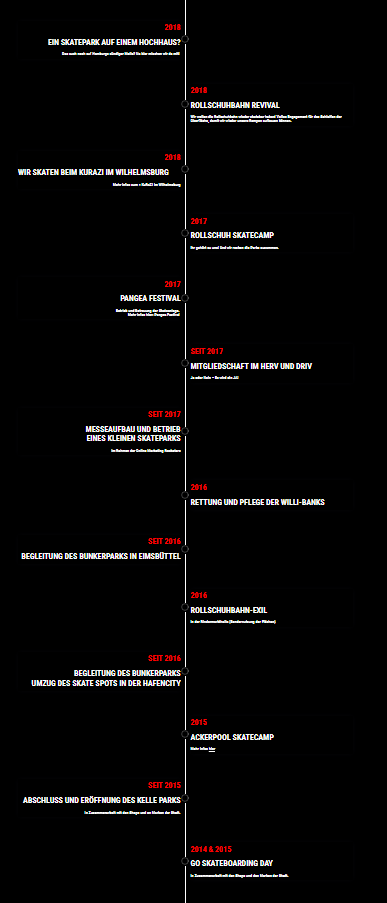
i have a timeline with roughly 18 points with little text but, as i cant adjust the spacing in between elements, my timeline now is so incredibly long...
that acutally is kind of a bummer, as i did not want to use a different plugin just because of this...
just think of mobile users
the picture is just in 25% of my browsers zoom,.. so you get the point, i guess
 0
0 -
Hi Gerhard,
Thank you for your message!
Unfortunately, there are no updates regarding this. As soon as I have one, I'll write to you! Thank you for understanding.
Kind regards,
Doina
0 -

Hello,
About the subject I first wonder if it was corrected yet or not ?
And even without making it possible to adjust the margin between elements, just reducing the default value could work well and only takes 30seconds for your team !
On this image the margin is yours "100px"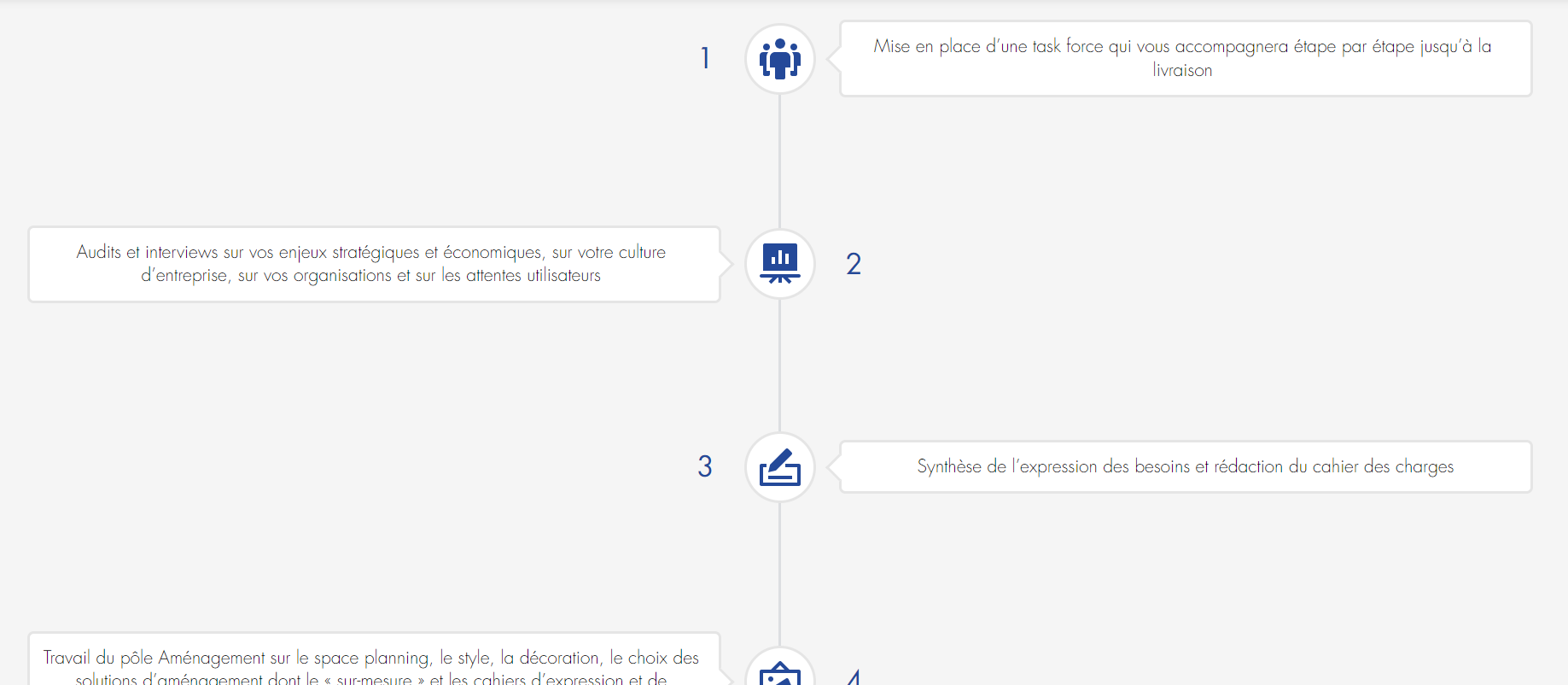
But if you modify the css of the elements ".brz .brz-css-atilp .brz-timeline__tab" and put a margin of like 25px the results is directly better like this screen
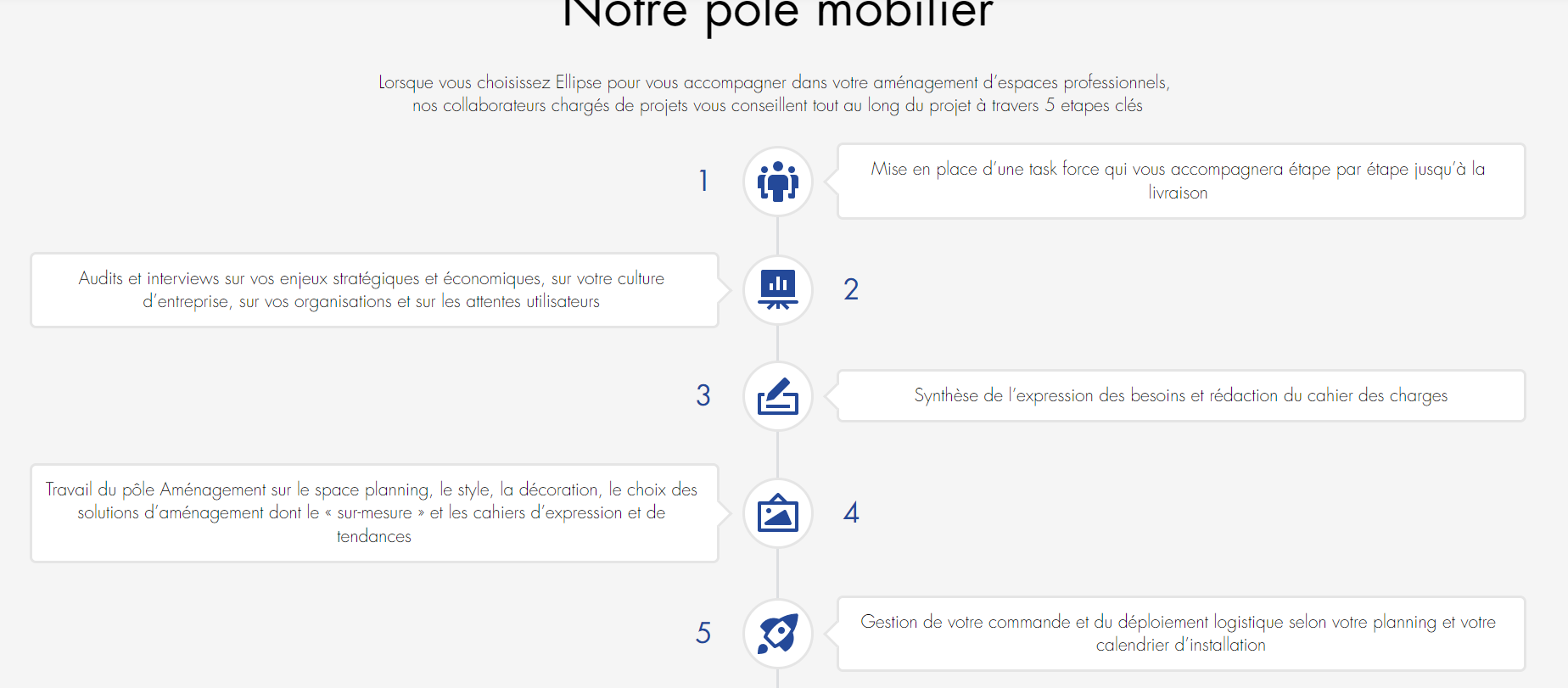
I hope you will take this change into account as it really is a matter of second to change that and provided you with the precise issue.
Thank you !0 -

Hi Martin,
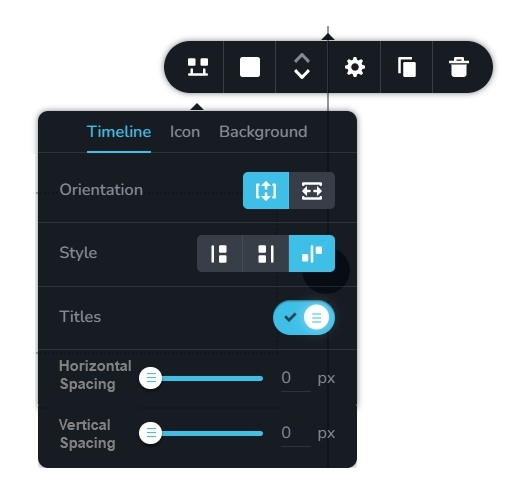
Many users may not consider changing 100px fixed vertical spacing to 20px as an acceptable solution. Adding an option to set vertical spacing might be a better solution. We have it in our list and we will get to it sometime in the future.
 0
0
Please sign in to leave a comment.
Comments
7 comments