Separate form fields to multiple sections

Hi All,
May I know if there is a way to separate a form to couple of sections by using text labels or dividers?
I need to design a form which has multiple sub sections and at the moment if I use form element to create fields I needed everything is placed together and its bit confusing.
Thanks in Advance.
-Sajith
-

Hi,
Thank you for your message.
Can you please send us some screenshots with the form you want to have, or some links with this form, so we could understand what you want and could help you? Also, please see this article about contact form integration in Brizy.
Best regards,
Nelea.
0 -
Hi Nelia,
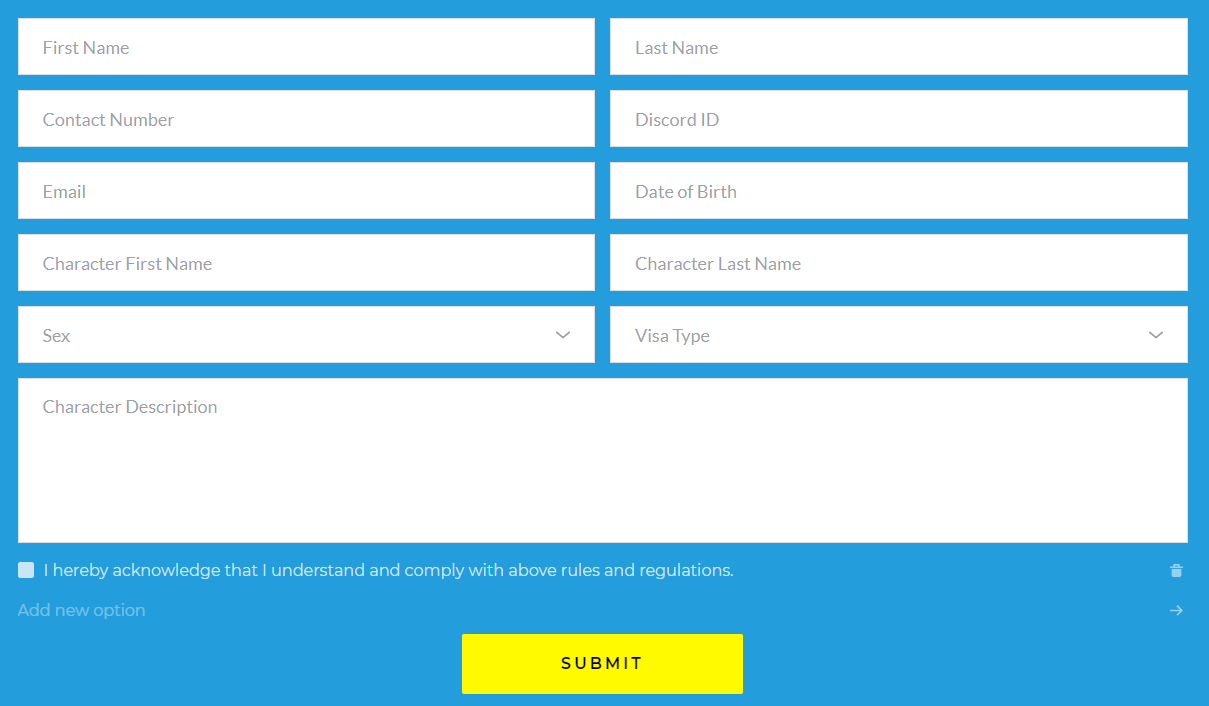
Thank you for your reply. Following is the form I created with Brizy form element. I need to separate some fields from others.
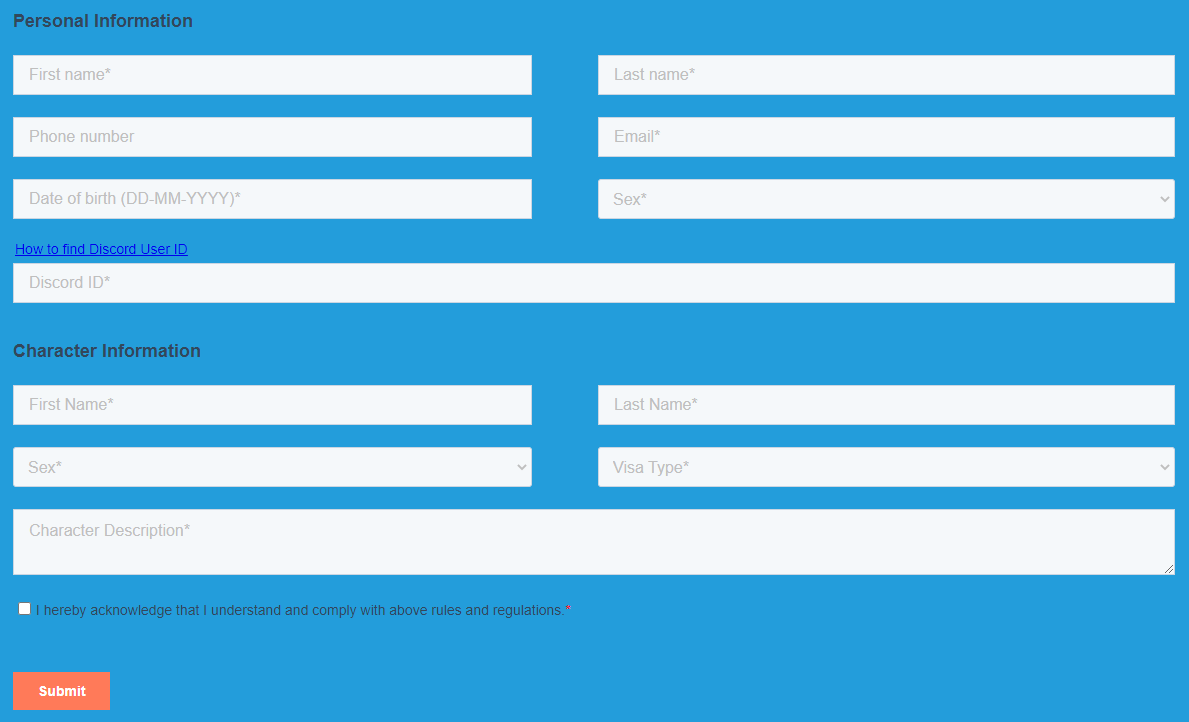
Following is a form I created within Hubspot and embedded within Brizy page. I would like to know if its possible to create a similar format form.
Thank you.
-Sajith.
0 -
Hi,
Thank you for your message.
Yes, it's possible to create a similar format form in Brizy builder. Also, you cannot add text elements between form fields but can use label for this purpose. Please see here how to activate the label.
Best regards,
Nelea.
0 -

Hi Nelea,
Is there a workaround to add text in between the fields? (Would be *extremely* useful!!) Or, if not, how can make a "label" go into a new line (this is a question I have anyway – in some cases it would be much better to split the label into 2 or more lines so that it is not as "crouched" together)?
Also, is there a way to customize the space between fields? Some spaces seem wider and some seem more narrow to me. I'd like to add a little more space evenly.
Screenshot below – I'd like to add more space where the red circle is (in between 2 different questions)...
TIA!
 0
0 -

Hey Jenna,
Please consider re-building your form with Fluent Forms and using the Brizy Shortcode element to display the form on your Brizy page if you would like to have a lot of text in between the form fields. Using the Custom HTML field, you may add the text. This type of form can be created using the Custom HTML field.
 0
0 -
Hi KC George, okay I will try that, thanks...
I see Nelea's prior comment was deleted as I understand it didn't answer my question about adding text correctly. I also tried what she suggested to add space *in-between* the questions, however her solution added space between labels and fields, so exactly the opposite of what I need = between questions, keeping label+fields closer together. Is there a way to adjust this even in the Brizy forms I'm using now?
0
Please sign in to leave a comment.
Comments
6 comments