Brizy PRO WP Plugin / SVG upload doesn't word

Hello!
I have the Brizy Pro version and use the Wordpress plugin.
I have activated "Enable SVG" in the Brizy settings. However, when I try to upload an SVG file, it is not displayed.
Thank you for your help.
Best Regards Minsi-

Hi,
The image is uploading but does not appear in Brizy editor or does the problem appear when uploading? Do you have any error messages? Can you please confirm that we are talking about the latest Brizy versions - Free 2.2.18. and PRO 2.2.11? I just checked it and works well for me.
0 -
Hi Alex,
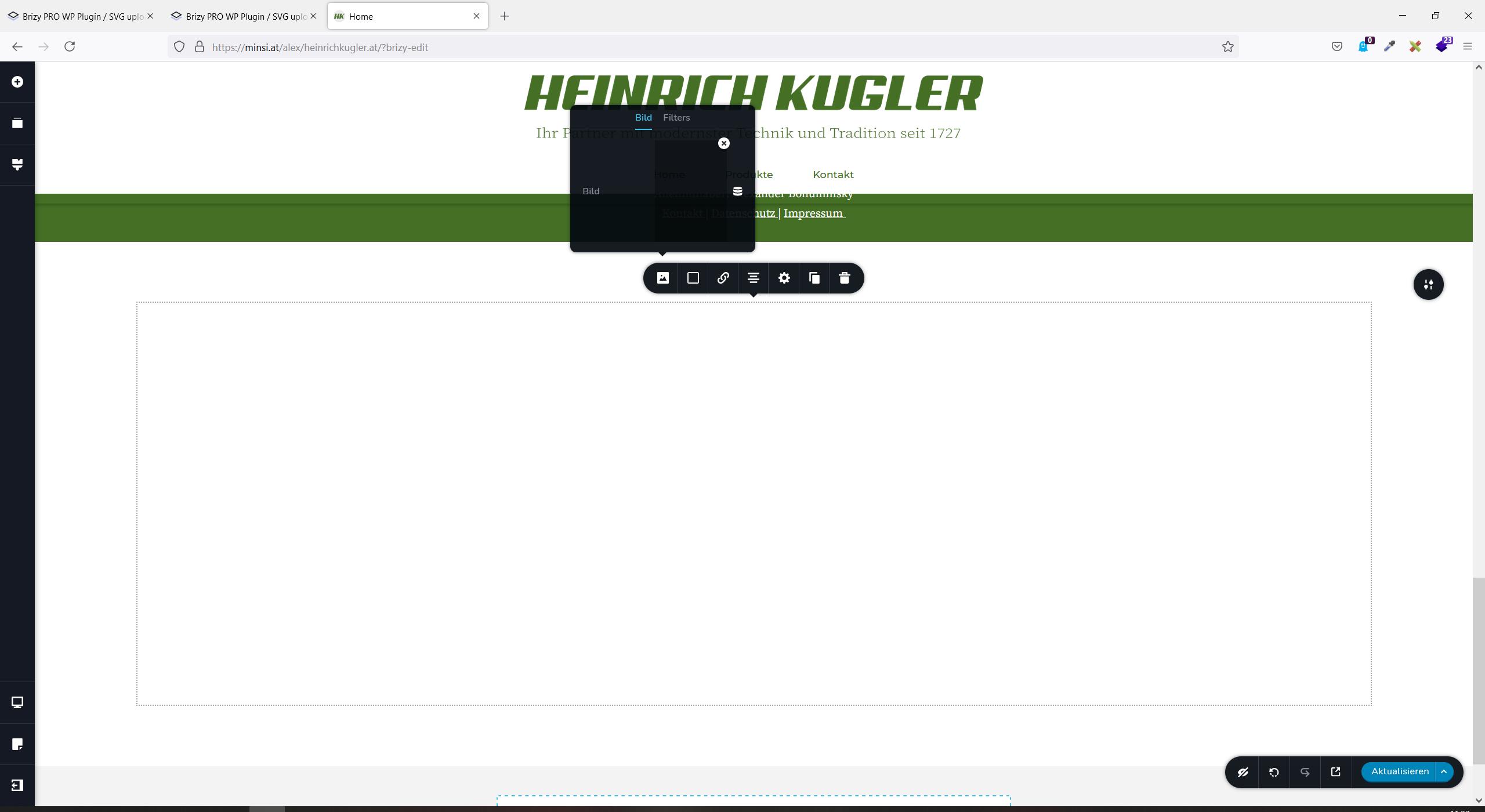
the SVG image is uploading, but it doesn't appear.
It even does not appear in "medias" and is jst shown as white screen. Check out the screenshots enclosed.I use Brizy PRO 2.2.11
Thanks a lot! BR Minsi

 0
0 -
Hi,
It doesn't seem to be because of Brizy if it doesn't work in Media (which is a WordPress thing) either. If you go directly to WordPress Media, will this image appear? Have you tried it on a page created with WordPress editor? Have you tried to upload other svg files? Does it behave the same?
0 -

I'm having this problem now.
I installed Brizy and Brizy Pro, then enabled SVG from Brizy Settings. I immediately uploaded some SVGs, which never seemed to show up. They looked just like the OP's screenshots. But I figured maybe it just needed some time to "kick into gear," so to speak.
Well, it's been a month now, and still no SVGs showing up on my site. Anybody know what I can do to solve this?
0 -
Hi Austin,
SVG does not appear in Brizy editor only? Have you tried using these svg in a default WordPress page? Or if simpler if you turn off Brizy then svg will work?
0 -
SVGs don't show up on any page, whether it's a Brizy or non-Brizy page.
0 -
Hi,
In this case, we can't help you much. Here we can only help you with questions about Brizy.
You could install one of these plugins which could solve your problem:
0
Please sign in to leave a comment.
Comments
7 comments