Adding a Sidebar

Hi,
I have successfully installed the free and the premium Brizy licenses, all up to date.
I can see in the elements panel the option to add a Sidebar, see image.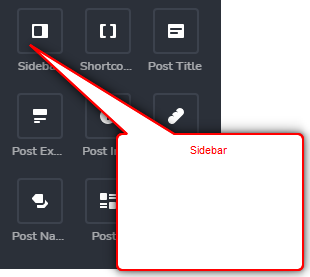
But when I try and add a sidebar it´s not placing it as a sidebar (which should be either on the left or right side of the page). It´s in essence, not adding a SIDEbar.
I am confused as to how this works. Please share info to add a sidebar, either to the left side, or the right side, of the page or post.
This is for the WP builder.
Thanks
-

Hi,
Thank you for contacting us.
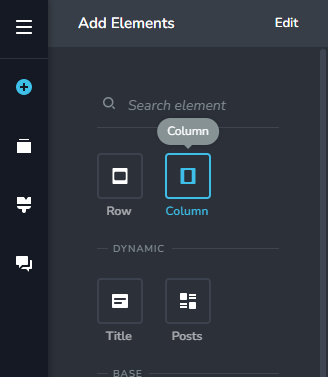
If you need to add a sidebar, please add first a column, then the sidebar element in it, please see here.
Best regards,
Nelea.
0 -
Ok! Thank you.
0 -
Hi,
Please let us know if we can help you with something else.
Have a nice day!
0 -

Hi there, I'm trying to add a sidebar. I use the column first then add the side bar, but it only ever sits on top or beneath what I see on the screen never to the right hand side of the screen. It's like I can only stack. I try to use the padding/margin sections and that just turns it into a mess.
Hope you can help
Regards,
Jo
0 -

Hi Jo
If you have some content on the page, please drag and drop the entire content of the page into the left column and then add the sidebar to the right column. Please take a look at this video for the right procedure. https://www.loom.com/share/eff01b3a974146e2955fcf14ff11cce0
0 -

Hi everyone. I went into Brizy looking for the "sidebar" element in Brizy Cloud and I don't see it there. Could someone please tell me if it has moved?
0 -
Hi Keith,
Thank you for contacting us.
The sidebar element is available only in Brizy Wordpress. This element was made only for the Wordpress environment and not for Cloud.
Best regards, Nelea.
0 -
Thank you for the quick response! Is there a sidebar equivalent area for Brizy Cloud users?
0 -
Hi Keith,
You can design a page like this with Brizy Cloud by adding a column element with two columns to a blank page and adding your content within these two columns. https://digital-works.brizy.site/three-ideas-to-make-your-room-shine
 1
1 -
Thank you. That is great.
Could you please show me how to have that blank page with the 2 columns to the other page's border that had the content?
0 -
Hi Keith,
I am sorry; I could not understand your question fully. I have recorded a video for you. In the video I am answering the question. "If you have an existing blogpost, how do you convert it into a blogpost with a sidebar?" https://jmp.sh/yIbWv1e
If your question is different, please let me know.
0 -
Thank you so much. I believe this is exactly what I need to do. I want my Home page to have sidebars. I will try this approach and see how this works. I will let you know how it goes.
0 -

I don't see a sidebar element but really want to use this for menus etc. Where do I acces it in brizy cloud again?
0 -

Hi Jeff,
Brizy Cloud doesn’t have a dedicated sidebar element, but you can easily create the same layout using columns.
Please follow KC’s tutorial and create a two-column layout. Then, drag the Menu element into the second column and set the menu orientation to Vertical.
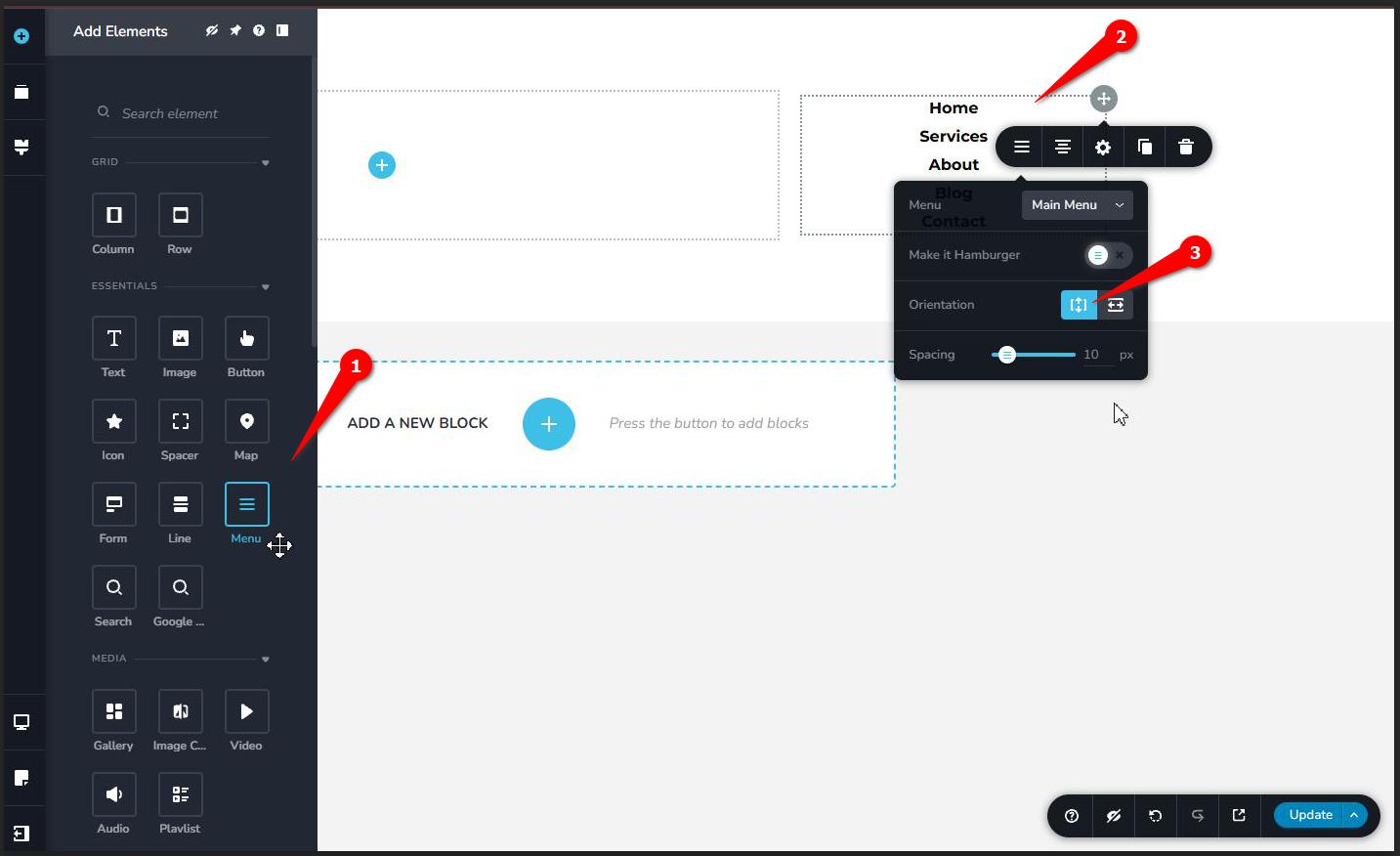
This will allow you to use the second column as a sidebar for your navigation menu and other elements you may want to add.
Best regards,
Ariel H.0
Please sign in to leave a comment.
Comments
14 comments