Website not loading

My website is not loading. I've set the DNS correctly, but it still isn't loading. Not sure what to do at this point.
-

Hi,
Thank you for contacting us.
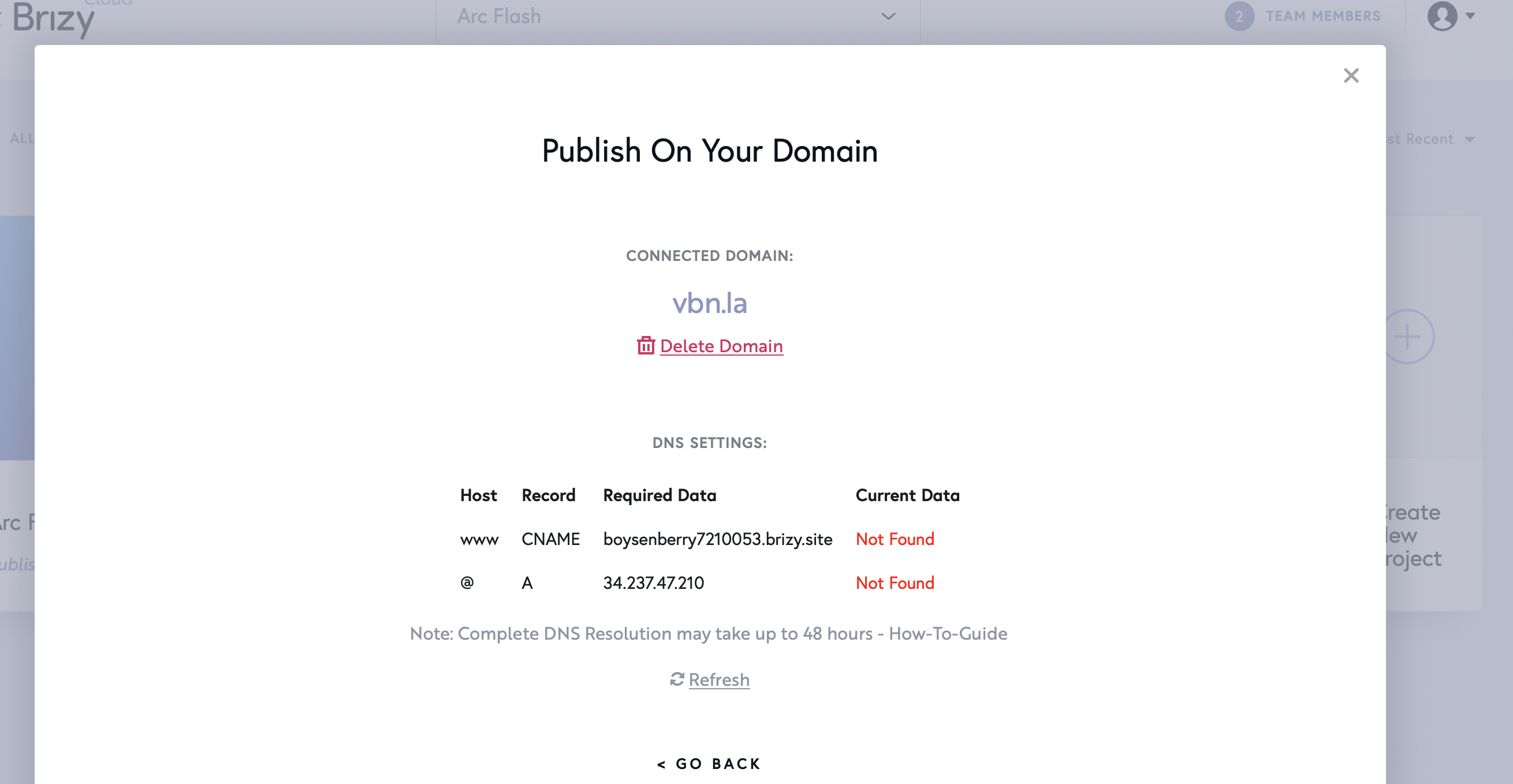
In your account, there is a single project connected with a custom domain name - http://www.vbn.la/; As you can see in this screenshot, the DNS settings are not linked. Please, make sure you follow our instructions from this article. Also, send us a screenshot of your DNS records, from your custom domain provider.
Best regards,
Nelea.
0 -
I used a DNS status checker as well and the A is propagating fine, but for some reason the CNAME is not. I have attached screenshots of the DNS 0 -
Hi,
You have not attached the screenshot, could you please send it again?
Best regards,
Nelea.
0 -
it said its attached, ill attach again. Let me know if it still doesn't work.
0 -
Hi,
Thank you for your message.
We do not have any document attached, because you replied to the non-reply@zendesk.com email address and we received your last message in the spam folder; make sure you reply or post the comment directly to the post URL address.
Best regards,
Nelea.
0 -
I apologize i did not realize i needed to reply in the comments, i just replied to the email. i have attached them in the comments, let me know if the issue persists.
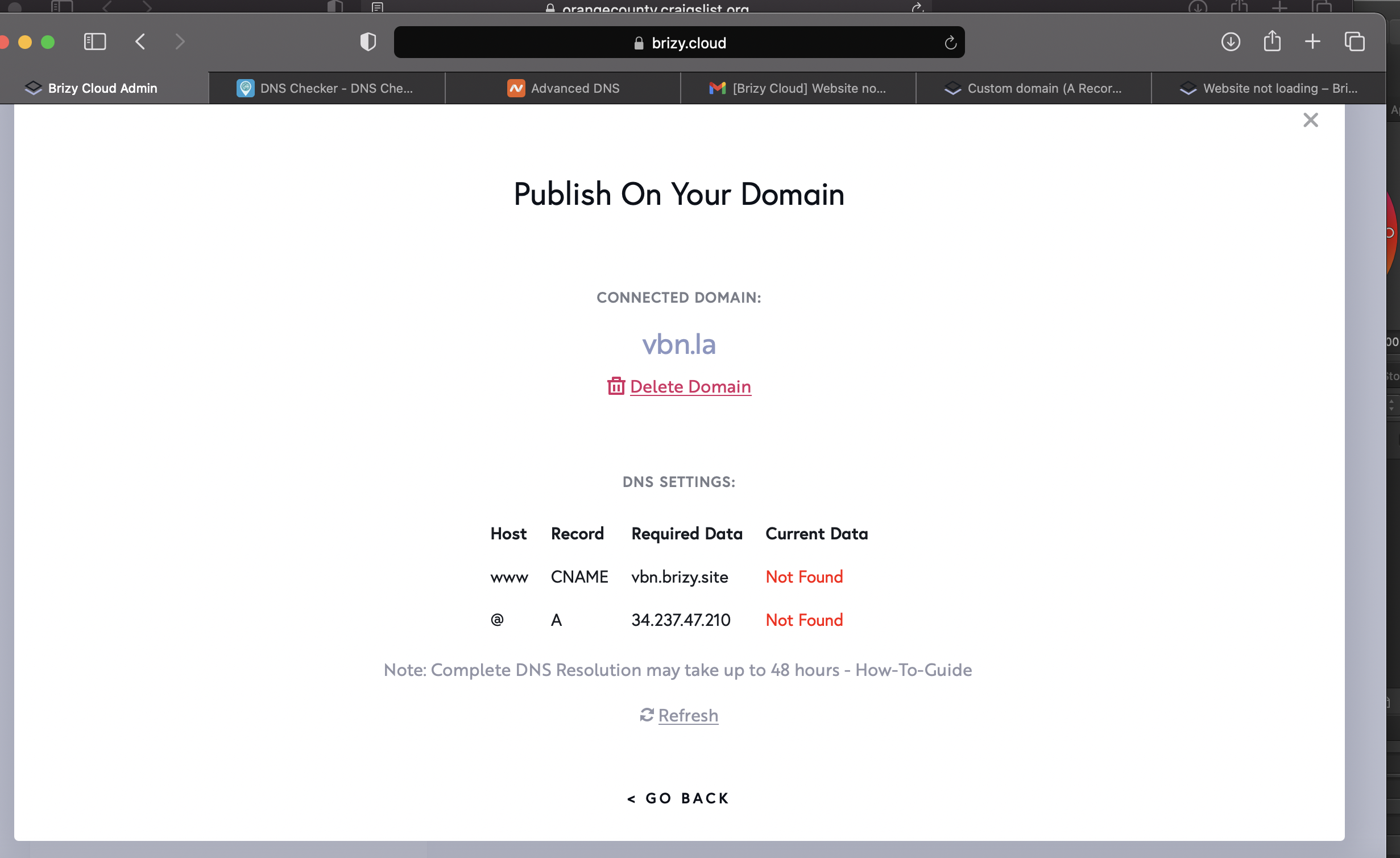
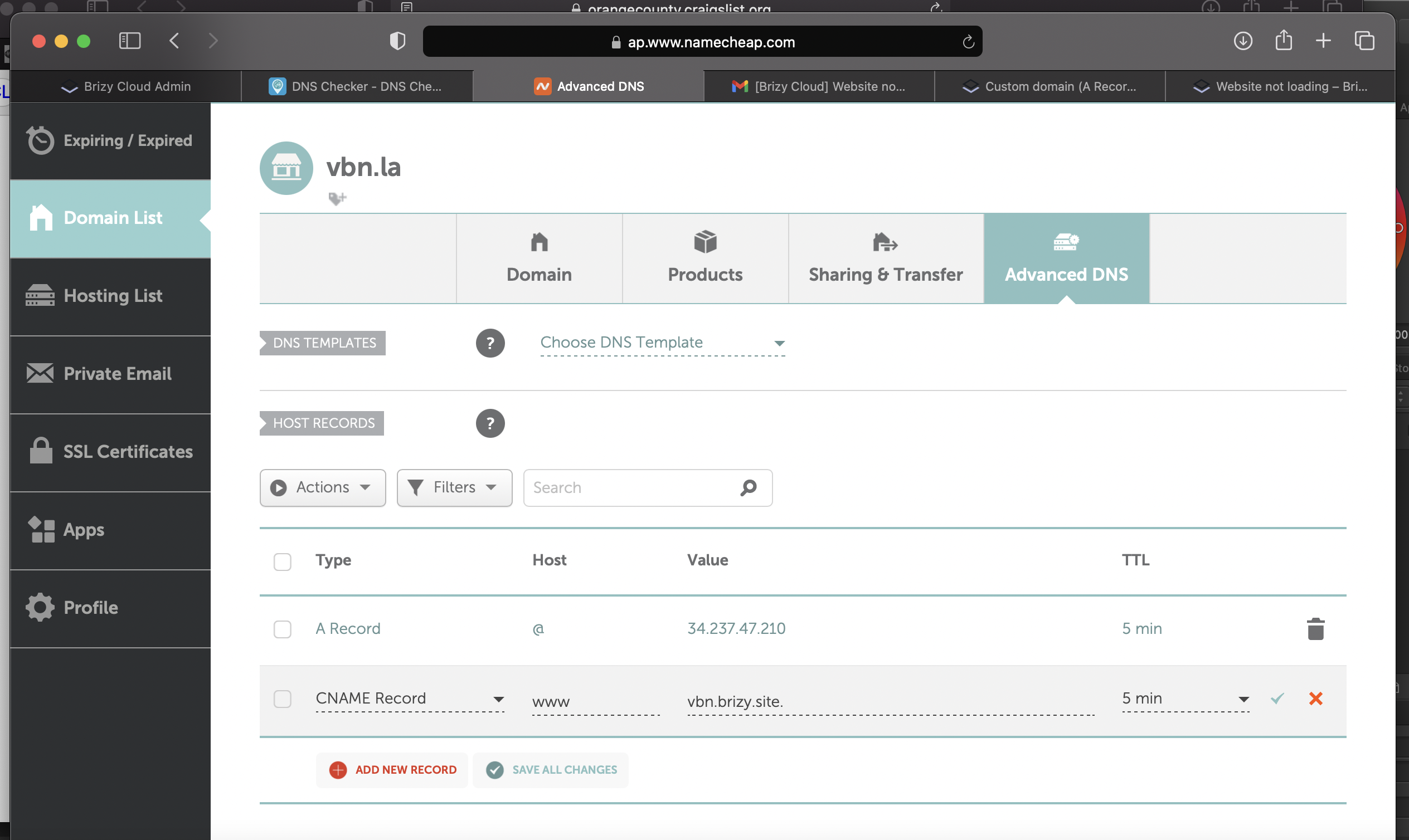
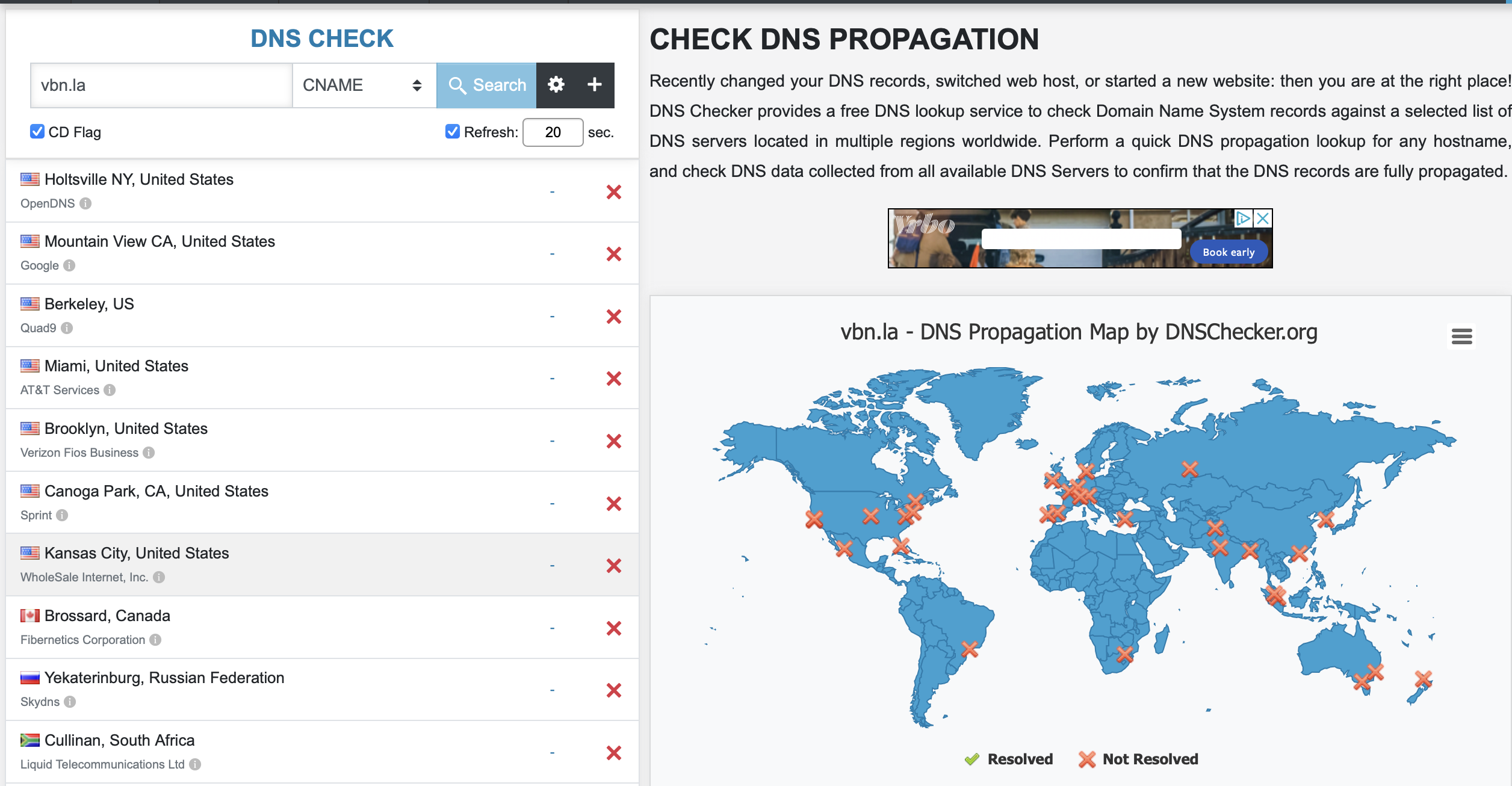 0
0 -
i have since tried redoing it so the Cname record is different currently, but the issue is the same. i also talked to the support for the domain provider and they said everything looks fine on their end. I have had this problem for a couple months now and each time ive waited four days before attempting again. After i try to publish the site, the "publish" button under the project no longer changes to the domain name and still says "publish"
0 -
Hi,
Thank you for getting in touch with us.
Thank you for the screenshots. From your shared detail I found that the A record and Cname are not set-up correctly as it is marked with red. Could you please, check this article and follow all these steps to set up the A and Cname records?
Please let us know if we can help you with something else.Best regards,
Nelea.
0 -
Hello I have attached current screenshots; I followed all the directions on the article and spoke with tech support for the domain provider and they said everything is good on their end, this has also happened with a separate domain provider leading me to believe something is not right on my hosting end. I have also deleted the page and recreated it to see if that helps, but the problem persists. both a record and came say "not found" under current data and the dns checker says the a record is propagated, but the name will not.
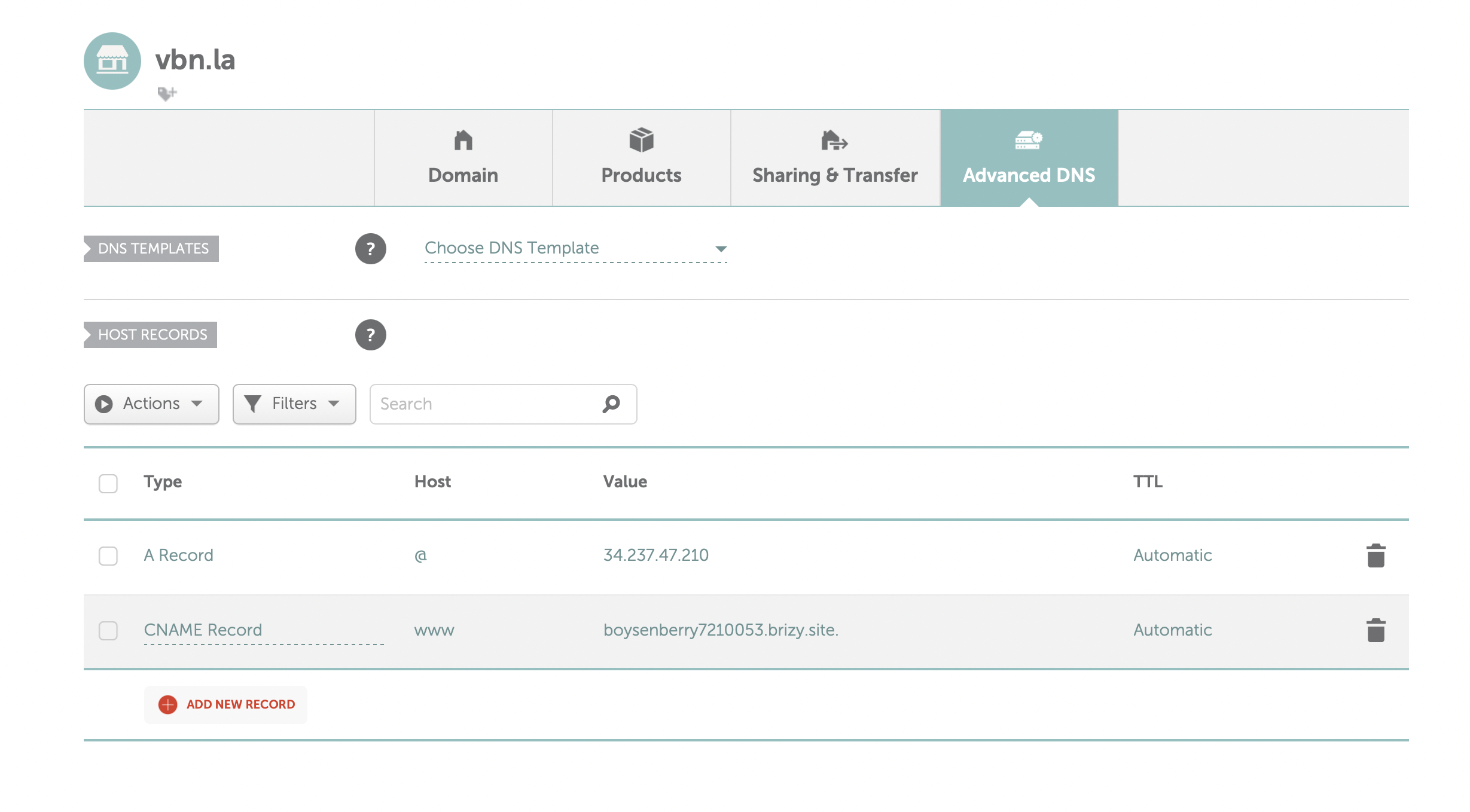
 0
0 -
Hi,
Thank you for your message.
You can not publish the project because it is saved in Draft mode, please see here. Therefore you have to go to this page and "Publish" it and after this to "Update" it. Also, please try to reconnect the page again, delete the records from Namecheap and add them again
Best regards,
Nelea.
0
Please sign in to leave a comment.
Comments
10 comments