How to make this type of text animation.

-

Hi,
Thank you for your message.
Basically, you can try to add HTML code using "Embed" element and add åCSS code in Appearance > Customize > Custom CSS. However, you will be able to that only if you are familiar with HTML and CSS as simply copy and paste code (or typing manually exact same code from the video) wouldn't work. You will need to edit code so it would not affect other elements and pages on the website and to make this new added element responsive.
Let us know if you will have any other questions.
Best regards,
Denis.0 -

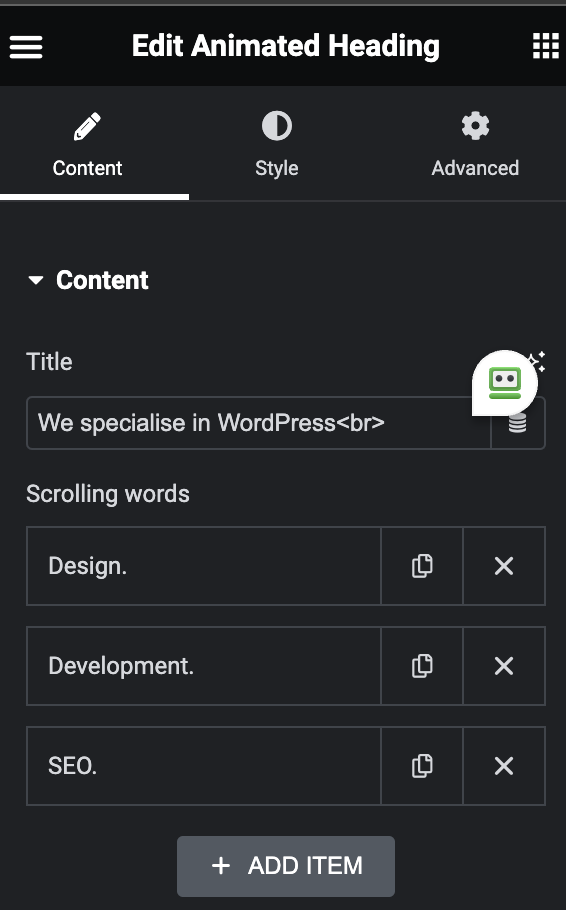
is it possible to do this yet like its done in Elementor?
 0
0 -

Hi Chris,
You will need a plugin to implement the Text Typing effect in a Brizy page. You could consider the Text Typing block plugin. Please follow the procedure in this video. https://jmp.sh/XbCLF7Yi
0 -

Hi @KC George
any change to integrate your explanations into and existing "page"? I used your video to create the effect and it worked well, but I just want to add this effect to a single line in my existing website which I already build as "page" and not as "template".
0 -
Hi Soeren,
The procedure is slightly different if you want to integrate the text typing animation to an existing Brizy page. Please have a look at this screen recording. https://jmp.sh/SiGogt9o
0 -
Thanks alot!
0
Please sign in to leave a comment.
Comments
6 comments