Server Sync - Account Review

I have tried every possible way to publish 3 different sites using server sync. All attempts were unsuccessful.
Now going over everything I notice something that was not there before, when I press the publish option the popup has little red notes for the "PRO" option to publish your site.
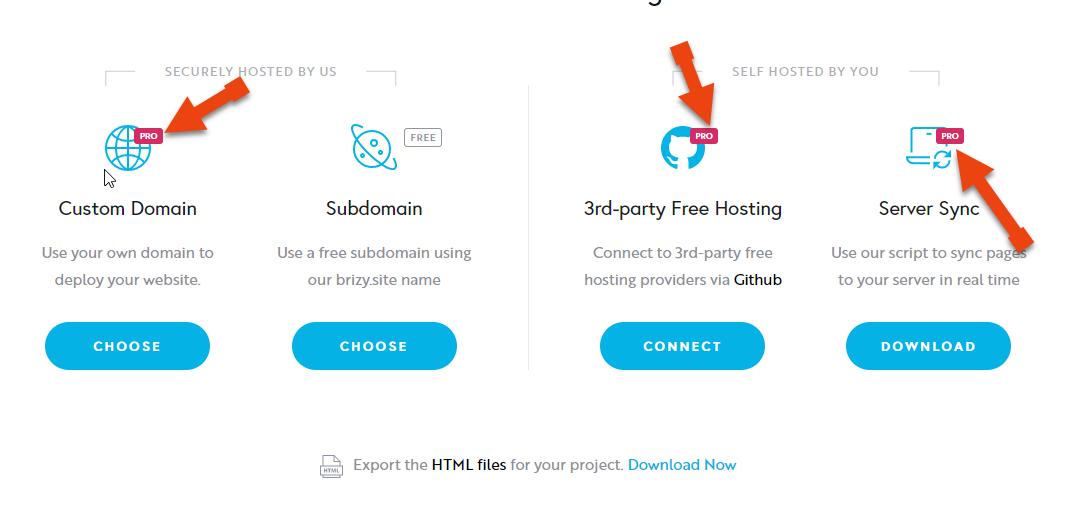
Now when I try to find out what type of account I have, I went to profile to the account tab and checked all 3 option I'm given. Now I found that in my "payment" option/screen it only says that I have not bought "Brizy pro" and nothing else. ( a bit frustrating, if you ask me, not knowing what's included in your account)
Now my question is: Since "apparently" I do not have "Brizy pro" Could this be the reason why server sync it is not working?
Obviously, I will ask you to check this for me, but also I want you to also check my account in particular since I sign up to Brizy cloud when it was being promoted on Appsumo, and as per the deal I purchase it did include server sync, 3rd party hosting, which there are PRO features.
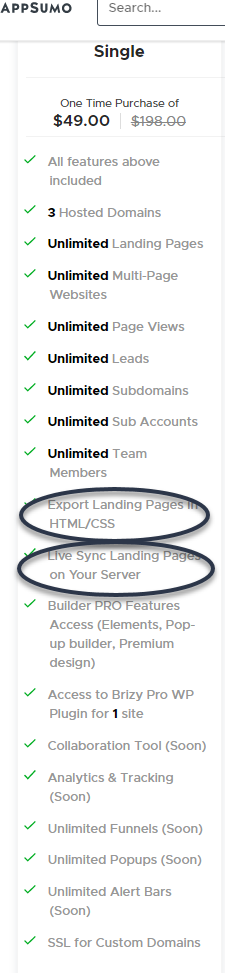
Can you check this for me, I have coming up a few sites that I want to publish (using server sync) and I need to now if I can count on Brizy, or if I need to move elsewhere.
Thank you in advance.
-

Hi,
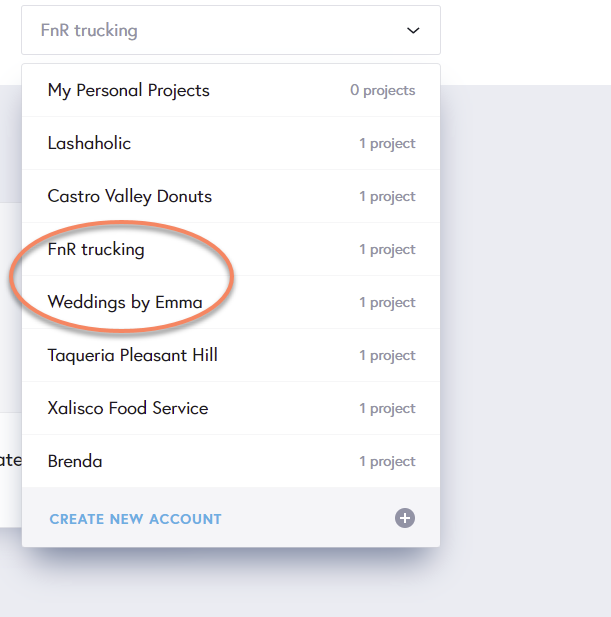
Thank you for all these details. We checked your account and found that you have the AppSumo license. Having this license type you can use the Server Sync and Export HTML method on your own account but on your own account (where you are the owner), you don't have any project. We checked if these Pro features are available on your account and yes, they are. Therefore, we suppose that you are invited to a subaccount where the owner has the Free account. In such a way, you can't publish those sites with one of the Pro methods.
Best regards,
Sandra0 -
Thank you for checking this out. For what you described it seems I am the account owner (only member) with pro features (as you checked)
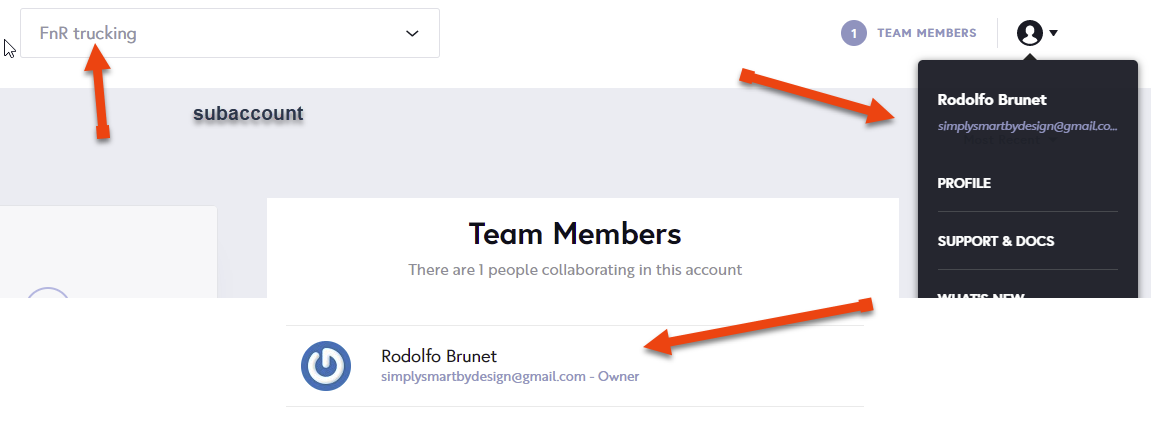
Now question: I have two sites that I will need to be launching very soon, and I want to do so using server sync. Should I open a new thread/post, so we both can find a solution and what is that I am missing to successfully launch a site via server sync.
 0
0 -
We can continue here the discussion. Could you please give us more details about the problem you encounter? You can't publish with Server Sync the site from the "FnR trucking" account?
0 -
Hey Sandra
There are actually two sites that I need to connect
- weddingsbyemmachavez.com
- fnrtruckinginc.com
First of all I want you to understand how those domain have been setup.
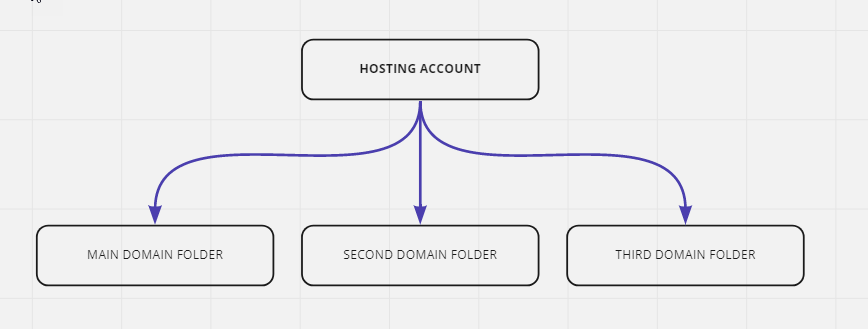
The Wedding domain was set up in the primary folder(public_html) folder permission is 775, and before I upload it I change the htcaccess file as per the guide
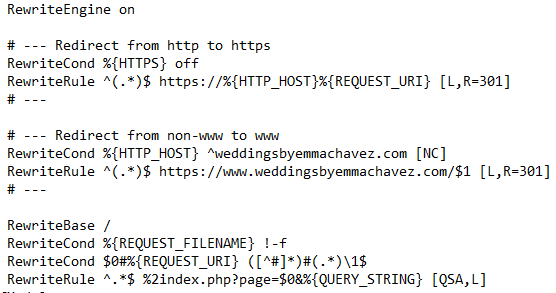
After uploading all files, I start with the last step (per the guide) but I do not believe the "sync" process start since what I get is an error message (yes I clear the cookies too)
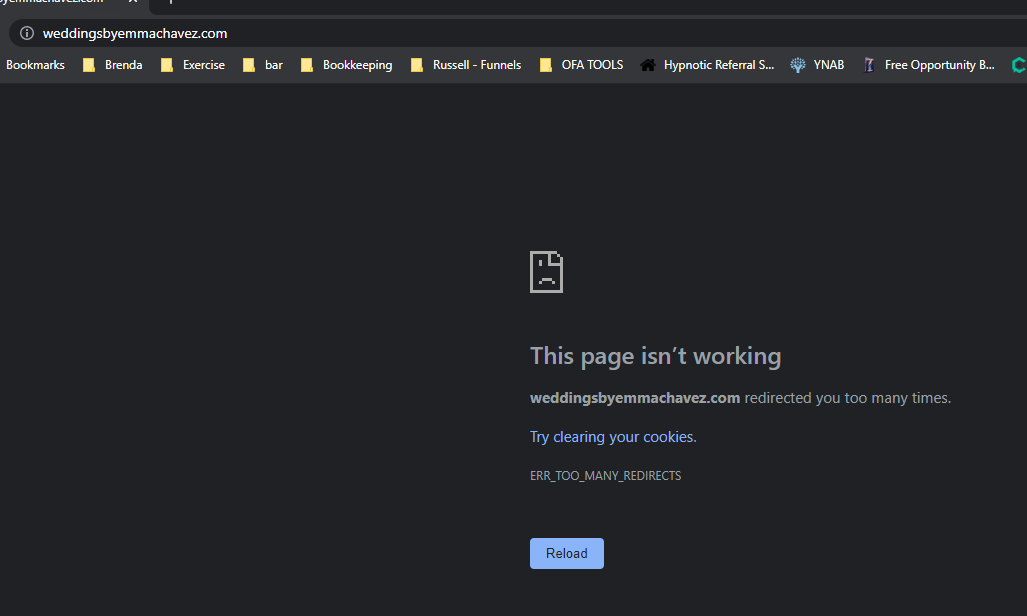
___________
The fnr trucking domain is setup in a secondary domain, permissions are 755. I uploaded as the guide suggested, but I do get the same results.
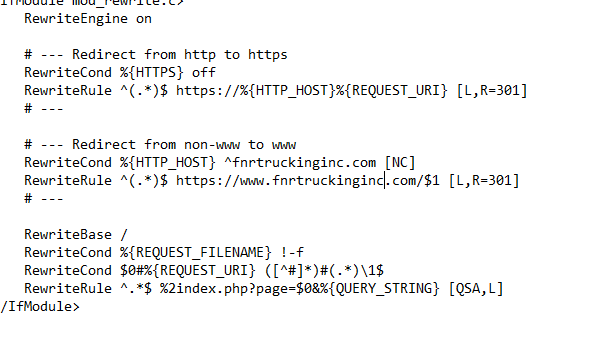
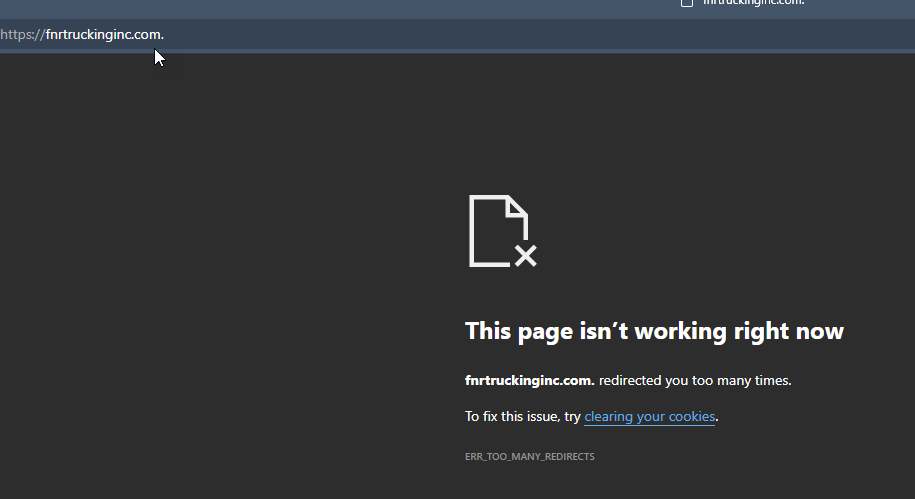
Both domains are pointing to the servers and they have been propagated.
here is where I get completely lost, since I do not know what to change. Please review and let me know.
0 -
Hi,
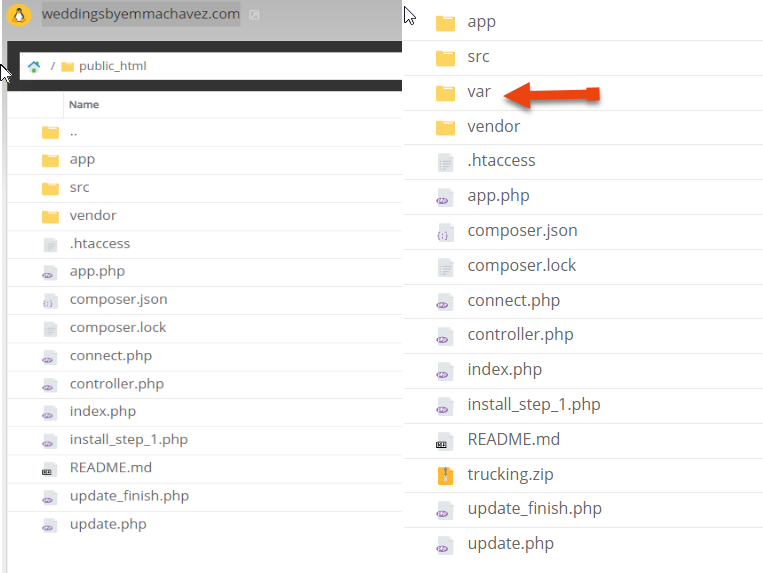
Could you please delete the cache and var folder?
Best regards,
Sandra0 -
Hi,
There was no cache folder. I was able to erase only the var folder. Which now it is erased. Not sure how long will it take to have any effected, but when I checked the addresses I still getting the same error message.
 0
0 -
Hi,
Thank you for all these details! We would like to check this problem from your dashboard. Could you please send us the FTP credentials for these sites?
I have created a private ticket for this request. You had to receive a notification regarding this by email. Could you send us in that private message the FTP credentials to them?Thanks!
Best regards,
Sandra0
Please sign in to leave a comment.
Comments
7 comments