Syncing WordPress cloud and Brizy Cloud

Until now, I had been using the Brizy WordPress plugin, which I recently replaced with a subscription to Brizy Cloud.
I am trying to transfer designs from WordPress to Brizy Cloud, but I haven’t been able to do so. Even though I use the same password for both, the content does not match. Furthermore, when I export a design from WordPress to my computer—intending to import it into Brizy Cloud—it exports as a folder, which makes it impossible to import.
If I compress it into a ZIP file, I get this message when I try to import it.
"The zip can't be impoarted. Sync versions do not match."
I have reviewed your tutorials, but they do not provide a solution. Thank you.
-

Hi Ramon,
Thank you for reaching out.
You can move your pages from Brizy WordPress to Brizy Cloud with Brizy Sync. It uses your Brizy account to carry saved layouts between the two platforms.
In Brizy WordPress
1. Open the page in the Brizy editor and save it as a layout using the Save option.
2. When prompted, log in to your Brizy account. This connects your saved blocks and layouts to the Cloud.
3. If you skipped the login, open the block manager (Ctrl + Shift + A on Windows, Cmd + Shift + A on Mac) and go to the Saved tab. Click Connect on the left panel and enter your Brizy email and password.
4. Click Sync Now. The sync icon turns green when it succeeds.
5. Check that the WhiteLabel option is deactivated, as it can interfere with syncing.In Brizy Cloud
1. Log in to the same Brizy account. Your saved layouts will already be there, with no setup needed.
2. Add a page to your Cloud project. Then open the block manager, go to the Saved tab and import the layout into that page.
3. Repeat for each page you want to move.Please note that Sync transfers only the design of your pages. If your website uses features provided by third-party plugins, such as forms, sliders or e-commerce functions, they won't be carried over. You'll need to rebuild or replace them in Brizy Cloud.
You'll find more details here:
https://support.brizy.io/hc/en-us/articles/13359590314258-Migrating-websites-from-Brizy-Cloud-to-Wordpress-and-vice-versaPlease try this and let me know how it goes.
Best regards,
Ariel H.0 -
Hi Alan.
As I mentioned in my previous message, I have already tried all of that. At the moment, I no longer have the Pro plugin installed in WordPress, which might be the issue. However, as I’ve said before, when I download the ZIP file, I am unable to import it into Brizy Cloud Pro.Thanks.
0 -
Hi Ramon,
Could you please clarify if the ZIP file contains a saved Brizy layout or the entire WordPress website?
If it's a ZIP file of the entire website, it may not be possible to import it directly into Brizy Cloud. However, is your WordPress website currently live? If so, we might be able to help you move it over to Brizy Cloud.
Kind regards,
Ariel H.0 -
Hi Ariel;
Only the Brizy layout. Yes the WordPress website is currently live, because i can´t do the translate.Hacerlo.org
Thanks0 -
Hi Ramon,
I can help you move your website from Brizy WordPress to Brizy Cloud.
However, please note that Brizy Cloud is a separate platform independent of WordPress. While we can carry over your website's design and layout, features that rely on third-party WordPress plugins may not be transferred or work in Brizy Cloud.
Also, while we'll do our best to make the pages look as close as possible to the original website, some pages may look slightly different after the migration. You may need to make some manual adjustments to the layouts on your end.
If you're okay with these limitations, please confirm and provide temporary access to your WordPress website so I can help move it to your Brizy Cloud account.
Kind regards,
Ariel H.0 -
Hi
Thanks for the heads-up; I’m aware of that. In fact, all the websites I host on Brizy Cloud originated in WordPress. I’ve always been able to transfer the designs without any issues—this is the first time I’ve encountered a situation where I couldn’t transfer one. I’ll provide the WordPress access credentials.** credentials removed ***
Do you need any more data?
Thanks0 -
Hi Ramon,Thank you for your cooperation.
We've created a clone of your website. We used Brizy Sync to save the layouts and then imported them into Brizy Cloud one by one.
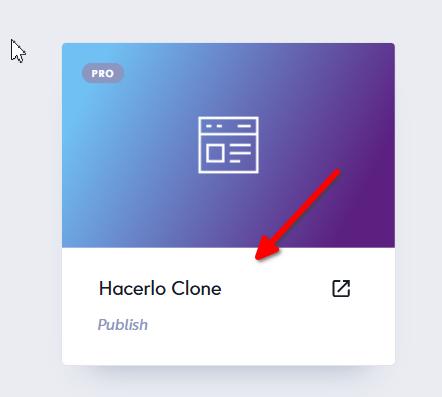
Please note that all pages are currently set to draft, so you can review them before publishing. You'll also need to rebuild your website menu directly in Brizy Cloud, as the menu structure was not carried over.
If you have any further questions, please let us know.
Kind regards,
Ariel H.0 -
Hi.
I’m looking into it... I’ll review it and get back to you later.
Thank you very much for your kindness.
Best regards.0
Please sign in to leave a comment.
Comments
8 comments