GoDaddy DNS records changed but Brizy not working

I've made a bunch of websites before with Brizy, but I'm running into an issue with a recent one where Brizy is not recognizing the updated DNS records when I see them in GoDaddy. So, the website is not working at all. I'm not sure what is going on, so any help would be great!
-

Hi Dominic,
Thank you for reaching out.
Could you please provide us with the domain name you're having trouble with so we could check why Brizy isn't recognizing the updated DNS records?
Looking forward to your response.
Kind regards,
Ariel H.0 -
It's ability.vc. Thanks!
0 -

Hello Dominic,
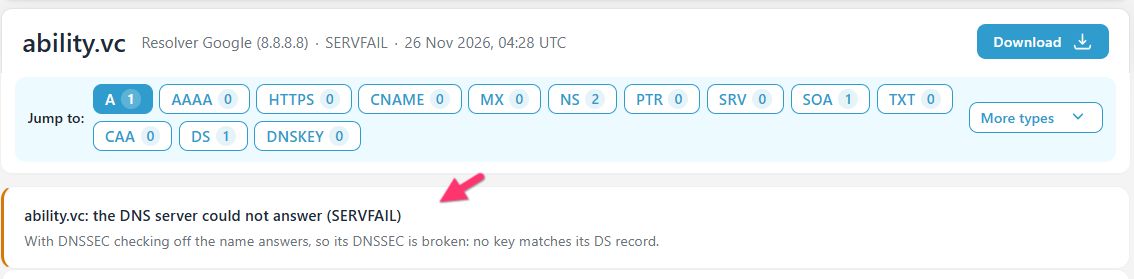
I performed a DNS lookup for your domain, ability.vc, and found a DNSSEC-related issue that may be preventing visitors from accessing your website reliably. The DNS lookup returns the following error:
ability.vc: the DNS server could not answer (SERVFAIL). With DNSSEC checking off the name answers, so its DNSSEC is broken: no key matches its DS record.
This indicates that the issue is likely related to an incorrect DNSSEC configuration—specifically, a mismatch between the DS record published at the domain registry and the DNSKEY record provided by GoDaddy.
1. How to verify the issue
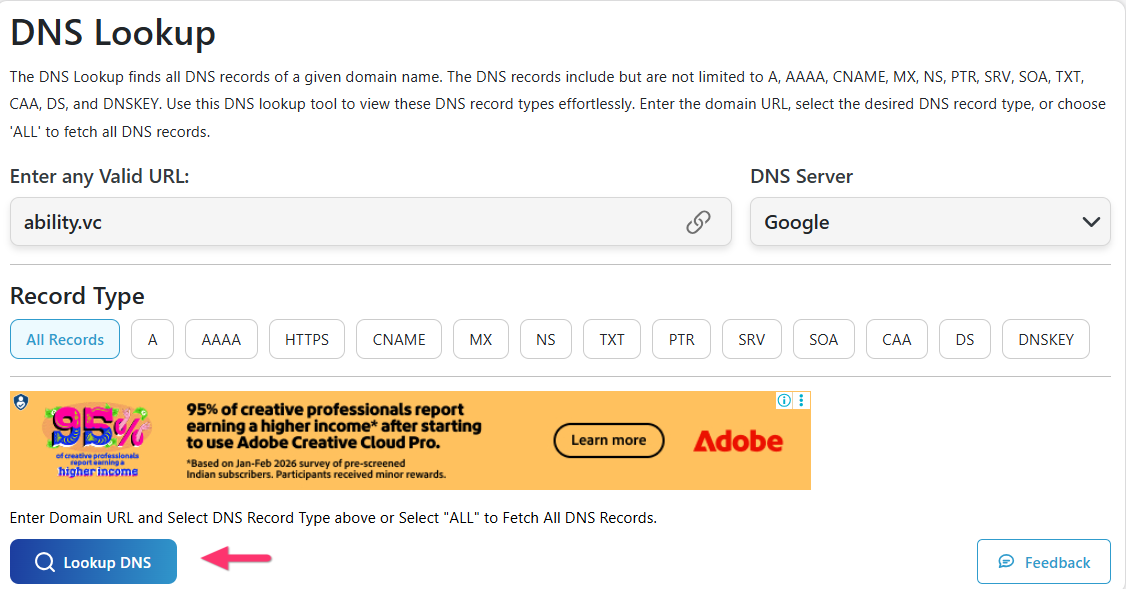
You can verify this by visiting: Check DNS Records for ability.vc. Click the Lookup DNS button to perform the lookup.
You should see the DNSSEC-related error displayed just above the listing of DNS records.
2. Why does this happen?
The most likely cause is that the
.vcdomain registry still has a DS record from a previous DNS provider or an earlier DNSSEC configuration, while your current GoDaddy nameservers are not publishing a matching DNSKEY record. When these records don't match, DNSSEC validation fails, and DNS resolvers return aSERVFAILerror instead of resolving your domain.3. How can you fix it?
Since your domain is managed through GoDaddy, we recommend reviewing and resetting its DNSSEC configuration to ensure that the records at the
.vcregistry match your current DNS provider's configuration.You can try the following steps:
-
Sign in to your GoDaddy Domain Portfolio and select ability.vc.
-
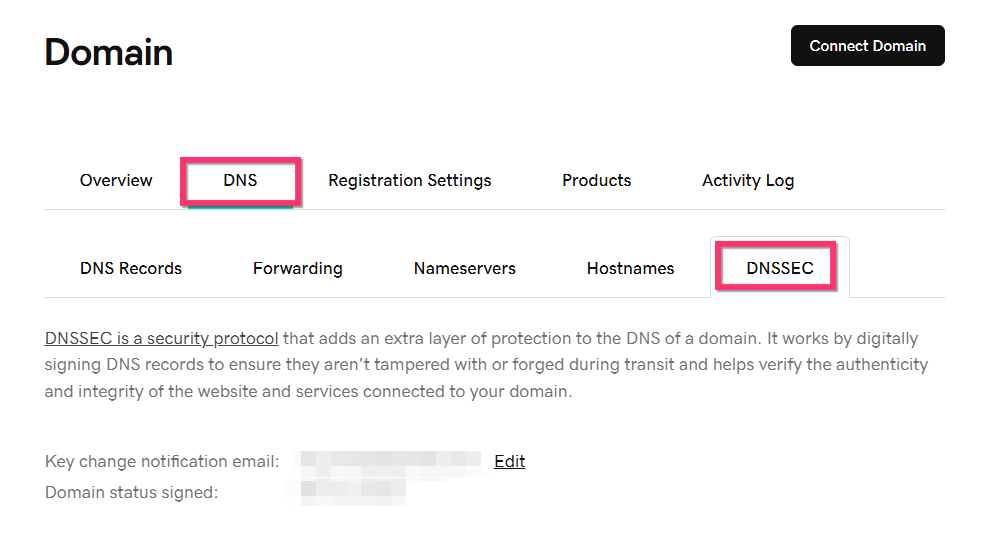
Navigate to DNS, then select the DNSSEC tab.
-
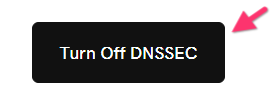
Check the current DNSSEC setting. You should see either Turn off DNSSEC or Turn on DNSSEC. Follow GoDaddy's DNSSEC reset procedure to remove the existing configuration and allow the records to be synchronized correctly. If you're unsure which option to select, it's best to ask GoDaddy Support to verify the DS record before making changes.

-
Allow some time for GoDaddy to process the changes. Then repeat the DNS lookup using the link above and check whether the
SERVFAILerror has disappeared.
4. Alternatively, contact GoDaddy Support
If you prefer, you can ask GoDaddy's technical support team to investigate and resolve the DNSSEC mismatch. To help them understand the issue quickly, you can share the following message:
My domain
ability.vcis using GoDaddy nameservers, but DNS lookups are returning a DNSSEC-relatedSERVFAILerror. Could you please investigate the DNSSEC configuration and check whether there is an outdated or orphaned DS record at the.vcregistry? If necessary, please arrange to remove the stale DS record or update it to match the current DNSKEY configuration.Once this DNSSEC issue is resolved, your domain should be able to resolve correctly through DNS providers that enforce DNSSEC validation.
Please let us know what you find after checking with GoDaddy. We'll be happy to help with any further troubleshooting needed from our end.
0 -
Please sign in to leave a comment.
Comments
3 comments