Logger error

Hi,
My website is throwing "Error establishing a database connection" intermittently. Upon checking the error_log, Brizy is throwing recurring errors that I really cannot trace. I can send the error_log file for your checking.
Last few lines of the error_log: (I've replace some letters with x for privacy reasons:)
I hope you can help me with this one. I built the whole website using brizy and we have an important event tomorrow so panicking at the moment. Thanks in advance.
#7 /home/xxxxxx/public_html/xxxxxxxxxasia/wp-includes/plugin.php(571): WP_Hook->do_action()
#8 /home/xxxxxx/public_html/xxxxxxxxasia/wp-cron.php(191): do_action_ref_array()
#9 {main}
thrown in /home/xxxxx/public_html/xxxxxxxxxmasia/wp-content/plugins/brizy/logger.php on line 91-

Hello Tiffany,
The error you're seeing in
/wp-content/plugins/brizy/logger.phpon line 91 is caused by a compatibility issue between Brizy WordPress and Brizy Cloud. The two platforms are currently running versions that are not fully compatible. We expect to resolve this once we release a Brizy Cloud update that aligns with the current Brizy WordPress version.Why does this error occur? When your "Saved Blocks and Layouts" library is connected to your Brizy Cloud account, a scheduled WordPress cron job periodically attempts to connect to Brizy Cloud and synchronize your saved blocks and layouts. Due to the current version mismatch, these synchronization attempts generate errors on your server each time the cron job runs.
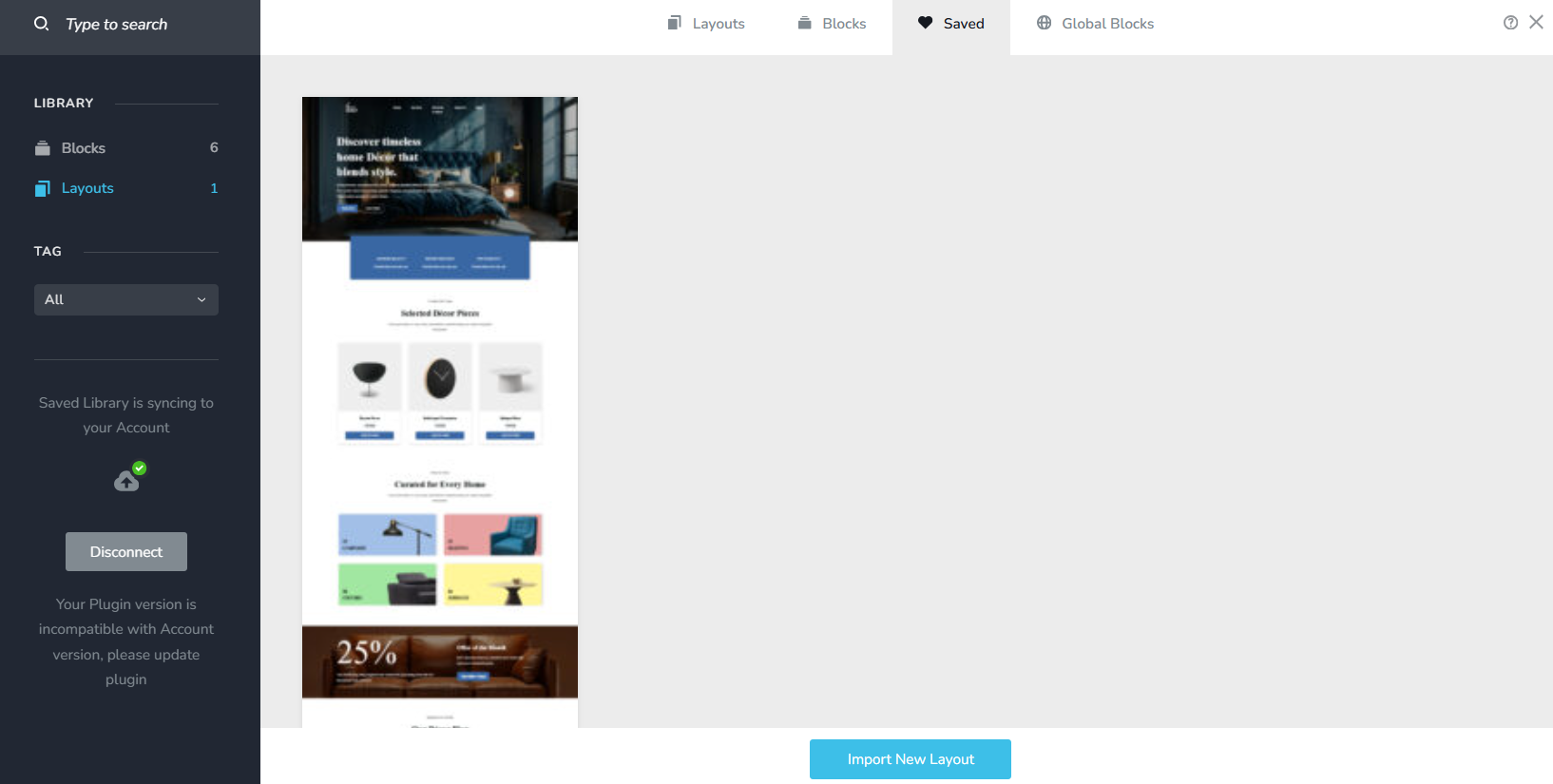
Temporary workaround: Until the compatibility update is released, you can prevent these recurring errors by disconnecting your Saved Blocks and Layouts library from your Brizy Cloud account. Simply click the Disconnect button to stop the synchronization process.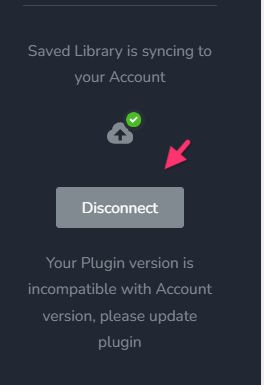
Please note that disconnecting the library will temporarily stop synchronization between your WordPress and Brizy Cloud accounts. You can reconnect it once the compatibility update becomes available.
Regarding the database connection error: The intermittent "Error establishing a database connection" notification appears to be a separate issue and may not be related to Brizy. This error can originate from your hosting environment or database server. We recommend contacting your hosting provider's support team so they can investigate the server-side logs and identify the underlying cause.We hope this clarifies the two issues and provides a temporary way to prevent the recurring Brizy errors. We apologize for the inconvenience and appreciate your patience while we work on the compatibility update.
0
Please sign in to leave a comment.
Comments
1 comment