Changes dont reflect on the live

Hi,
I have cleared the cache, tried incognito window, and submitted the google search console but the changes is not visible on the live site. If i click preview link from the page, i can see it is changed. But its not reflected when i search or paste elsewhere.
version is 2.8.14.
can you pls check  it should show annual dinner set instead of mid autumn package
-

Hi Janet,
Thank you for the details. Could you please share the URL of the affected page so we can take a closer look?
This will help us better understand the issue and investigate further.
Kind regards,
Ariel H.0 -
Hi Janet,
Thank you for your patience.
We've checked your website and confirmed that the Mid Autumn package has already been updated.
 This suggests that the issue may be related to server-side or CDN caching. Even though you've already cleared the cache and tested using an incognito window, your hosting server or CDN may still be serving an older version of the page.
About Google search visibility, please note that website updates do not appear immediately in Google search results. Google needs to recrawl and reindex the page before the updated content is reflected in search results. Since you've already submitted the page through Google Search Console, we recommend allowing some time for Google to process the changes. The delay in Google search results is related to Google's indexing process and does not necessarily indicate an issue with your website.Kind regards,
Ariel H.0 -
Mid autumn package is the wrong old text and pdf. We should have the annual company set by now
0 -
Hi Janet,
We checked your website, and the updated block is visible when accessing this link:
https://www.newgoldenhappiness.com/?nocache=0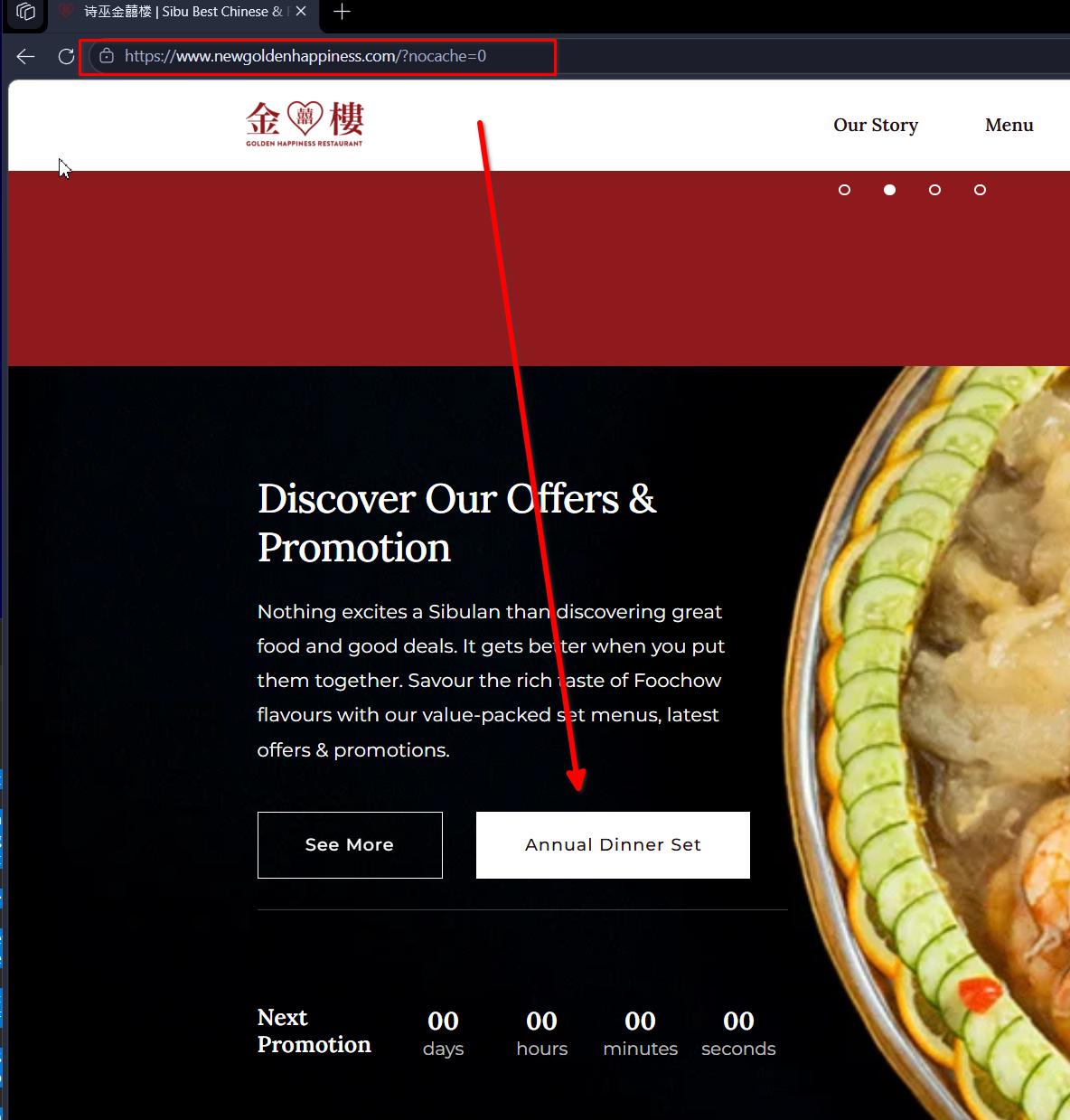
This suggests that the issue may be related to server-side or CDN caching. Even though you've already cleared the cache and tested using an incognito window, your hosting server or CDN may still be serving an older version of the page.
Could you also check the following?
1. Log in to your hosting control panel and purge the server-side cache, if available.
2. If you're using Cloudflare or another CDN, try purging its cache as well.
3. Make sure all caches have been cleared from your WordPress caching plugin.
0
Please sign in to leave a comment.
Comments
5 comments