Brizy caused a critical error on your site

Hi,
We are getting this message daily for two sites created using Brizy and hosted on Wordpress.com. When I check the site, everything seems to be working fine. Not sure why we are receiving this message and how to make it go away. We are on the latest versions of Brizy and Brizy Pro.
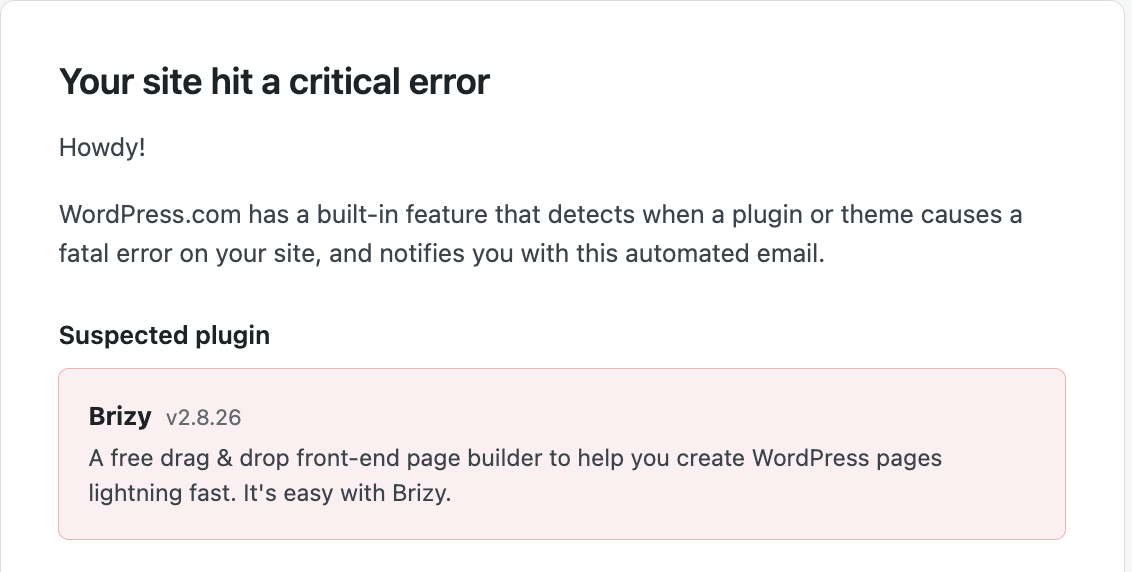
Thanks!
Rima
-

Hi Rima,
Could you please provide temporary administrator access to your WordPress dashboard so we can take a closer look at the issue?
Kindly send the following details to communitysupport@brizy.io:
Community post link: https://support.brizy.io/hc/en-us/community/posts/40773180634258
WordPress Admin URL:
Username:
Password:We’ll be glad to assist as soon as we have access.
Best regards,
Ariel H.0 -
Hi Rima,
Thank you for your cooperation.
After checking your WordPress admin dashboard, we didn't notice anything unusual. We also confirmed that the non-essential plugins have already been disabled.
To help us investigate why these notifications are being triggered, could you please send us a copy of your WordPress.com error logs? You can find and download them by following these steps:
1. Log in to your WordPress.com account.
2. Open the Hosting Dashboard and select the affected website.
3. Navigate to Logs in the sidebar.
4. Select PHP errors.
5. Download the logs and send us a copy.Please provide the logs for the affected websites so our team can review them and check whether there are any underlying PHP errors or other issues triggering these notifications.
Thank you for your cooperation.
Best regards,
Ariel H.0 -
Thanks for looking into it, Ariel.
Here are the links to download the log files.
https://drive.google.com/file/d/1Pv-wbnbmediNNDBSPQsTd4mN-udZ160h/view?usp=sharing
https://drive.google.com/file/d/1sf8TPH5UhQ0RFtjLxP9oQU0dOMW2b5VP/view?usp=sharing
Let me know if there is any issue in accessing these log files.
Thanks,
Rima
0 -
Hi Rima,
The error shown in the screenshot is covered.
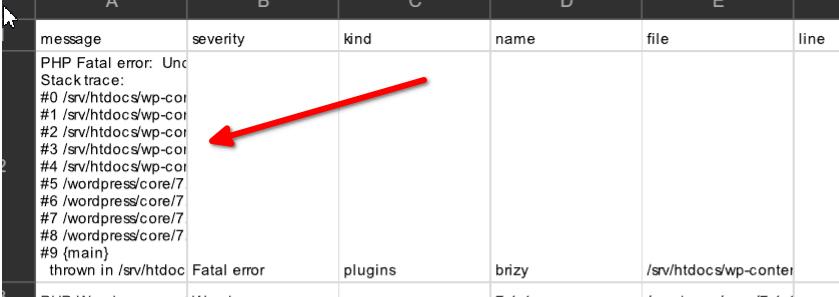
Could you please copy and paste the full error message, including the entire stack trace, directly into this thread? We only need one instance of the error to investigate it further.
0 -
Here it is, Ariel:
PHP Fatal error:  Uncaught TypeError: Brizy_Editor_Exceptions_UnsupportedPostType::__serialize() must return an array in /srv/htdocs/wp-content/plugins/brizy/logger.php:91

Stack trace:

#0 /srv/htdocs/wp-content/plugins/brizy/logger.php(91): serialize(Array)

#1 /srv/htdocs/wp-content/plugins/brizy/logger.php(214): Brizy_Logger->write_log('CRITICAL', 'Failed to sync ...', Array)

#2 /srv/htdocs/wp-content/plugins/brizy/logger.php(135): Brizy_Logger->log('CRITICAL', 'Failed to sync ...', Array)

#3 /srv/htdocs/wp-content/plugins/brizy/admin/cloud/sync-aware.php(38): Brizy_Logger->critical('Failed to sync ...', Array)

#4 /srv/htdocs/wp-content/plugins/brizy/admin/cloud/cron.php(40): Brizy_Admin_Cloud_Cron->syncLayouts(1)

#5 /wordpress/core/7.1.4/wp-includes/class-wp-hook.php(353): Brizy_Admin_Cloud_Cron->syncLayoutsAction()

#6 /wordpress/core/7.1.4/wp-includes/class-wp-hook.php(377): WP_Hook->apply_filters(Array, Array)

#7 /wordpress/core/7.1.4/wp-includes/plugin.php(571): WP_Hook->do_action(Array)

#8 /wordpress/core/7.1.4/wp-cron.php(191): do_action_ref_array('brizy-cloud-syn...', Array)

#9 {main}

  thrown in /srv/htdocs/wp-content/plugins/brizy/logger.php on line 91
Thanks,
Rima
0 -
Hi Rima,
We were able to identify and fix the issue related to the Brizy Cloud synchronization process that was triggering the PHP fatal error.
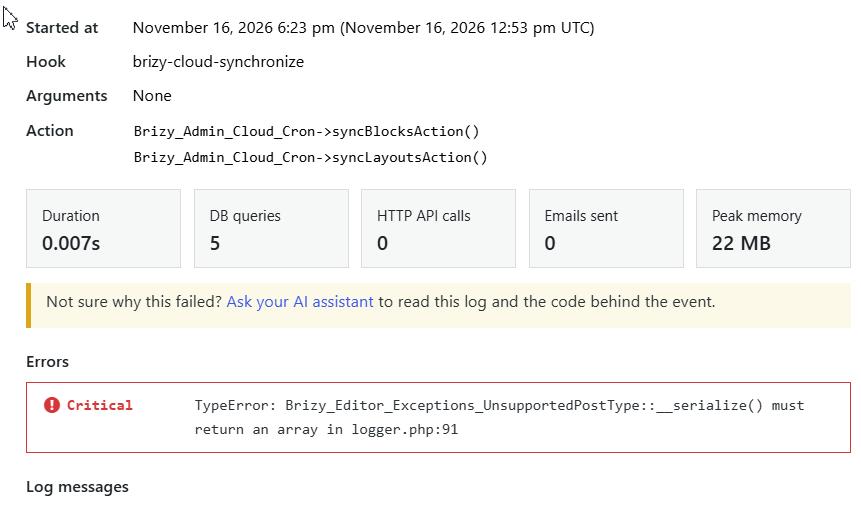
Could you please monitor your website over the next few days and let us know if the error occurs again?
Thank you for your patience and cooperation!
0 -
Sure, Ariel. Thanks for your help.
0 -
Hi Ariel,
We are still receiving the message for one of the sites (rimasharma.com). Here is what the error message says:
PHP Fatal error: Uncaught TypeError: Brizy_Editor_Exceptions_UnsupportedPostType::__serialize() must return an array in /srv/htdocs/wp-content/plugins/brizy/logger.php:91
Stack trace:
#0 /srv/htdocs/wp-content/plugins/brizy/logger.php(91): serialize(Array)
#1 /srv/htdocs/wp-content/plugins/brizy/logger.php(214): Brizy_Logger->write_log('CRITICAL', 'Failed to sync ...', Array)
#2 /srv/htdocs/wp-content/plugins/brizy/logger.php(135): Brizy_Logger->log('CRITICAL', 'Failed to sync ...', Array)
#3 /srv/htdocs/wp-content/plugins/brizy/admin/cloud/sync-aware.php(38): Brizy_Logger->critical('Failed to sync ...', Array)
#4 /srv/htdocs/wp-content/plugins/brizy/admin/cloud/cron.php(40): Brizy_Admin_Cloud_Cron->syncLayouts(1)
#5 /wordpress/core/7.1.4/wp-includes/class-wp-hook.php(353): Brizy_Admin_Cloud_Cron->syncLayoutsAction()
#6 /wordpress/core/7.1.4/wp-includes/class-wp-hook.php(377): WP_Hook->apply_filters(Array, Array)
#7 /wordpress/core/7.1.4/wp-includes/plugin.php(571): WP_Hook->do_action(Array)
#8 /wordpress/core/7.1.4/wp-cron.php(191): do_action_ref_array('brizy-cloud-syn...', Array)
#9 {main}
thrown in /srv/htdocs/wp-content/plugins/brizy/logger.php on line 91Let me know if you need to access the site or more information.
Thanks,
Rima
0 -
Hi Rima,
Could you please provide us with access to your website so we can add a small code snippet to address the issue?
Thank you for your cooperation!
0 -
Hi Rima,
We'd like to update you that the issue is related to Brizy Cloud not yet being updated to match the current WordPress version. This should be resolved once the corresponding Brizy Cloud update is rolled out.
In the meantime, we've installed a WP Crontrol plugin and temporarily paused the relevant cron hook to pause synchronization.
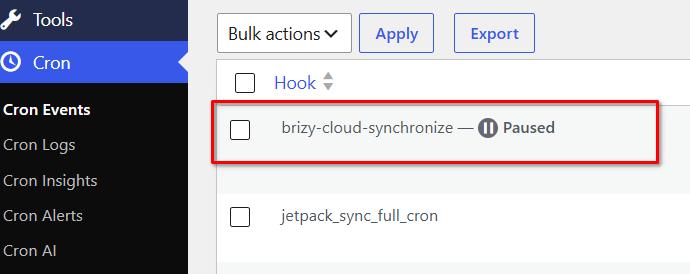
Once the Brizy Cloud update is released, we will let you know.
We apologize for the inconvenience and appreciate your patience and understanding.
Kind regards,
Ariel H.0
Please sign in to leave a comment.
Comments
10 comments