Can't update site

I'm getting the "This page needs a refresh. You’ve probably updated this page (or another page) in a different tab or browser." error.
I don't have cpanel (Cloudways). I don't have Wordfence installed.
I've optimized all my images and purged caches.
I'm on php 8.3.
Please help.
-

Hello Craig,
Certain PHP directives or Apache server configurations may be interfering with the functioning of the Brizy editor. To help resolve the issue, we'd like you to try the following changes in the order listed below.
Please test the Brizy editor after each step. If the issue is resolved, there's no need to proceed further.
-
Application-level PHP directives: Following the instructions under Step #2 — Configure PHP-FPM in Cloudways' guide, How to Customize PHP Settings for Your Application, please set the following PHP directives. Once you've applied these changes, check whether the Brizy editor works as expected. If the issue persists, move on to Step 2.
php_admin_value[memory_limit] = 1024M
php_admin_value[post_max_size] = 1024M
php_admin_value[upload_max_filesize] = 512M -
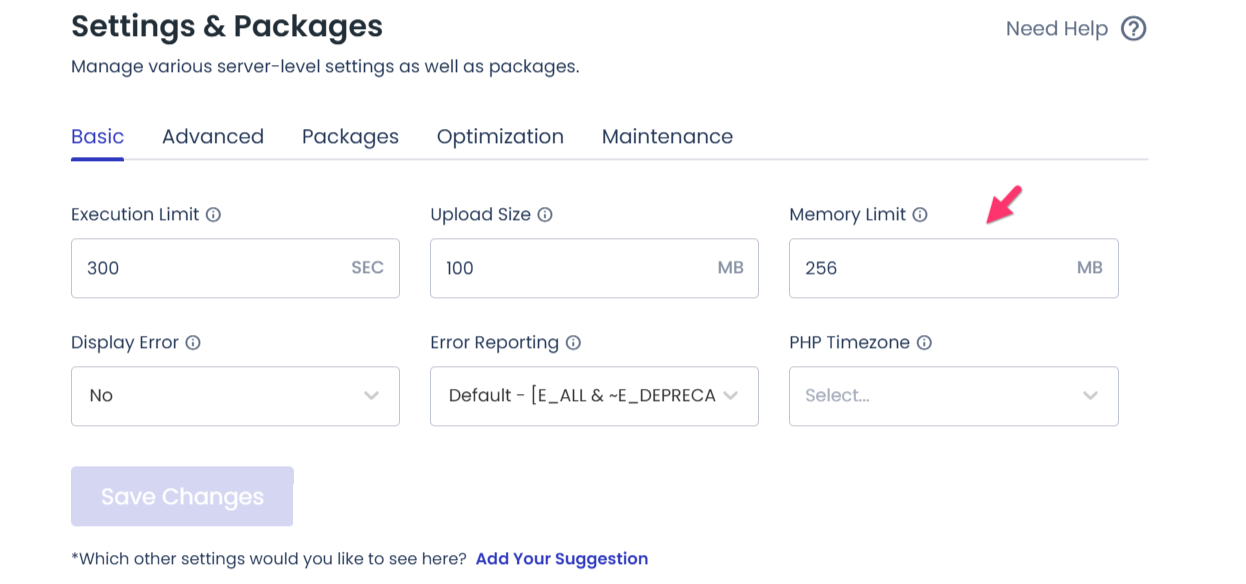
Server-level PHP memory limit: Next, follow the instructions under Basic Settings in Cloudways' guide, How to Manage Your Server Settings, and increase the server's Memory Limit to 1024 MB.
Please test the Brizy editor again. If the problem remains, proceed to Step 3.
-
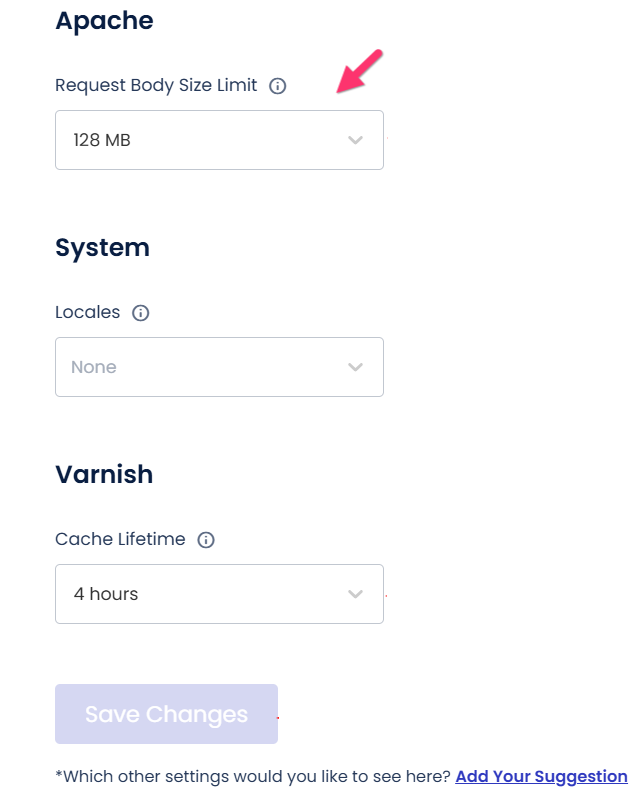
Apache Request Body Size Limit: If your website is hosted on an Apache web server, there's one more setting worth checking. In the same Cloudways guide, navigate to Advanced Settings → Apache and set the Request Body Size Limit to 1024 MB.
After saving the changes, try accessing the Brizy editor once more.
If the issue persists after trying all three steps, please let us know. We'd be happy to take a closer look by accessing your WordPress Dashboard and investigating the issue further. We appreciate your patience as we work together to get the Brizy editor working smoothly again.
0 -
Please sign in to leave a comment.
Comments
1 comment