Brizy Plugin Update Failed – Could Not Copy File

Hi Support Team,
I encountered an error while updating the Brizy plugin on my WordPress website.
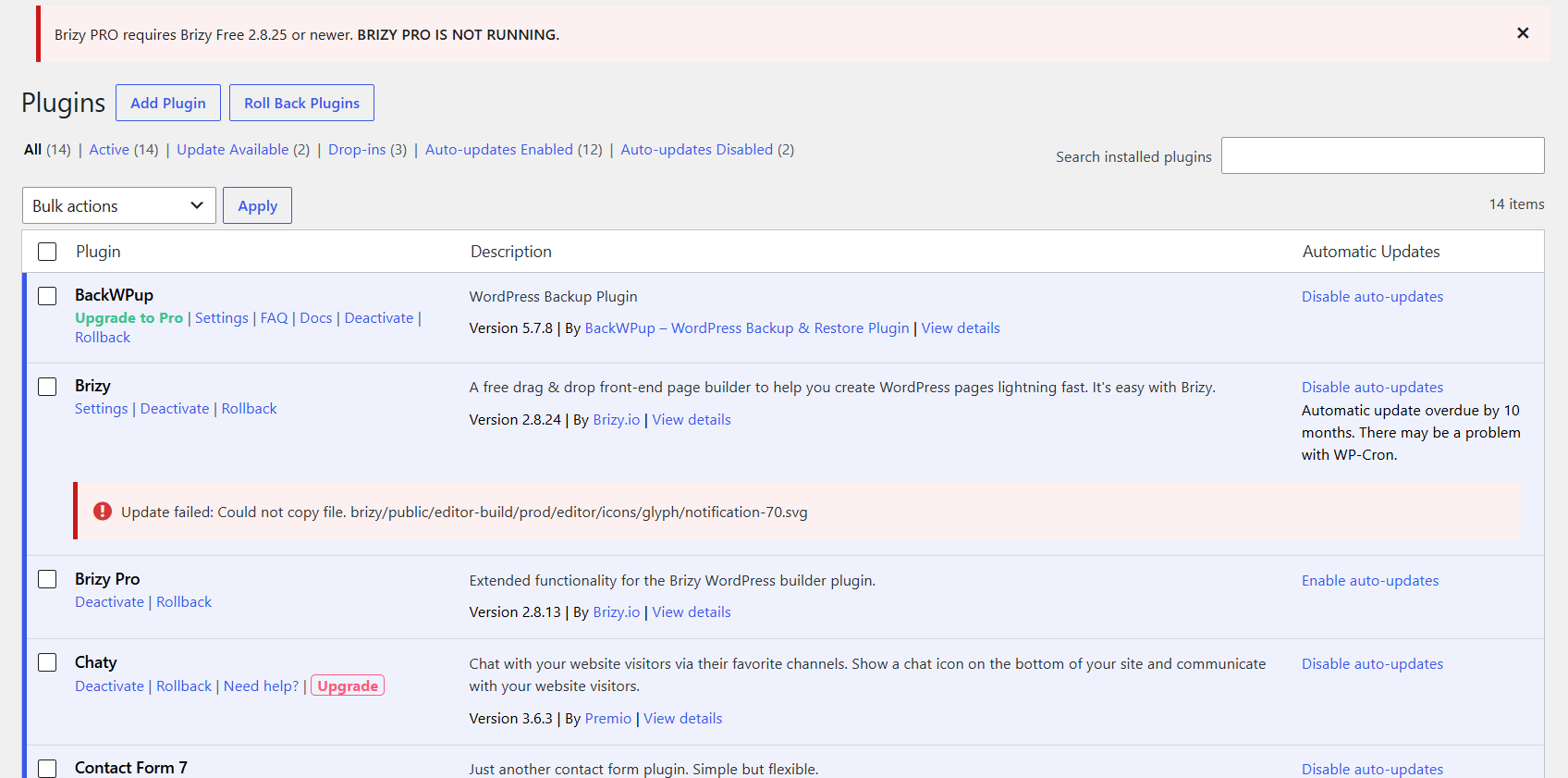
The Brizy Free update from version 2.8.24 to 2.8.25 failed with the following error:
"Could not copy file: brizy/public/editor-build/prod/editor/icons/glyph/wood.svg"
However, Brizy Pro was updated successfully, and I am now receiving this warning:
"Brizy PRO requires Brizy Free 2.8.25 or newer. BRIZY PRO IS NOT RUNNING."
Could you please help check whether this issue is related to server file permissions, disk space, or another hosting issue?
Please also advise how to resolve this safely without affecting my existing website content, design, or functionality.
Thank you!
-

Hello Bee,
Since you're having trouble updating Brizy from version 2.8.24 to 2.8.25, could you please try the following steps to perform a fresh installation of the latest version?
- Deactivate and delete the existing Brizy plugin from your WordPress Admin Dashboard.
- Navigate to Plugins → Add Plugin, search for Brizy – Page Builder, and install the plugin directly from the WordPress repository.
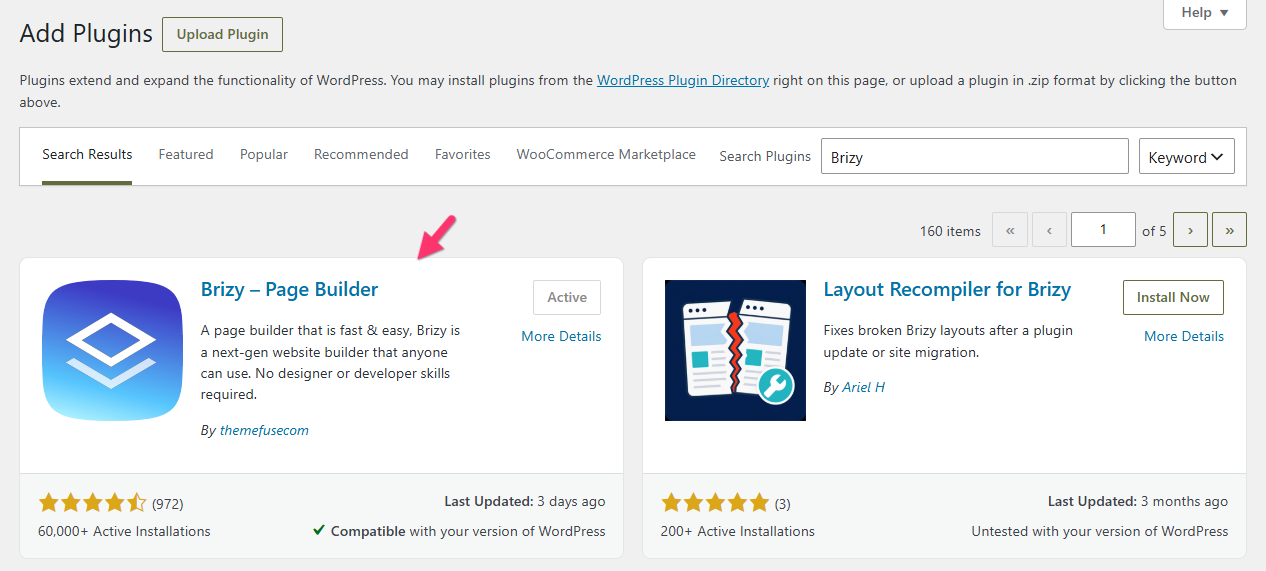
If you're unable to install the plugin yourself, please contact your hosting provider and ask them to assist with the installation. Once you've tried these steps, please let us know whether the update was successful. If you're still experiencing difficulties, we're happy to take a closer look at your WordPress Admin Dashboard and help you resolve the issue.
0 -
Hi, thanks for your reply.
Before proceeding, I'd like to confirm whether deactivating and deleting the existing Brizy Free plugin will affect my live website.
Will my entire website disappear or become inaccessible during this process? Also, will my existing page designs, layouts, and content remain intact after reinstalling the plugin?
I'm concerned about potentially losing my website content or affecting its functionality.
Could you please confirm if it's safe to proceed?
0 -
Hello Bee,
The process of deleting and reinstalling the Brizy plugin should take approximately 2-3 minutes. During this brief period, your live website may be temporarily affected. Please note that your website will not disappear or become inaccessible, but its design may not display correctly until the plugin has been reinstalled and activated. To give you an idea of what to expect, you can watch a demonstration of the process here: Watch the demonstration.
All your existing page designs, layouts, and content will remain intact after reinstalling the plugin. You won't lose any of your website's existing work. As an additional precaution, you could take a backup of your website before proceeding. This will give you peace of mind and allow you to restore your website if anything unexpected happens during the process.
0
Please sign in to leave a comment.
Comments
3 comments