cambiar lenguaje por defecto

Hola buen día.
Les agradecería que me ayudaran con este inconveniente.
Cree una pagina en español con una version traducida al inglés. Pero ahora me pdidieron que apareciera por defecto en ingles y luego pueda ser cambiada a español si el usuario lo desea. Sin embargo, no encuentro cómo dejar el idioma ingles por defecto.
https://www.littleoceanaquatics.com/
Quedo atento.
Muchas gracias!
-

Hello Gustavo,
You can change the "Original Site Language" from Spanish to English by navigating to CMS → Project Settings → Translate.
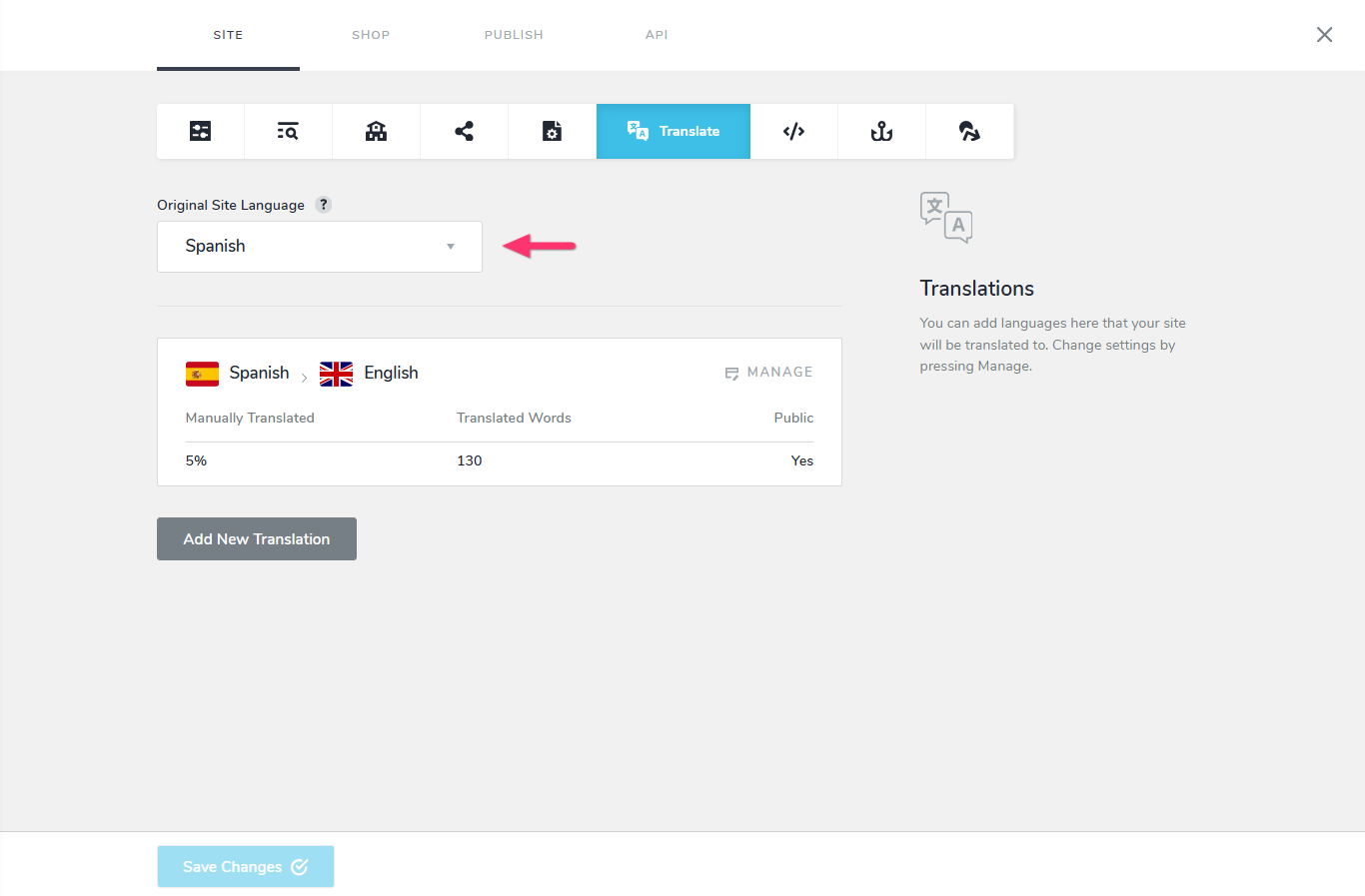
Please note that changing the original site language will not automatically translate your existing Spanish content into English. You would need to manually replace the Spanish text throughout the website with its English translations. Once the website content is available in English, you can enable English - Spanish translation to offer visitors both language options. Since this process may require additonal time and effort, consider offering this as a paid service to your client.
0
Please sign in to leave a comment.
Comments
1 comment