Created a website via AI but now its not there anymore

I used AI to create a website, unpublished. I left it like that, there was a link to access it later but when I logged in from another device to share the link, the website was no more. I logged in from the initial device now and it's still not visible in my dashboard. Dashboard shows 0 projects. Cannot find anything in history either. How do I go back to it.
-

Hello Asfandyar,
When you generate a website using the Brizy AI Builder, your project is accessible through a unique URL, similar to this example: https://ai.brizy.io/project/view/6acf24d9eed009.24770261. You can share this URL with someone else, allowing them to open the same AI-generated project.
If you can't find your project URL, you can retrieve it from your browser history by following these steps:
-
Open your browser history. In the same browser you used to generate the website, press
Ctrl + Hon Windows or Linux. On a Mac, useCmd + Yin Chrome or Firefox. Alternatively, open your browser's menu and select "History". -
Find the Brizy AI Builder project URL. Your browsing history lists previously visited pages in reverse chronological order, with the most recent visits first. Look for the date and approximate time when you generated your website, then find a URL beginning with
https://ai.brizy.io/project/view/. Refer to the example URL above to identify the correct link.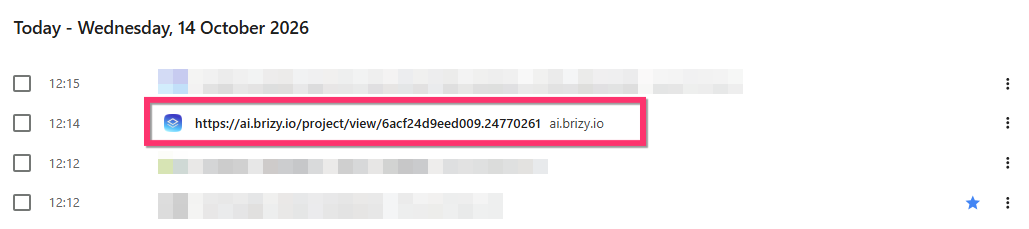
-
Open your project. Click the URL to access the website project you generated using Brizy AI Builder.
Please make sure you check the browsing history of the original browser you used to create the website, as this is where you're likely to find the project link.
0 -
Please sign in to leave a comment.
Comments
1 comment