Animated Headline Font Size not working for dynamic text

Hi, I am not able to change the font size for the entire animated headline element. The font sizes in settings is applied to the before and after text correctly but not the actual animated text which remains small.
I've attached a screenshot and working example here: https://eva-test.letslaunch.website/

-

Hello Eva,
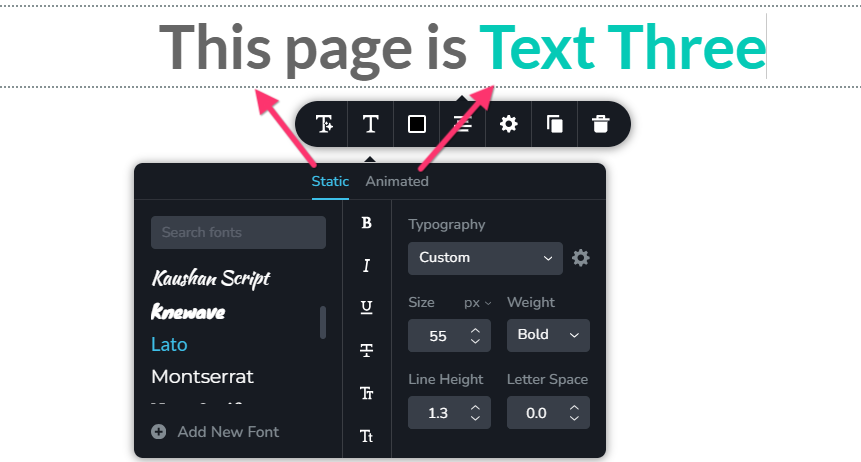
You can customize the font size of the static and animated text independently in the Animated Headline element using the Typography toolbar. Kindly follow these steps:
- In the Animated Headline element, click on any text.
- Select the Typography icon to open the typography toolbar.
- Select the Static tab to set the font size of the static text.
- Select the Animated tab to set the font size of the animated text.
This allows you to set the size of each text component separately, giving you flexibility over the appearance of your animated headline.
Please check https://eva-test.letslaunch.website/. I have set the same font size for both animated and static texts.
0 -
Thank you!
I feel silly for not noticing the tabs at the top.
0
Please sign in to leave a comment.
Comments
2 comments